
Create a site
To create a site, navigate to the Sites section in the Capable app and click Create Site.
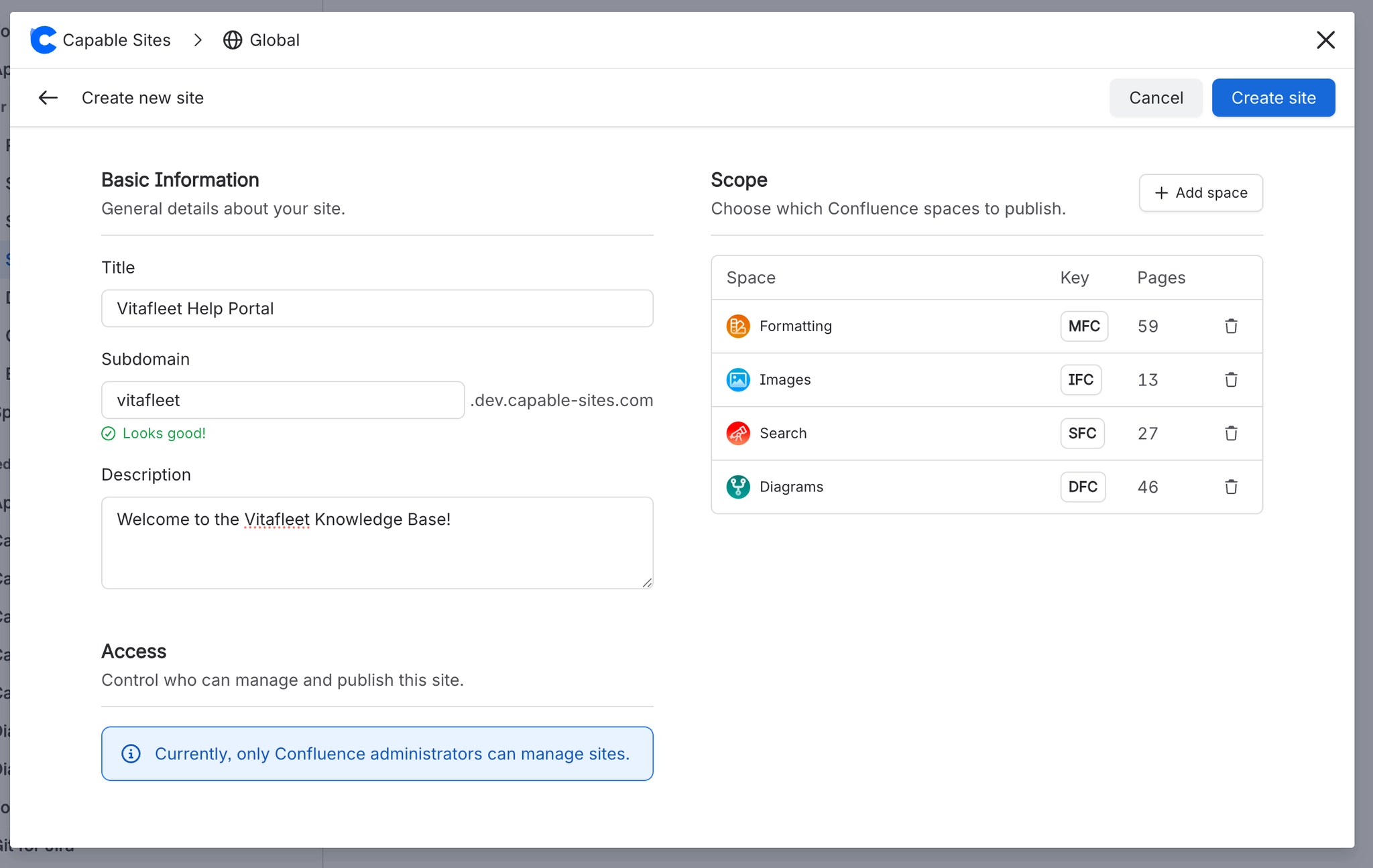
#Required fields
Field | Description | Constraints |
|---|---|---|
Title | Display name for the site (e.g., "Acme Help Center") | 1–200 characters |
Description | Short description shown on the portal homepage | Up to 500 characters |
Subdomain | URL slug — your site will be available at | 1–63 characters, lowercase letters, numbers, and hyphens only. Must start and end with a letter or number. |
Spaces | One or more Confluence spaces whose pages will be published | At least one space required before deploying |
#Subdomain availability
Subdomains are globally unique - no two sites can share the same subdomain. When you type a subdomain, the system checks availability in real time. Certain subdomains are reserved and cannot be used (e.g., www, api, admin, app, staging, login, atlassian, confluence, jira).
#What happens when you create a site
Your subdomain is reserved globally so no one else can claim it
Your site configuration is saved
The site is created in a not yet deployed state - no content is published until you deploy





















