
Capable → Github catalogue page
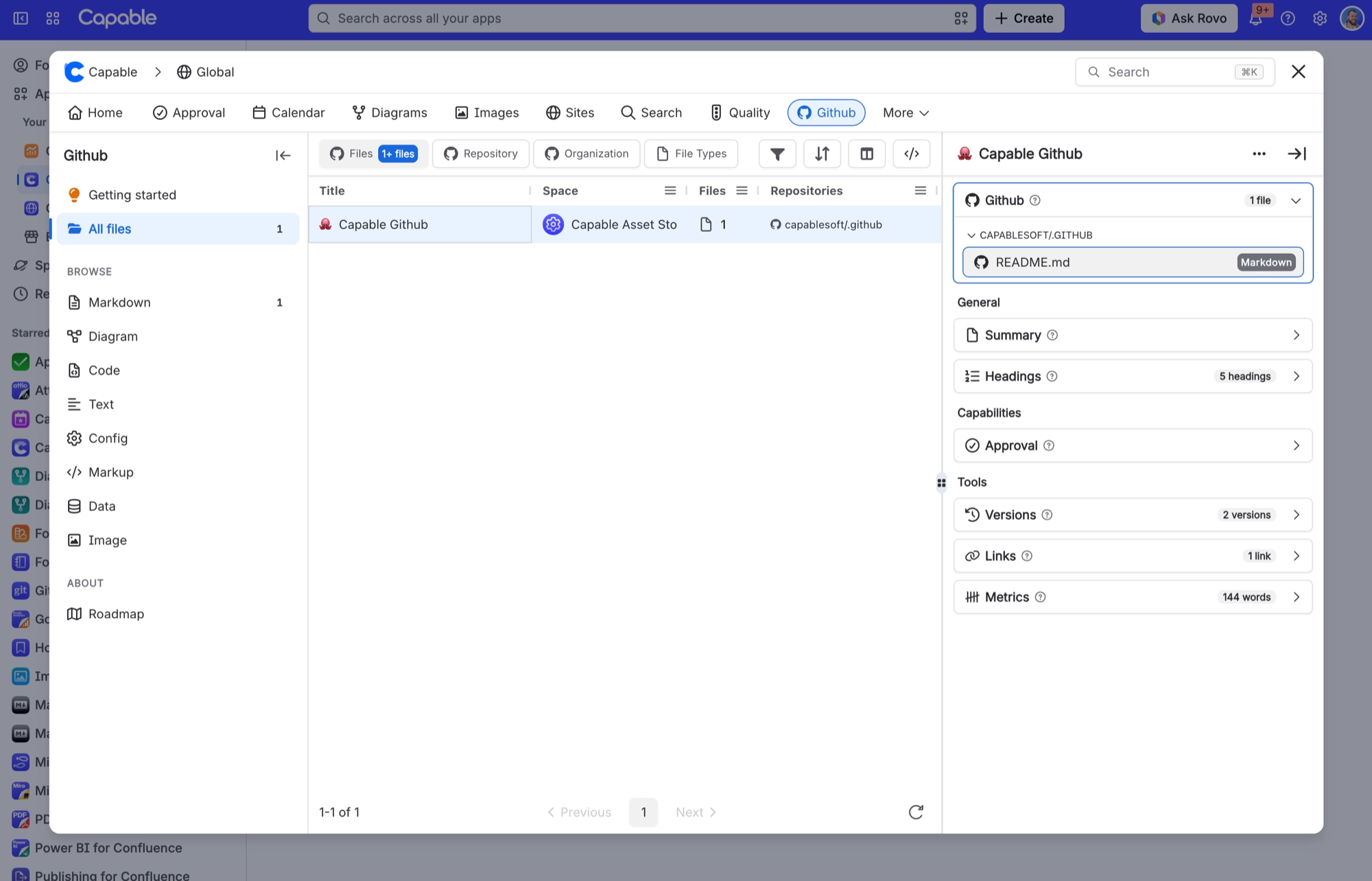
The Github section of the Capable app lists every page that holds a GitHub file, so you can find them without opening each page. Its subtitle is "Add files from GitHub repositories to pages".
It has four parts: Getting started (which you can dismiss), All files, Browse by file type (eight types, including images), and About, which holds the roadmap and changelog.
#Worth knowing
The catalogue reads from Confluence's own index of your pages, so it never contacts GitHub. The About section shows the GitHub roadmap and changelog.
#Where you do it
Task | Where |
|---|---|
Connect your GitHub account | On a Confluence page, insert the "Github file (Capable)" macro, then select Connect GitHub in the macro. Or open the macro's configuration and select Connect in the Browse GitHub window. |
Add a file from a repository to a page | Macro configuration → Browse GitHub window |
Add a file without opening the picker | The Confluence editor. Paste a GitHub file link and it turns into the macro. |
#Settings that affect this
Setting | Where | What it does |
|---|---|---|
There is no GitHub settings screen | Nowhere | Capable global settings and space settings have no GitHub tab. There is also no admin screen for connecting the whole site to GitHub. Each person connects their own account. |
Hide GitHub across the whole site | Capable's site-wide hidden capabilities setting | Hides GitHub across the whole site. This affects the byline only. Existing GitHub macros keep showing on pages. |
Turn GitHub on or off per space | Capable's per-space capability setting (always off or always on) | Always off hides the byline in that space. Always on shows it even on pages with no GitHub macro. Again, this affects the byline only. Macros still show. |
#Worth knowing
Hiding GitHub, site-wide or for a space, hides the byline only. Existing GitHub macros keep showing.
The macro is a live view of GitHub, not a snapshot. Every view fetches the latest content, so you always see the current file. On busy pages that can be slower, and it can run into GitHub's rate limits.
#Related
How it actually behaves.






















