
Cannot find the GitHub macro in Capable's macro list, the command palette, or the automation "Insert
What you are seeing
You cannot find the GitHub macro in Capable's macro list, the command palette, or the automation "Insert macro" action.
#Why it happens
The macro is deliberately hidden from Capable's own lists. It is still there, you just add it another way.
#What to do
Use any of these:
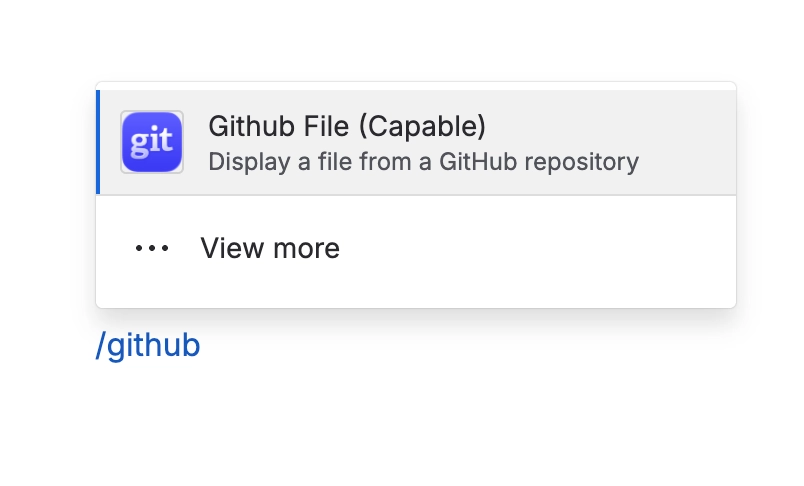
Insert it from Confluence's own macro browser by searching for "Github file (Capable)".
Use the "Github" page byline.
Paste a GitHub file link into the editor.
#Settings involved
Setting | Where | What it does |
|---|---|---|
There is no GitHub settings screen | Nowhere | GitHub adds no tab to Capable global settings or space settings. There is also no admin "connect the site to GitHub" screen. |
Hide GitHub across the whole site | Capable site-wide hidden capabilities setting | Hides GitHub across the whole site. Important: this affects the byline only. Existing GitHub macros still show on pages. |
Turn GitHub on or off per space | Per-space capability setting (always off or always on) | Always off hides the Github byline in that space. Always on shows it even on pages with no GitHub macro. Again, byline only. Macros still show. |
#Limits that apply here
Limit | Value | What happens |
|---|---|---|
Pasted links convert from two hosts only | - | Only github.com file links and raw.githubusercontent.com links convert. Folder (tree) links, gists and GitHub Enterprise hosts do not. |
Image height | 800px | Images display at 800px tall at most. |
Code viewer height | 600px | The code viewer is 600px tall at most. |
#Related
Readers see "Connect a GitHub account with access to this repository to view this file"
The file is in a private repository and that reader has no connected GitHub account that c
Admin wants to connect GitHub once on behalf of the whole site, and cannot find the setting
There is no site-level or admin-level GitHub connection, and no GitHub settings tab anywhe
Permissions and access
The rest of this family.
Found it? Good.






















