Metadata macro
Embed dynamic values inside your page that update automatically.
Description | Embed dynamic values inside your page |
|---|---|
Type | INLINE |
Guest | SUPPORTED |
Anonymous | SUPPORTED |
Capable Sites | SUPPORTED |
Migrate from |
|
The metadata macro allows you to embed dynamic values inside your page. It provides a simple way to insert data-driven pieces of information that update automatically as the underlying values change.
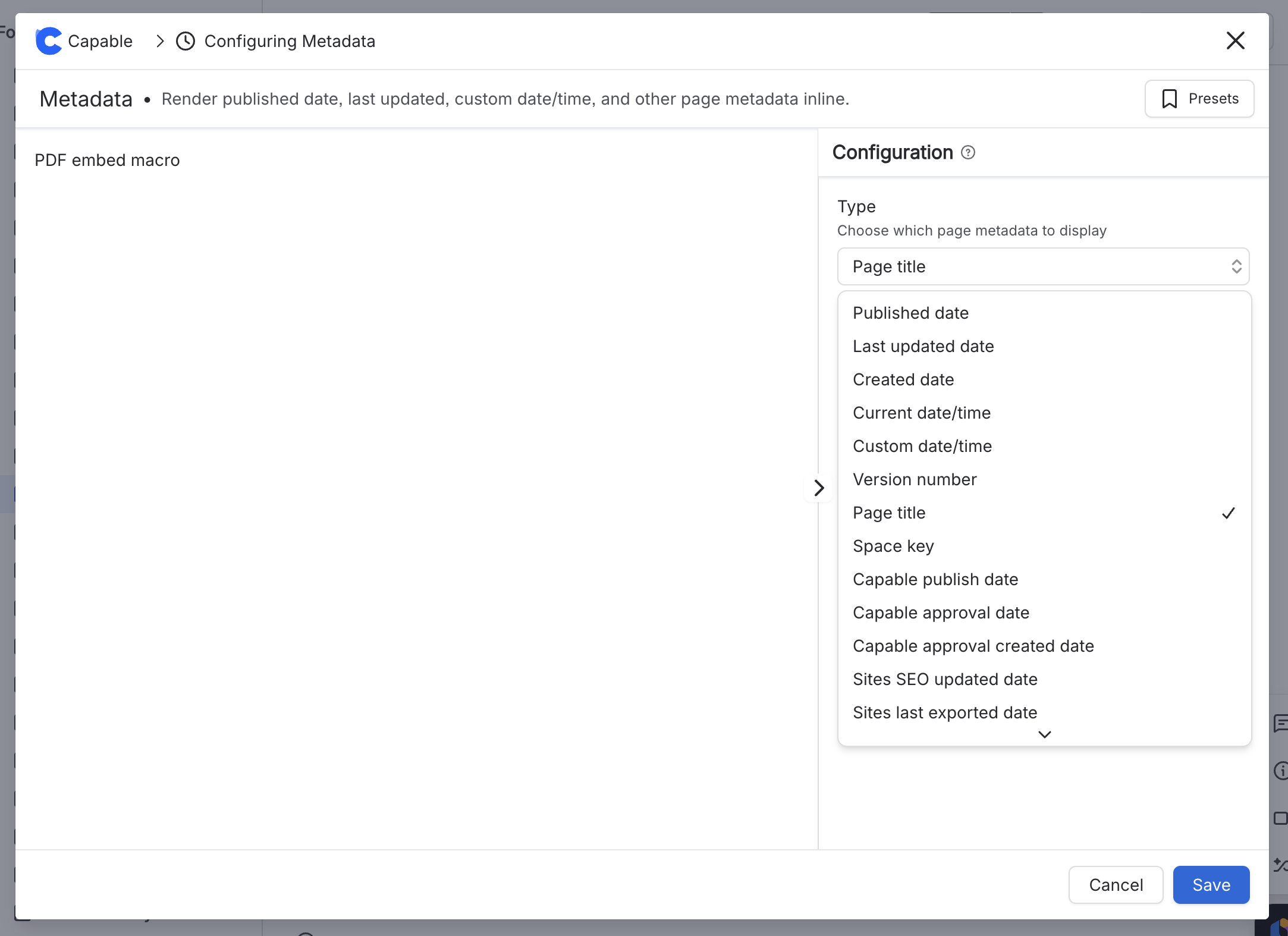
You can include information like the publish date, the page title, when the page was approved, when it was publushed, the date it was uploaded to Capable Site, version number etc. These fields let you display key details about the page lifecycle and identity, and they will reflect the current metadata without manual editing
#Available Metadata
Metadata field | Description |
|---|---|
Page published date | The date and time this page was published. |
Last updated date | The date and time this page was last edited or updated. |
Created date | The date and time this page was originally created. |
Current date/time | The current date and time when the metadata value is rendered. |
Custom date/time | A custom date and time value supplied for the page or macro. |
Version number | The current version number of the page. |
Page title | The title of the current page. |
Space key | The key for the Confluence space that contains this page. |
Capable publish date | The date and time the page was published through Capable. |
Capable approval complete date | The date and time the Capable approval workflow was completed. |
Capable approval requested date | The date and time approval was requested in Capable. |
Capable Sites SEO updated date | The date and time the page SEO metadata was last updated in Capable Sites. |
Capable Sites Last export date | The date and time the page was last exported to Capable Sites. |
Capable Sites Page Slug | The URL slug used for this page in Capable Sites. |
#Configuration