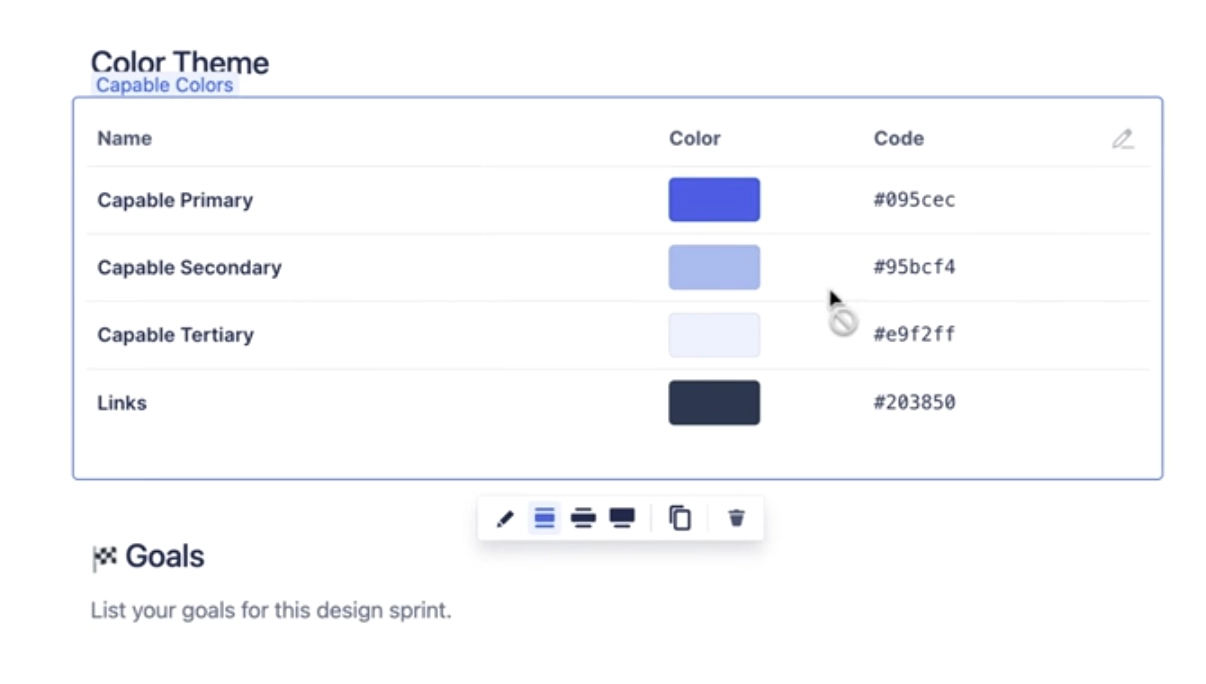
Color palette macro
Share colors in RGB format to make it easy for your staff to follow your brand identity or user interface colors.
Description | Share color palettes with your team by easily copying and pasting color values and showcasing your brand colors. |
|---|---|
Type | STANDARD |
Guest | SUPPORTED |
Anonymous | SUPPORTED |
Capable Sites | SUPPORTED |
This tutorial will walk you through the process of adding and customizing color schemes directly within your pages, making it simple to align with your brand guidelines or project themes:
Easily show color schemes in your Confluence pages
Copy colors directly from the page with a single click
Easily share your brand color guidelines
| Name | Color | Code |
|---|---|---|
| Deep Sea Blue | #003B5C |
|
| Coral Reef | #FF6F61 |
|
| Aqua Wave | #00B2A9 |
|
| Sandy Beach | #F4D03F |
|
| Sunset Glow | #FF8C42 |
|
| Seafoam Green | #A8E6CE |
|
| Ocean Mist | #B2E0E0 |
|
| Shell Pink | #FAD3D3 |
|
| Stormy Sky | #7D9EC0 |
#1. Create or edit a Confluence page
#2. Type /color and press Enter

#3. Configure the Color palette with live preview
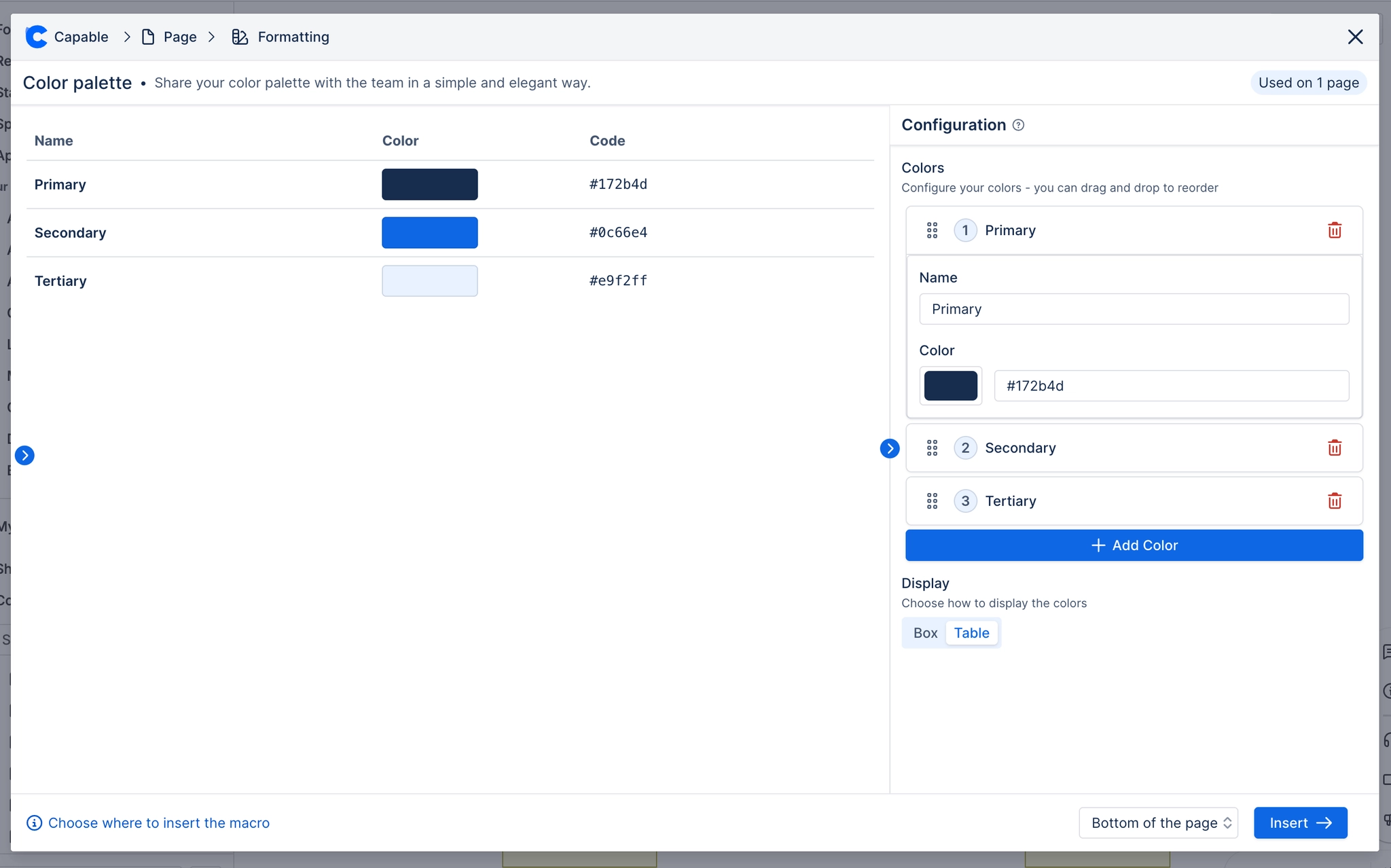
#4. Choose your display mode - table or box

#5. Click Save to insert the macro