Gallery macro
Enhance the visual experience and integrate a carousel of images into your pages.
Description | Display a grid or carousel of images or graphics on your Confluence page. |
|---|---|
Type | STANDARD |
Guest | SUPPORTED |
Anonymous | SUPPORTED |
Capable Sites | SUPPORTED |
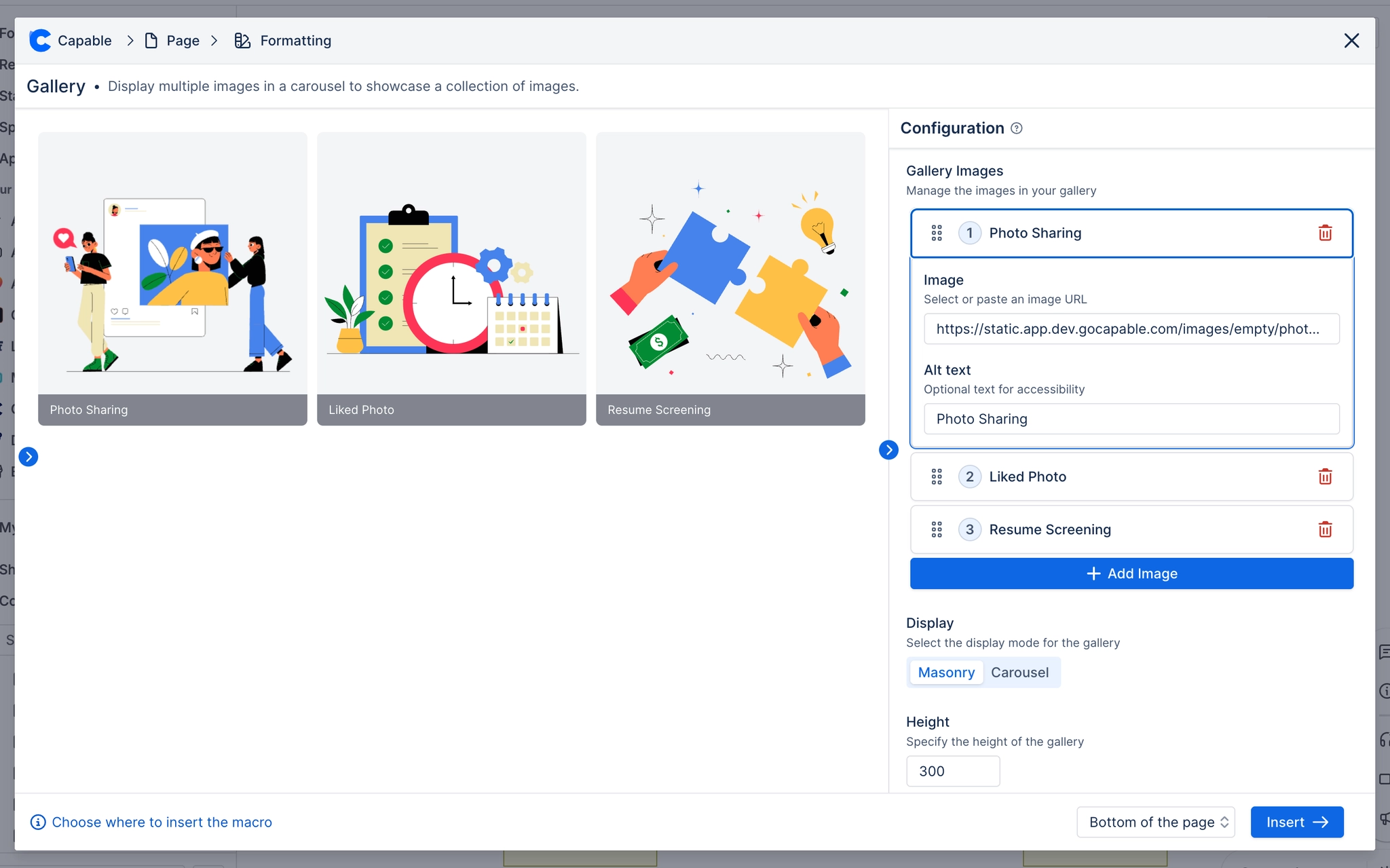
This engaging macro allows you to display multiple images in a carousel format, providing a visually appealing way to showcase a collection of images.
Whether you’re highlighting project progress, presenting a series of related visuals, or simply creating an interactive image gallery for your team, the Gallery Macro makes it seamless and attractive.

Photo Sharing

Liked Photo

Resume Screening
#1. Open the editor and type /capable gallery and press Enter

#2. Choose the images to include
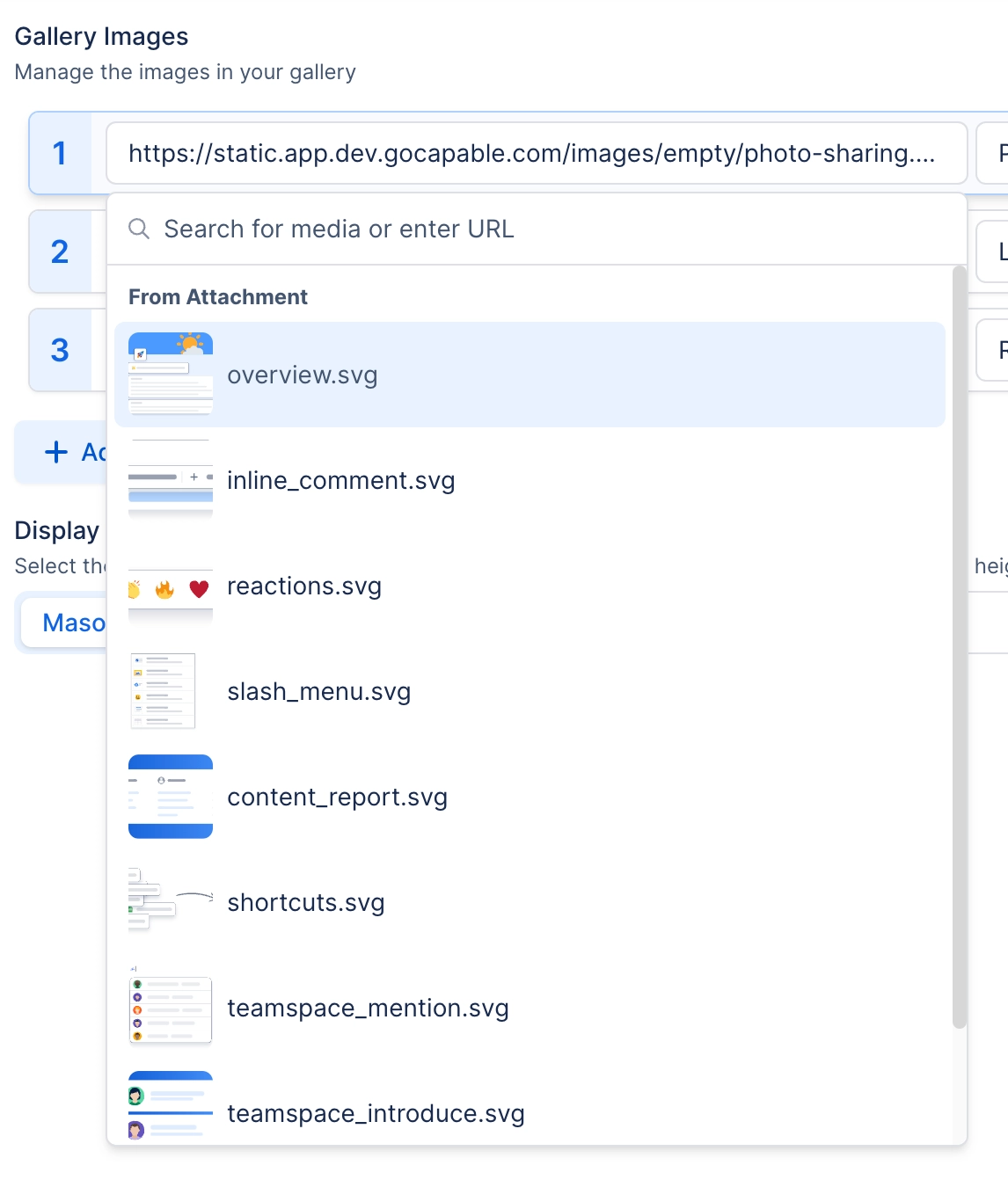
#3. Use the Media Browser to add images
You can add images from a URL or from attachments of the page.
#4. Click Save and your Gallery is now in the page!