
Writing Markdown in Jira issues
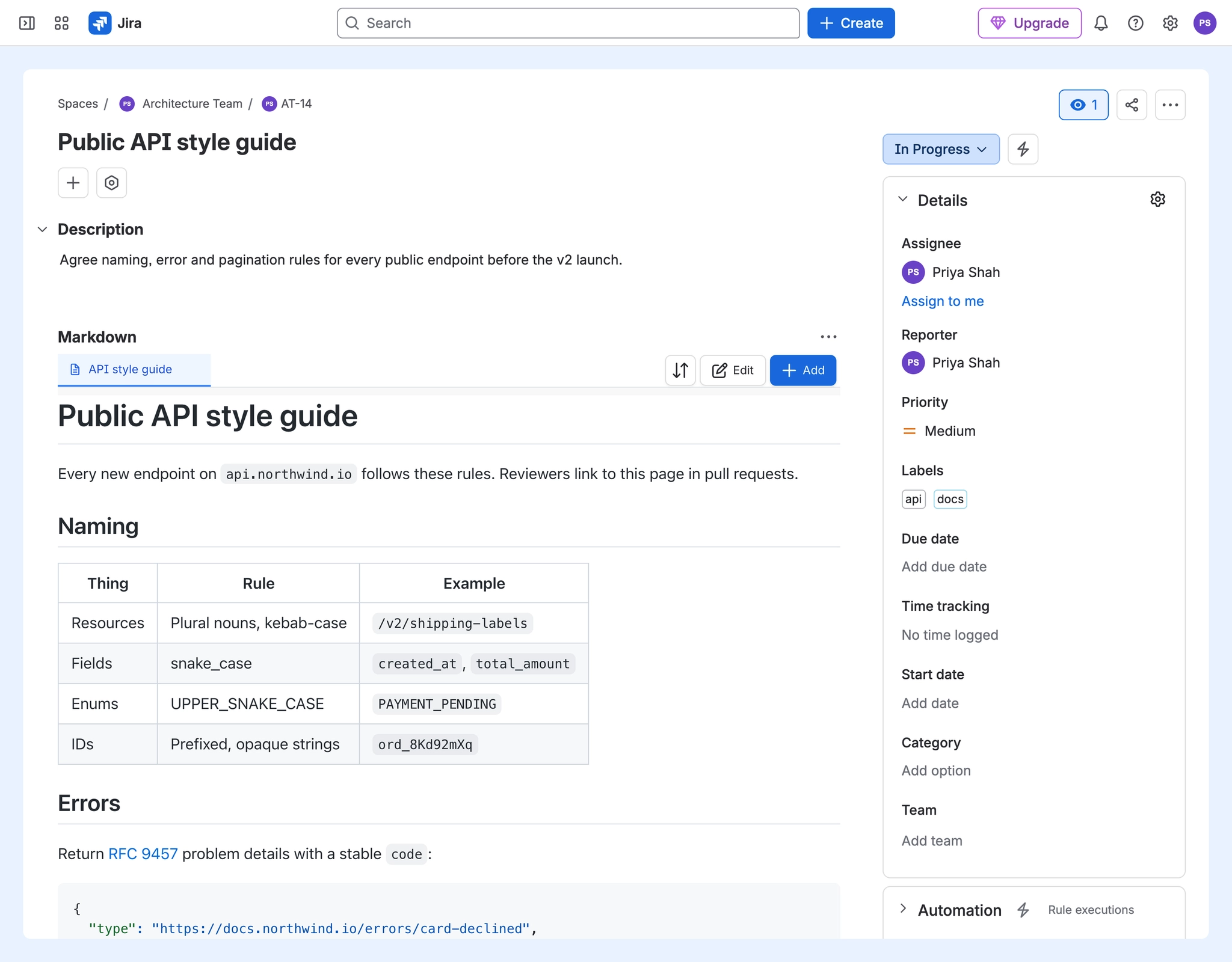
Jira descriptions are fine for a paragraph or two. When an issue needs a spec, a README or a diagram, a Markdown document on the issue keeps it readable. These guides cover writing one.
#Common tasks
You want to | Go to |
|---|---|
Add a Markdown document to an issue | |
Start from a ready-made document | Start a Jira Markdown document from a template, then Templates |
Draw a diagram as code | Add a diagram to a Jira issue with Markdown, then Diagrams in fenced code blocks |
Add an image |
#Guides in this section
Use Markdown in a Jira issueWrite a Markdown document on a Jira issue with a live preview, saved as a .md attachment everyone on the issue can read.Start a Jira Markdown document from a templateStart a Markdown document on a Jira issue from one of 17 built-in templates, such as a README, a spec or meeting notes.Add a diagram to a Jira issue with MarkdownDraw Mermaid, PlantUML, Graphviz and other diagrams in a Jira issue by writing them as code in a Markdown document.
#Related
Specs where the work is.






















