Three ways to supply a PDF

Public web address, an existing page attachment, or a file uploaded to the page from inside the macro editor. Uploading automatically switches the macro to attachment mode pointing at the new file.


#Where you do it
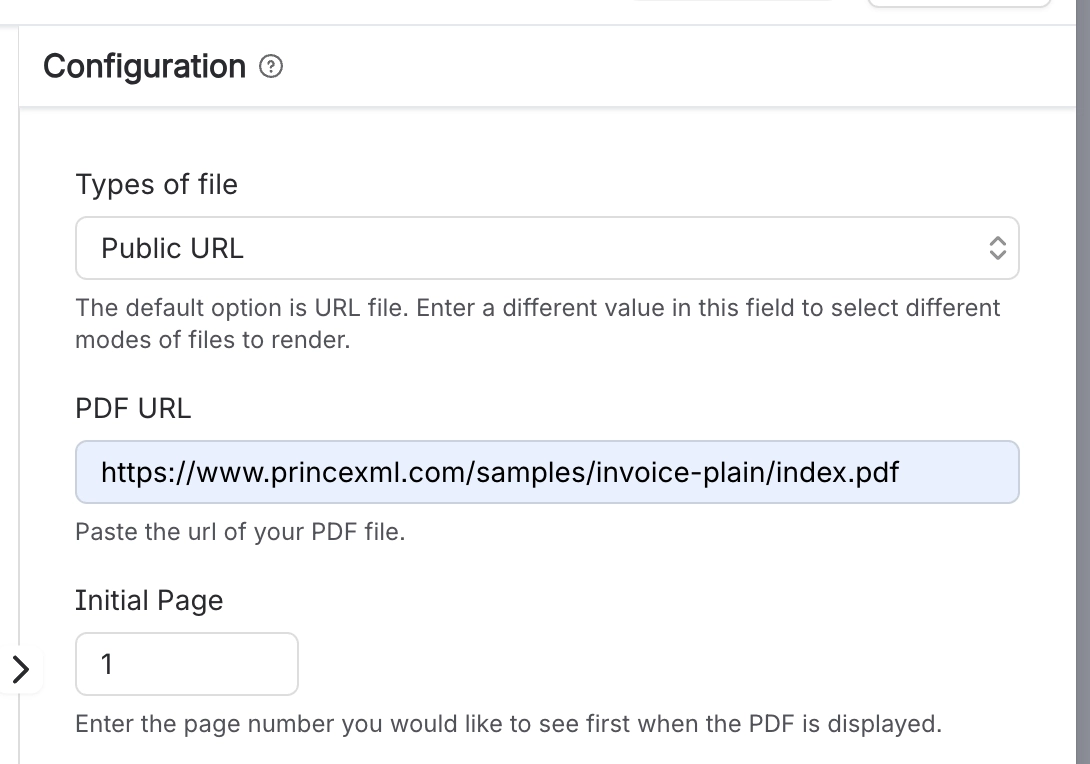
The macro Configuration panel with Types of file set to Public URL, a PDF URL field holding a link to a sample invoice PDF on princexml.com, and Initial Page set to 1.
In Public URL mode the address of the file goes straight into the PDF URL field, and Initial Page decides where the viewer opens.
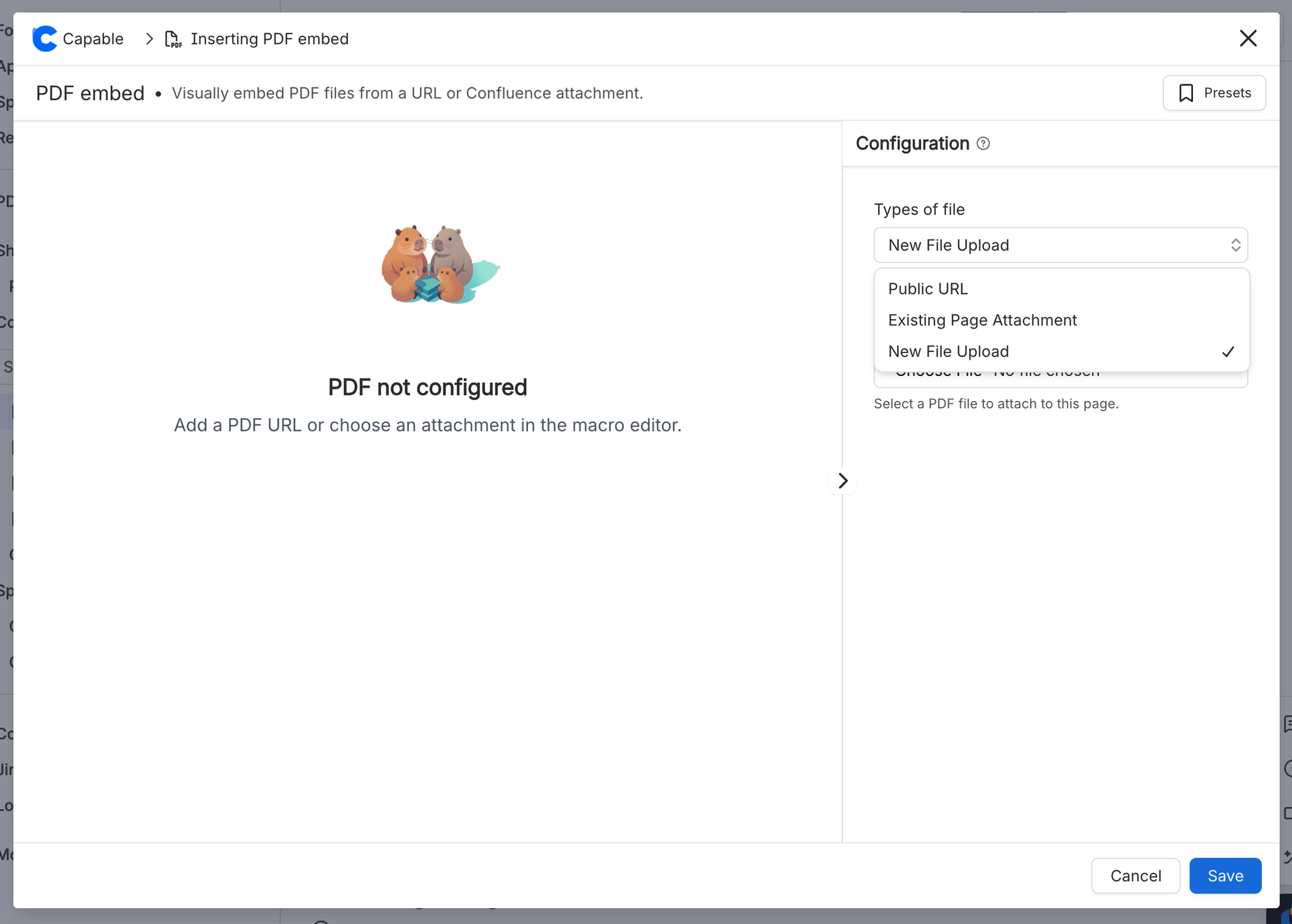
The PDF embed macro editor with the Types of file dropdown open in the Configuration panel, listing Public URL, Existing Page Attachment and New File Upload, with New File Upload ticked. The preview a
The Types of file list is where you pick between a public address, a file already attached to the page, and a fresh upload.

Task

Where

Let readers download, pop out or view fullscreen

Macro config > Download / Popup / Fullscreen


How it actually behaves.