
Step 2: Choosing your options
Options come before scope, which feels backwards and is worth knowing: you are choosing how the migration behaves before you know how much of it there is.
The wizard never brings you back here. Changing an option later means clicking back through the rail, and on the Run step navigation is frozen entirely.
#What is on this step
Setting | Default | Where it is covered |
|---|---|---|
Migration behaviour version | v1.0.0 Standard migration | Migration behaviour versions |
Skip errors | On | Migration options |
Keep source macros | Off | Migration options |
Classic draw.io layout (beta) | Off | Migration options |
Use Admin Key (experimental) | Off | Migration options |
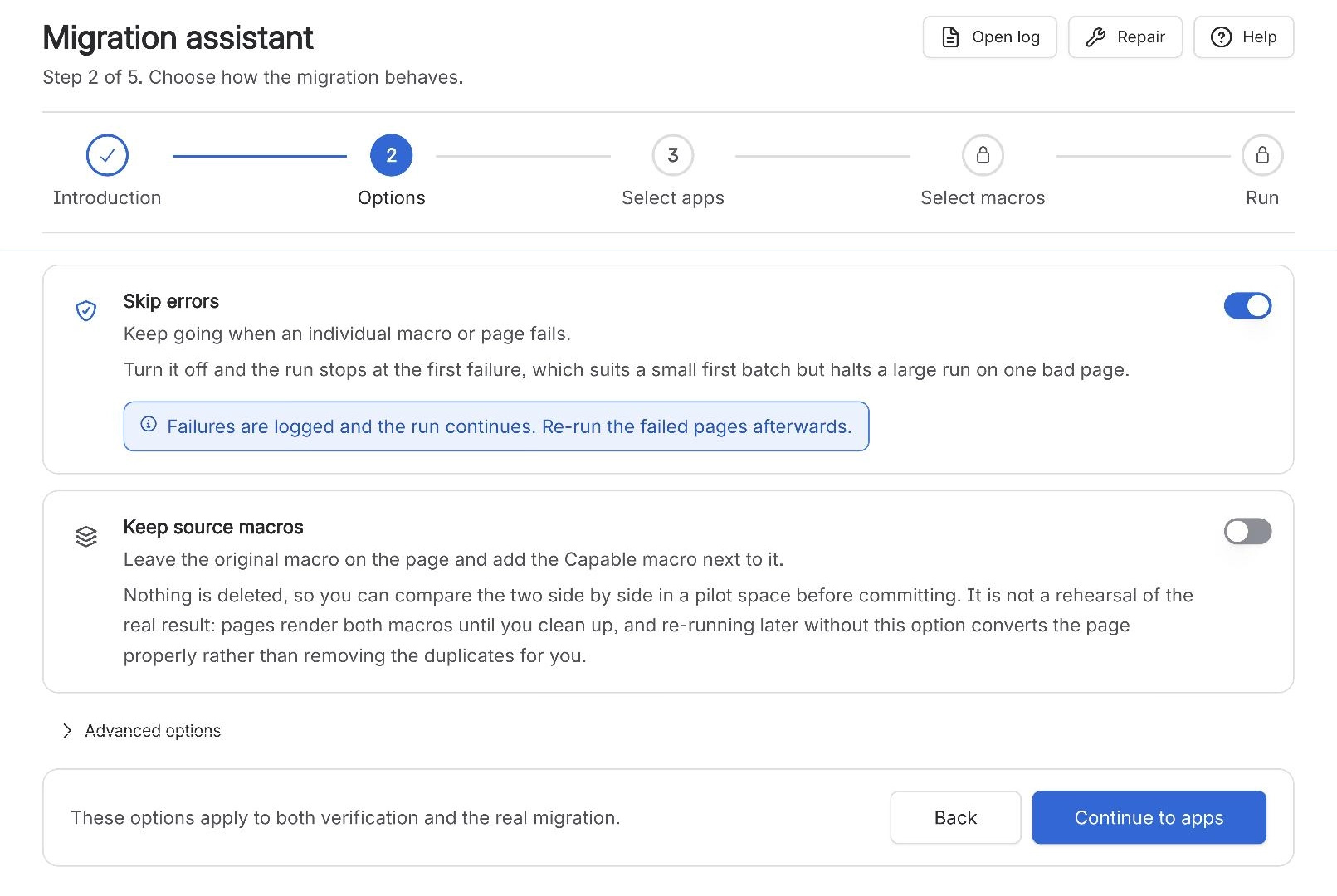
The footer says it plainly: these options apply to both verification and the real migration. A dry run reflects the settings you are about to use, which is the point of doing it.
#A few things that catch people out
The two advanced switches are collapsed by default. People miss the admin key and then wonder why restricted pages failed.
The version picker is the setting most likely to be wrong. It defaults to the fastest behaviour, not the most complete one.
Nothing on this step is remembered between sessions. Set it every time.
#Related
Set it now. You will not be offered it again.