
LaTeX Math for Confluence (Narva)
Capable recognises 2 macros from LaTeX Math for Confluence (Narva), and both convert.
#About the app
LaTeX Math for Confluence by Narva adds LaTeX Math+ Block and LaTeX Math+ Inline macros to Confluence.
Authors type a formula, check it in a live preview and choose its alignment.
#How Capable is different
Both macros become Capable LaTeX macros that render the same formula, with surrounding $ signs removed.
Block alignment (left, centre or right) is kept.
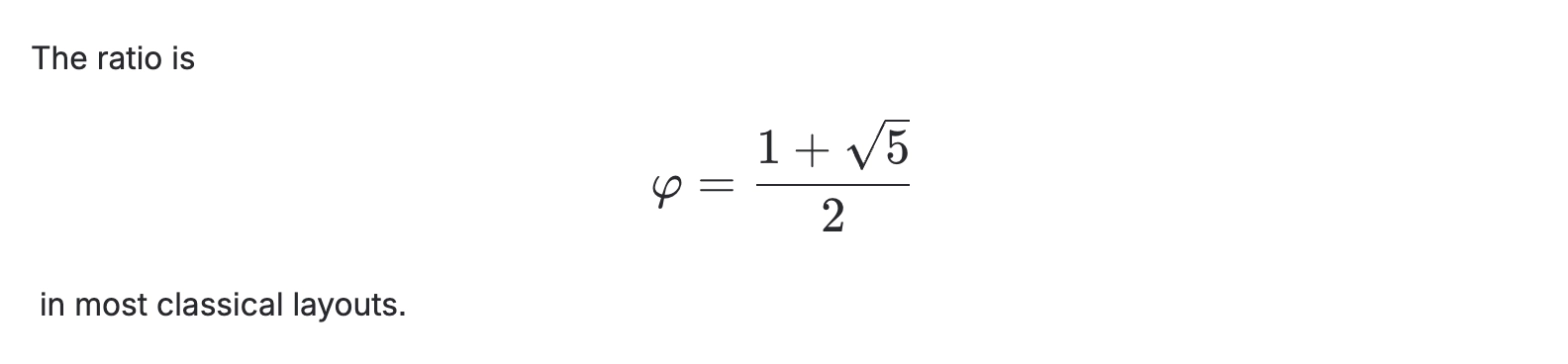
An inline formula becomes a centred block on its own line, so the sentence around it is split.
Capable draws block equations slightly larger than Narva does.
For new inline formulas, Capable has a separate inline LaTeX macro.
#At a glance
Macro | In Capable | Support |
|---|---|---|
LaTeX Block | Capable LaTeX block | Converted |
LaTeX Inline | Capable LaTeX block on its own line | Converted |
#New in this release
Macros saved by the current version of the app now convert, not only those on older or imported pages.
Another app's macro with the same name is left alone.
#What each one does
#LaTeX Block
Becomes | Capable LaTeX block |
|---|---|
Support | Converted |
Carried over
The LaTeX expression, with surrounding $ signs removed
Alignment (left, centre or right)
Not carried over
Exact size: Capable draws the equation slightly larger
Before: Narva

After: Capable

#LaTeX Inline
Becomes | Capable LaTeX block on its own line |
|---|---|
Support | Converted |
The formula moves out of the sentence onto its own centred line.
Carried over
The LaTeX expression, with surrounding $ signs removed
Not carried over
Its place inside the sentence: the paragraph is split around it
Before: Narva

After: Capable
#Related
Native beats a macro, where native will do.