
Macro Pack for Confluence (Warsaw Dynamics)
Capable recognises 15 kinds of Macro Pack and MacroSuite macro: 12 convert, 4 of them in part, and 3 are reported without being changed.
#About the app
Macro Pack is a Warsaw Dynamics app with one macro that renders many kinds of content: diagrams, Markdown, HTML, LaTeX, code, API specs, media and more.
Authors pick an input and a source (pasted text, a web address, a Git link or a page attachment); older installs use separate MacroSuite macros per content type.
#How Capable is different
Each Macro Pack becomes the Capable macro that matches its content: Diagram, Markdown, Swagger, HTML, LaTeX, Code or Embed.
Pasted text converts for most inputs; web address, public Git and attachment sources convert for diagrams, Markdown and Swagger, without any sign-in details.
The Floating Table of Contents becomes the Confluence Table of Contents, which does not float; JSON shows as highlighted code, not a collapsible tree.
Miro, video and audio links become a Capable Embed, which shows once a site admin approves that site for embedding.
AsyncAPI, AsciiDoc, CSV, Excel, Page Builder, surveys and file, PDF, Word, image or 3D content stay on the page untouched and are listed in the report.
#At a glance
Macro | In Capable | Support |
|---|---|---|
Macro Pack: diagrams (draw.io, BPMN, DMN, Excalidraw, Mermaid, PlantUML, WaveDrom, Nomnoml, Ditaa, Svgbob) | Capable Diagram, or a Capable Diagram reading the same web address, Git link or attachment | Converted |
Macro Pack: Markdown | Capable Markdown | Converted |
Macro Pack: Swagger / OpenAPI | Capable Swagger | Converted |
Macro Pack: HTML, LaTeX, code and JSON | Capable HTML, LaTeX or Code | Partly converted |
Macro Pack: Miro, video and audio | Capable Embed | Converted |
Macro Pack (inline) | Capable LaTeX inline, or inline code | Partly converted |
Floating Table of Contents | Confluence Table of Contents | Converted |
Markdown Macro for Confluence | Capable Markdown | Converted |
Mermaid, PlantUML and Draw.io Macros for Confluence | Capable Diagram, or a Capable Diagram reading the same web address or attachment | Converted |
LaTeX Macro for Confluence | Capable LaTeX, block or inline | Converted |
HTML Macro for Confluence | Capable HTML holding a copy of the attached file | Partly converted |
Swagger Macro for Confluence | Capable Swagger | Partly converted |
Macro Pack: AsyncAPI, AsciiDoc, CSV, Excel, Data Tree, GraphQL, Survey, Redirect, Confluence Page, File, PDF, Word, image, 3D, or a connected-account source | Not converted, left in place | Reported only |
Page Builder | Not converted, left in place | Reported only |
Other MacroSuite macros | Not converted, left in place | Reported only |
#New in this release
Macro Pack content held in a page attachment now converts for diagrams, Markdown and Swagger.
Custom diagram heights and code options (language, line numbers, word wrap) are now kept.
Ditaa and Svgbob diagrams now become Capable Diagrams.
LaTeX that mixes text and formulas keeps its words, and several formulas without text are joined correctly.
Macro Pack on imported pages now converts; one whose body holds content is left as it is so nothing is dropped.
Migrated macros inside a classic Section or Column macro are moved out, so they show live instead of a static export; an option in the migration settings turns this off.
#What each one does
#Macro Pack: diagrams
Becomes | Capable Diagram, or a Capable Diagram reading the same web address, Git link or attachment |
|---|---|
Support | Converted |
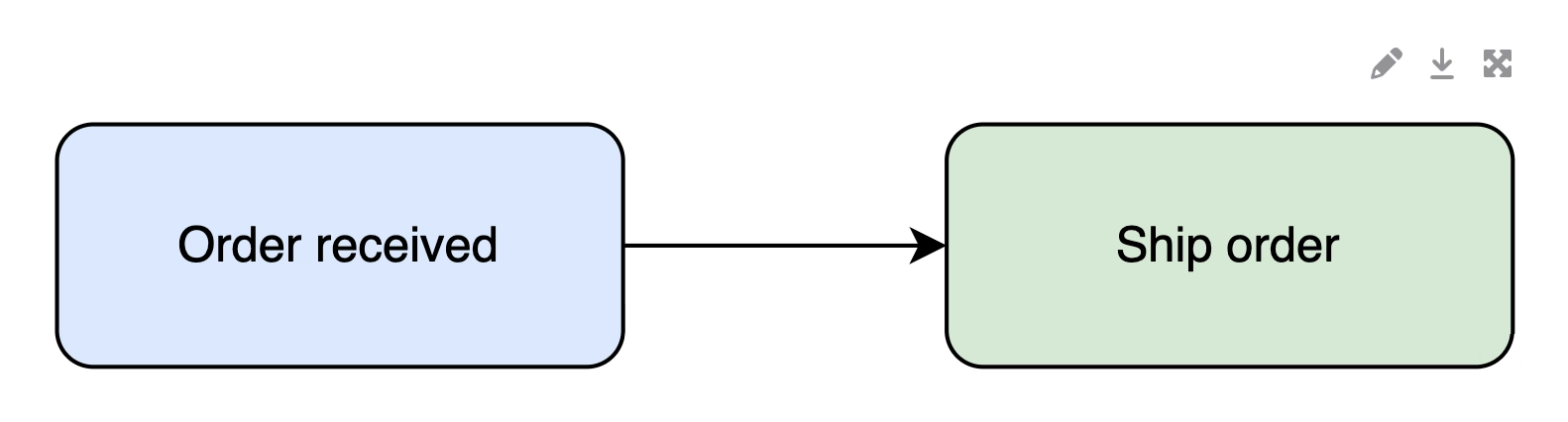
Pasted draw.io, BPMN, DMN, Excalidraw, Mermaid, PlantUML, WaveDrom, Nomnoml, Ditaa and Svgbob become editable Capable Diagrams.
Carried over
The diagram source, ready to edit in Capable
A custom height
Web address, public Git and same-page attachment sources
Not carried over
Sign-in details or headers on a web address
Other Options settings
Before: Macro Pack
After: Capable
#Macro Pack: Markdown
Becomes | Capable Markdown |
|---|---|
Support | Converted |
Carried over
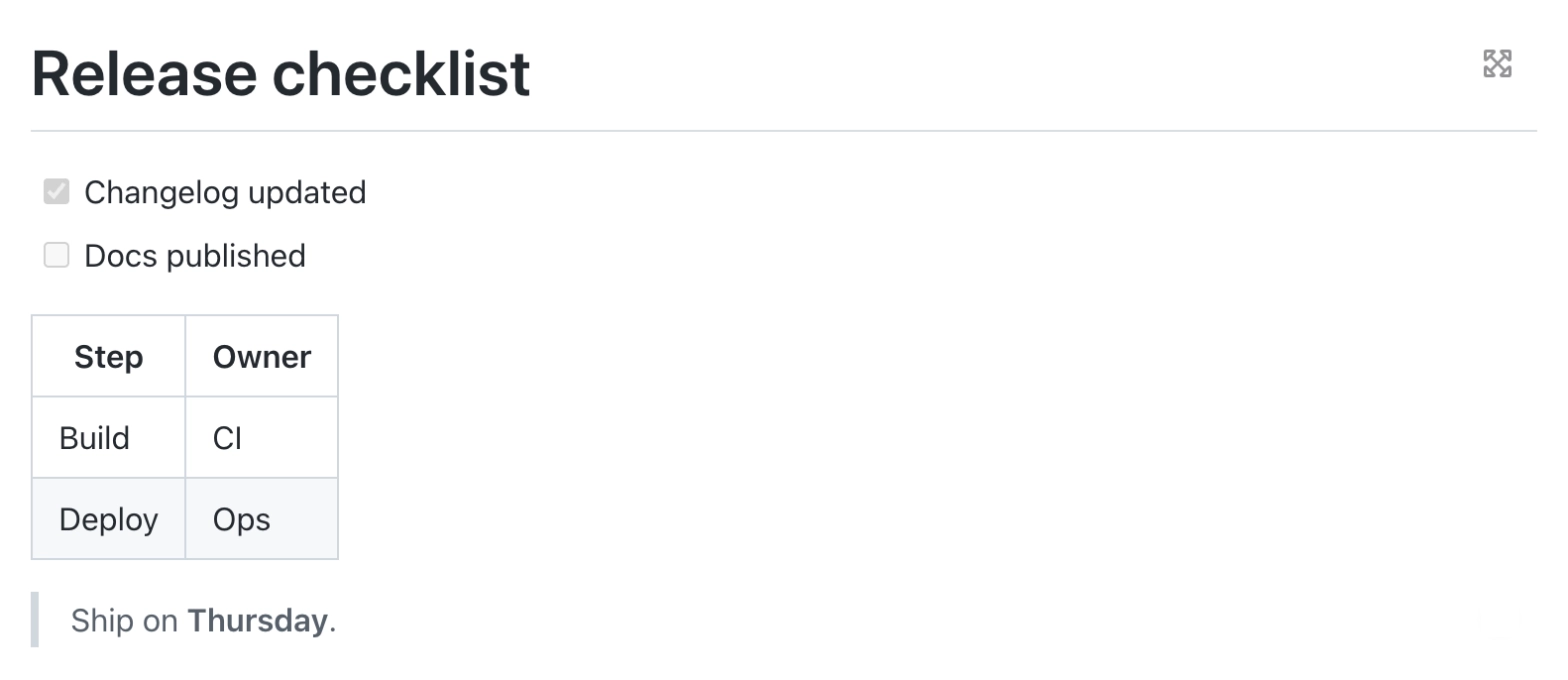
Pasted Markdown
Web address, public Git and same-page attachment sources
Not carried over
Sign-in details or headers on a web address
Options such as the GFM setting
Before: Macro Pack
After: Capable
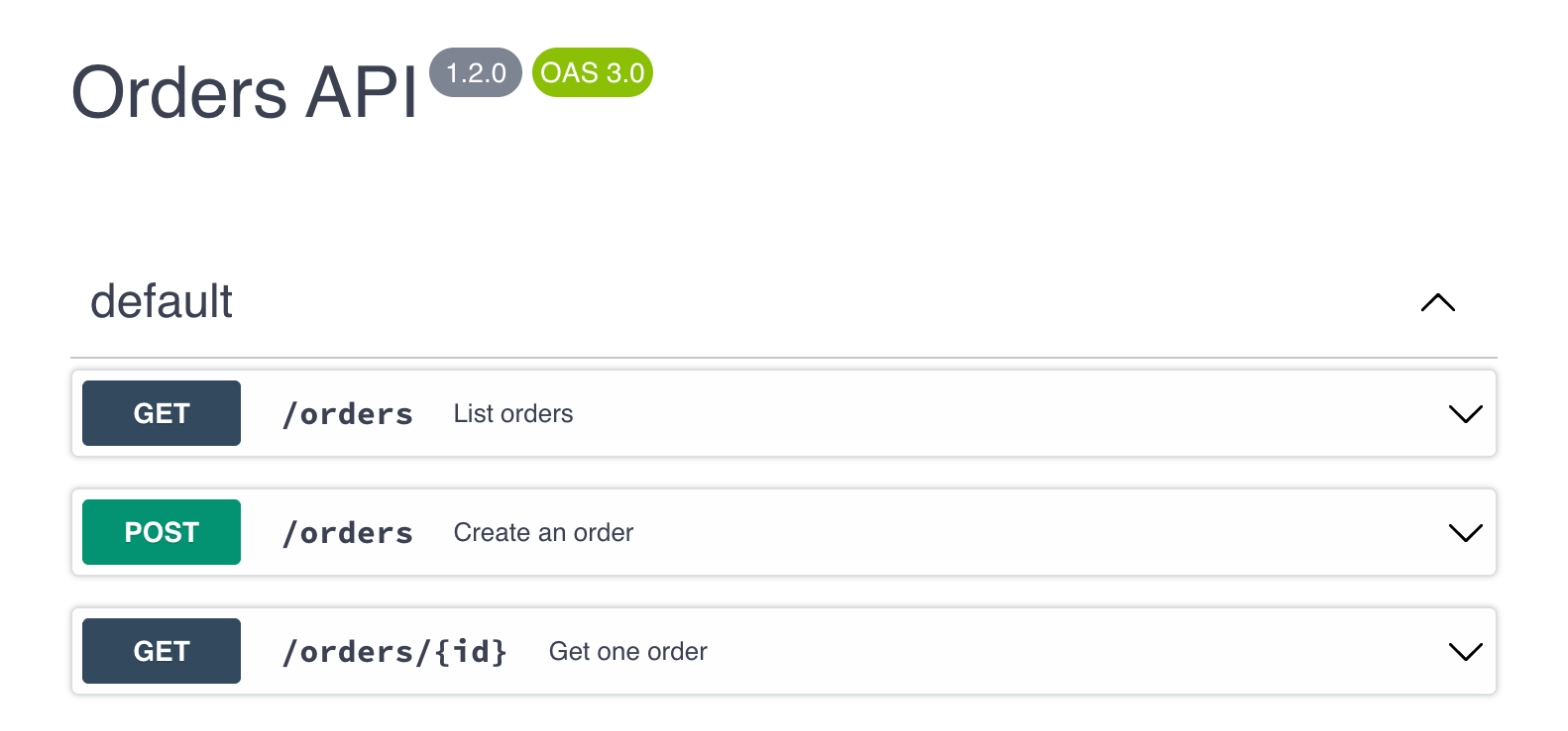
#Macro Pack: Swagger / OpenAPI
Becomes | Capable Swagger |
|---|---|
Support | Converted |
Carried over
A pasted spec
Web address, public Git and same-page attachment sources
Not carried over
The Spec audit tab
Sign-in details or headers on a web address
Before: Macro Pack
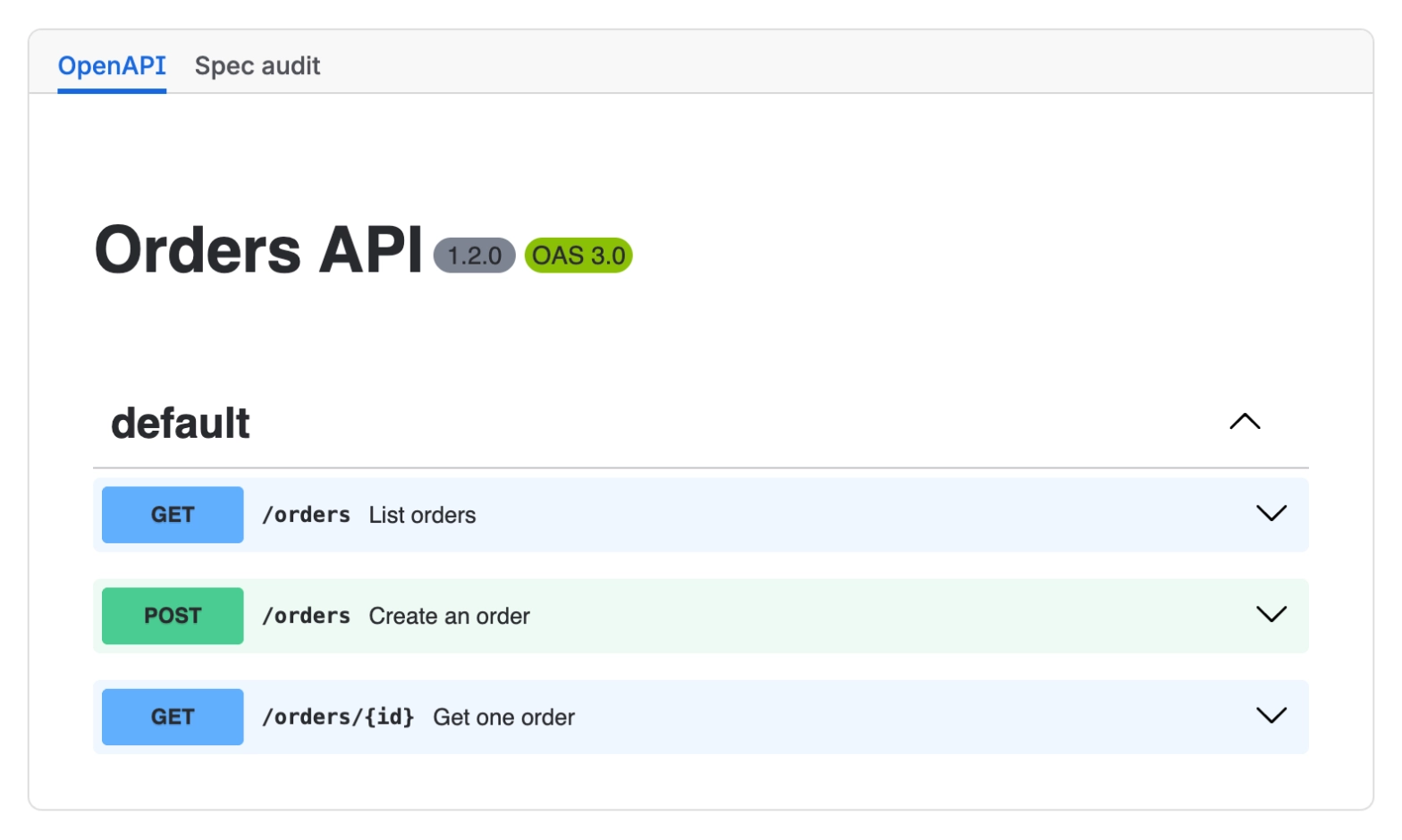
After: Capable
#Macro Pack: HTML, LaTeX, code and JSON
Becomes | Capable HTML, LaTeX or Code |
|---|---|
Support | Partly converted |
Pasted content converts; the same inputs from a web address, Git link or attachment stay as they are and are reported.
Carried over
HTML, with style blocks as the macro's CSS
Scripts, which run once an admin turns on JavaScript in the HTML macro
LaTeX formulas and the words around them
Code language, line numbers and word wrap
Not carried over
The collapsible JSON tree: JSON shows as highlighted code
LaTeX text and formulas show as one centred line
Before: Macro Pack

After: Capable

#Macro Pack: Miro, video and audio
Becomes | Capable Embed |
|---|---|
Support | Converted |
The embed shows once a site admin approves that site for embedding in Capable's settings.
Carried over
The Miro board, video or audio link
Not carried over
Embed code other than a Miro board link
#Macro Pack (inline)
Becomes | Capable LaTeX inline, or inline code |
|---|---|
Support | Partly converted |
Carried over
A pasted formula or code, still inside the sentence
Not carried over
Inline options
File chips and non-text sources: they stay and are reported
Before: Macro Pack

After: Capable

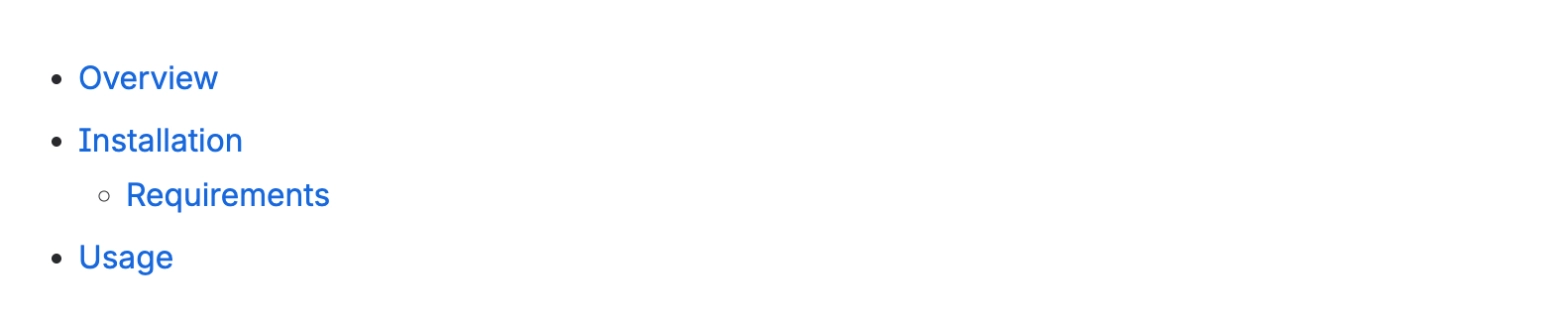
#Floating Table of Contents
Becomes | Confluence Table of Contents |
|---|---|
Support | Converted |
Carried over
The page headings
Not carried over
The floating panel: the contents become a plain list
Before: Macro Pack
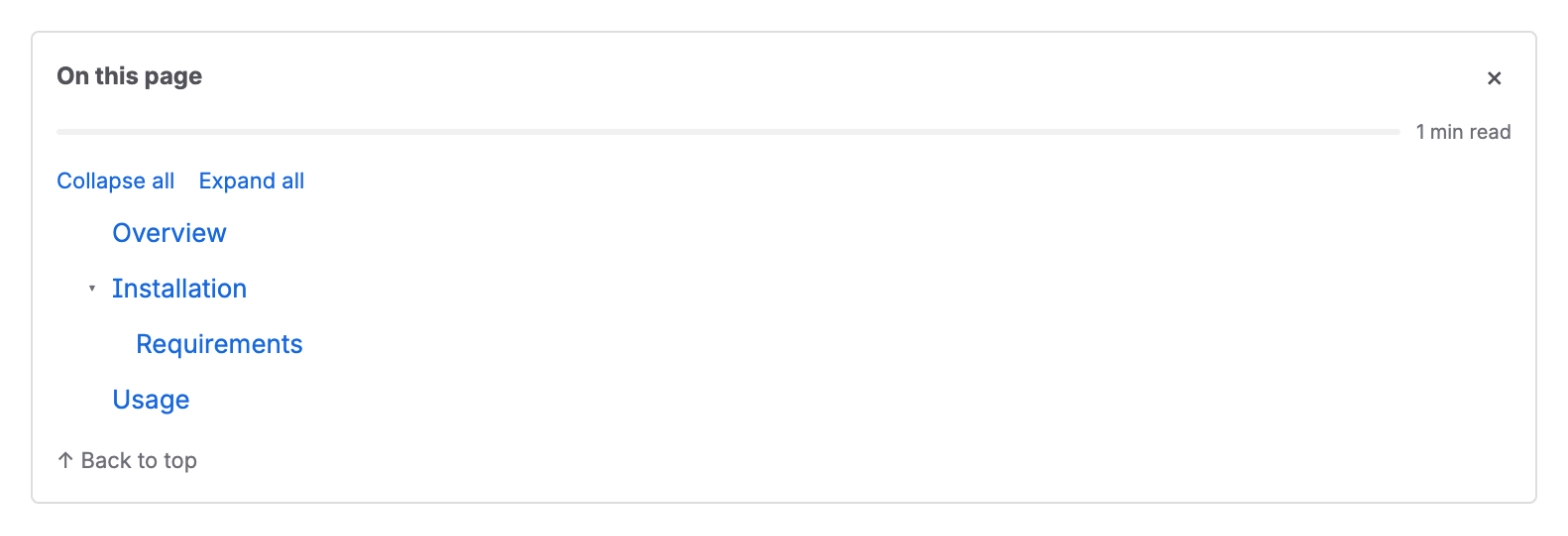
After: Capable
#Markdown Macro for Confluence
Becomes | Capable Markdown |
|---|---|
Support | Converted |
Carried over
Web address and attachment sources
Markdown from page content
Not carried over
A macro with no source is reported
#Mermaid, PlantUML and Draw.io Macros for Confluence
Becomes | Capable Diagram, or a Capable Diagram reading the same web address or attachment |
|---|---|
Support | Converted |
Carried over
Web address and attachment sources
Mermaid from page content
Not carried over
A macro with no source is reported
PlantUML and Draw.io from page content are reported
#LaTeX Macro for Confluence
Becomes | Capable LaTeX, block or inline |
|---|---|
Support | Converted |
Carried over
The from-page-content macro, as a block
The inline macro, as inline LaTeX
Not carried over
The standalone LaTeX macro is reported
#HTML Macro for Confluence
Becomes | Capable HTML holding a copy of the attached file |
|---|---|
Support | Partly converted |
Not carried over
Updates to the attachment after the move
Web address sources stay and are reported
HTML from page content is reported
#Swagger Macro for Confluence
Becomes | Capable Swagger |
|---|---|
Support | Partly converted |
Carried over
Web address and attachment sources
A spec from page content
A token as bearer sign-in, otherwise the user name and password
Not carried over
When both a token and a password are set, only the token is kept
#Detected but not converted
These are counted so you can see how many you have. They stay on the page exactly as they are.
#Macro Pack: other inputs and sources
Becomes | Not converted, left in place |
|---|---|
Support | Reported only |
AsyncAPI, AsciiDoc, CSV, Excel, Data Tree, GraphQL, Survey, Redirect, Confluence Page, File, PDF, Word, image and 3D content, and Dropbox, Google Drive or other connected-account sources, have no Capable equivalent.
#Page Builder
Becomes | Not converted, left in place |
|---|---|
Support | Reported only |
Page Builder layouts have no Capable equivalent.
#Other MacroSuite macros
Becomes | Not converted, left in place |
|---|---|
Support | Reported only |
Covers the standalone LaTeX, AsciiDoc, JSON and CSV macros, and HTML, PlantUML and Draw.io from page content.
#Related
Native beats a macro, where native will do.