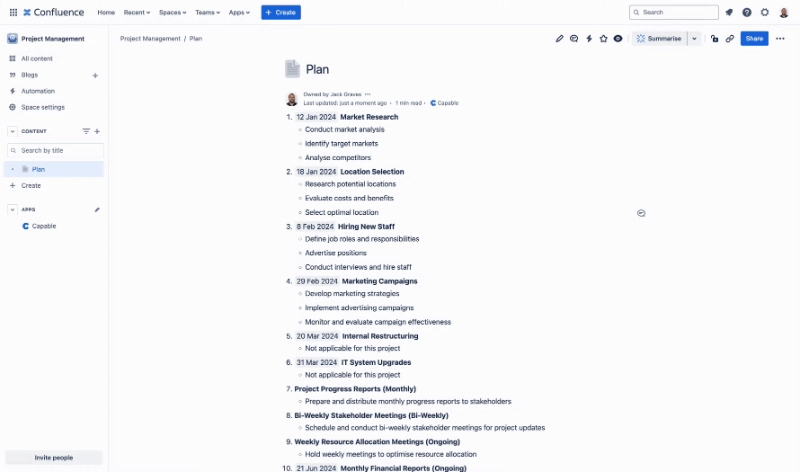
Use capabilities on a page
Learn how to use features of Capable from within your Confluence pages.
Capable enhances the usability of Confluence pages by providing a streamlined access point at the top of the interface. This feature allows users to engage with various capabilities without overcrowding the workspace.
As you utilize different features, Capable dynamically updates to reflect the elements in use. For instance, if your page includes diagrams, Capable will display a byline entry at the top, indicating the number of diagrams present and offering direct access to each.
This intuitive design ensures a clean interface while keeping essential tools readily accessible.
#Step by Step
#1. Open a page and click on Capable
This will open the Capable Byline Panel, where you can access capabilities (features).
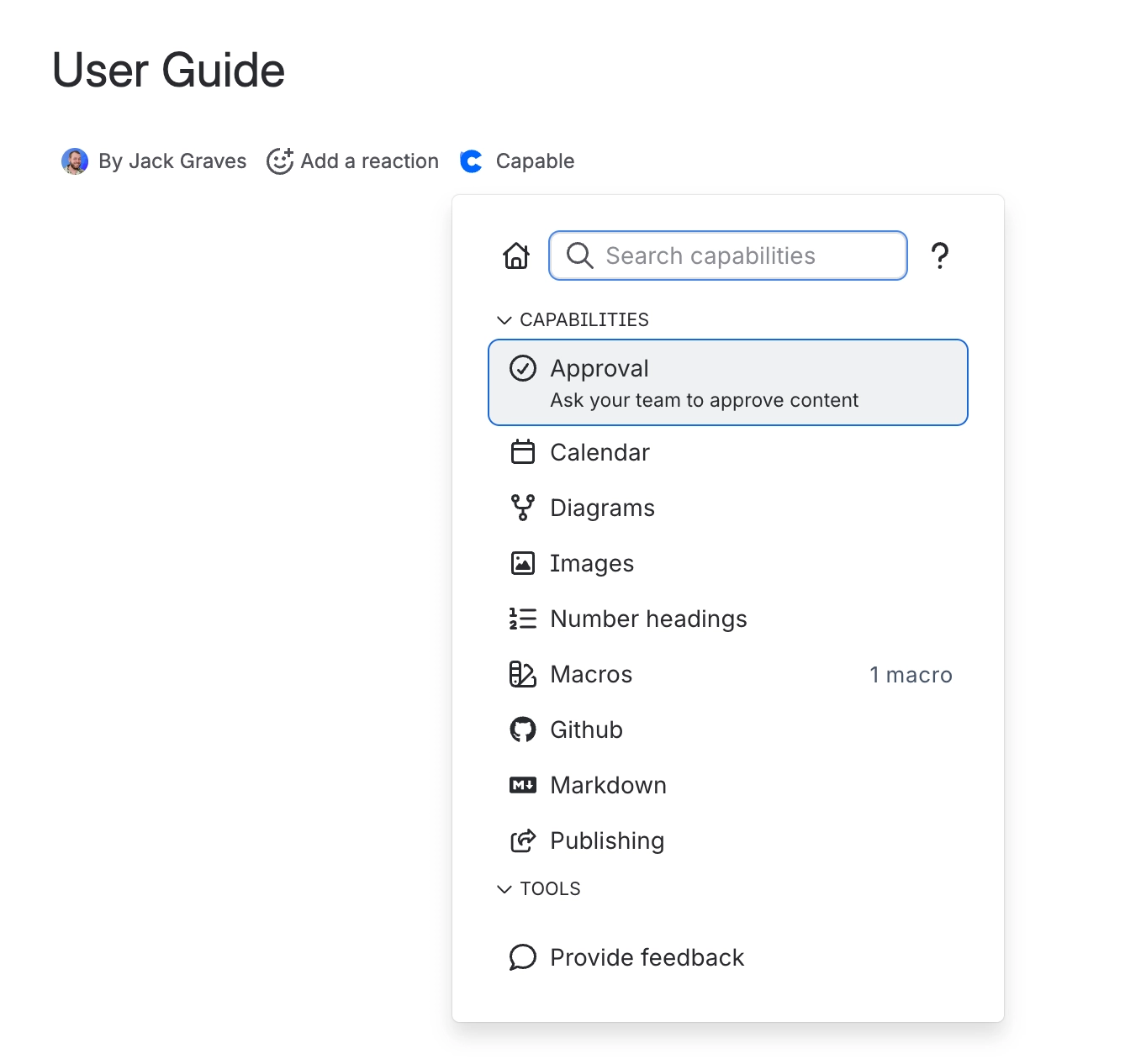
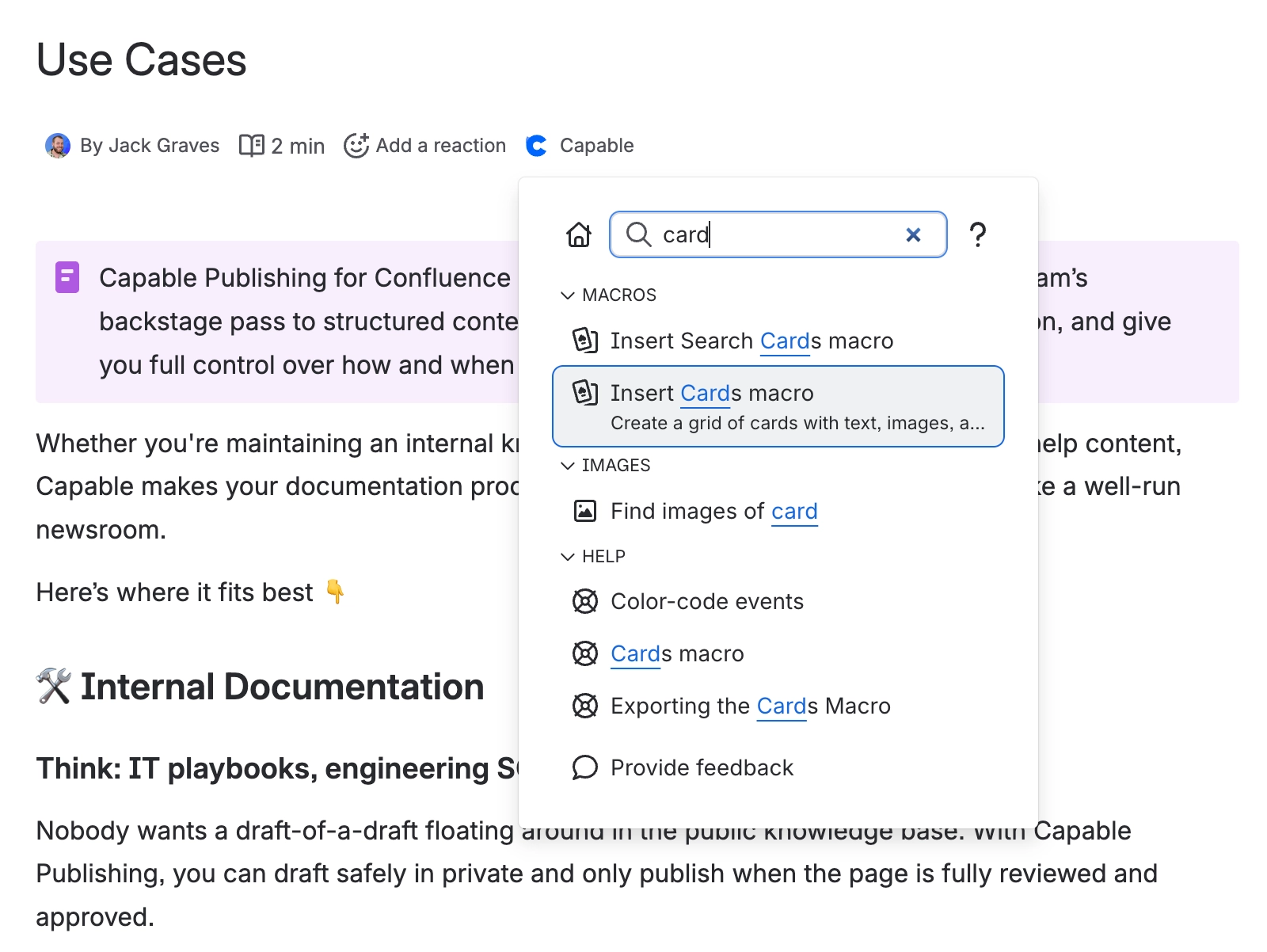
#2. Search for the capability you need using the search box
You can find what you need easily with these current features:
Find Capabilities/Features
Find and insert Macros
Find help articles from our documentation
Insert specific diagram libraries or markdown templates
#3. Click on a Capability to open it
You can click on an item to access it.
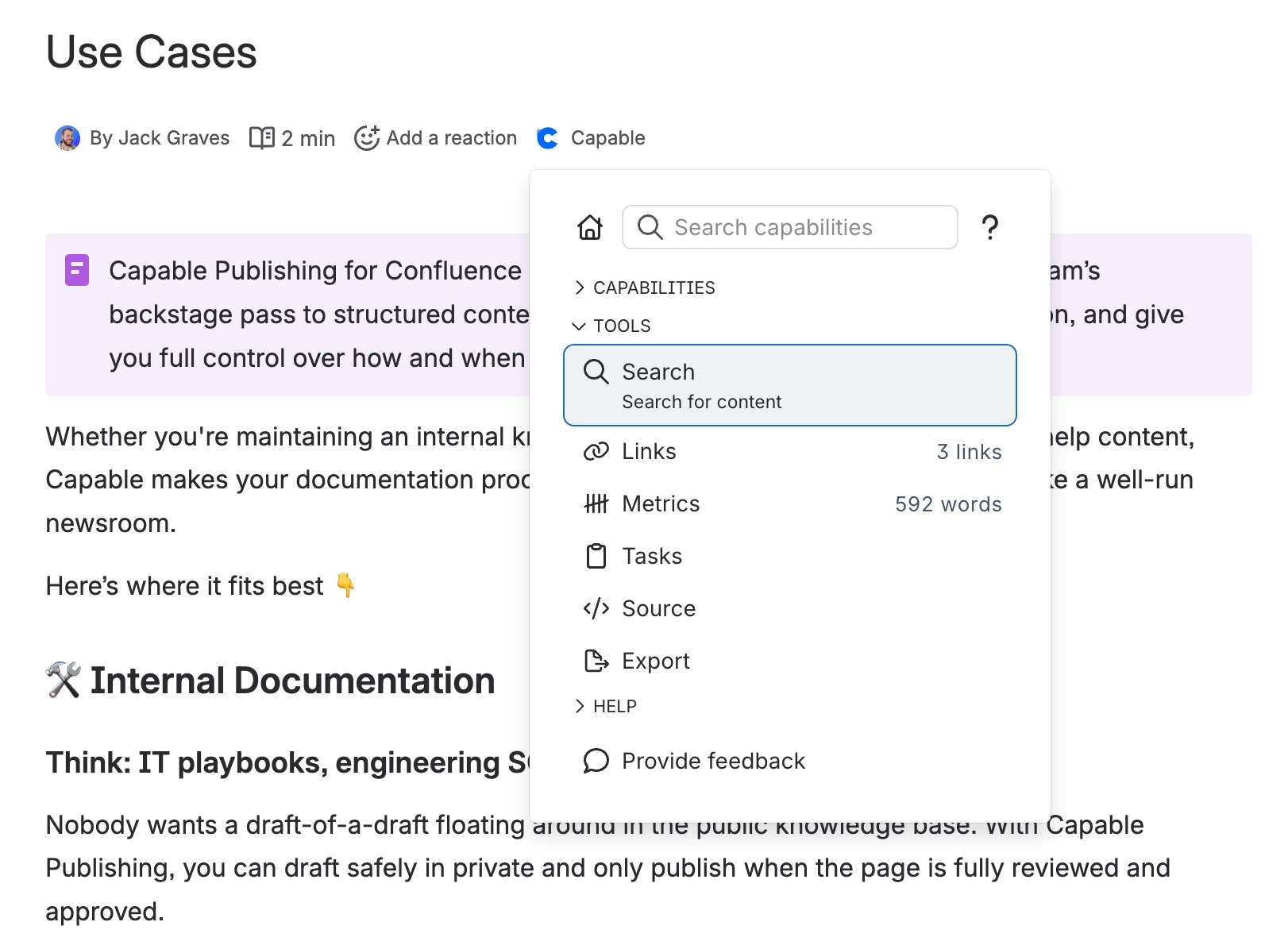
#4. Tools are utilities that provide quality-of-life improvements
The tools section contains utilities that enhance existing Confluence functionality.
#5. Use Intelligent search
Search for diagrams, macros, templates and more with the intelligent search box.