
Disable capabilities
Change which Capabilities (features) are available in your Space - great for reducing clutter, or making capabilities more accessible
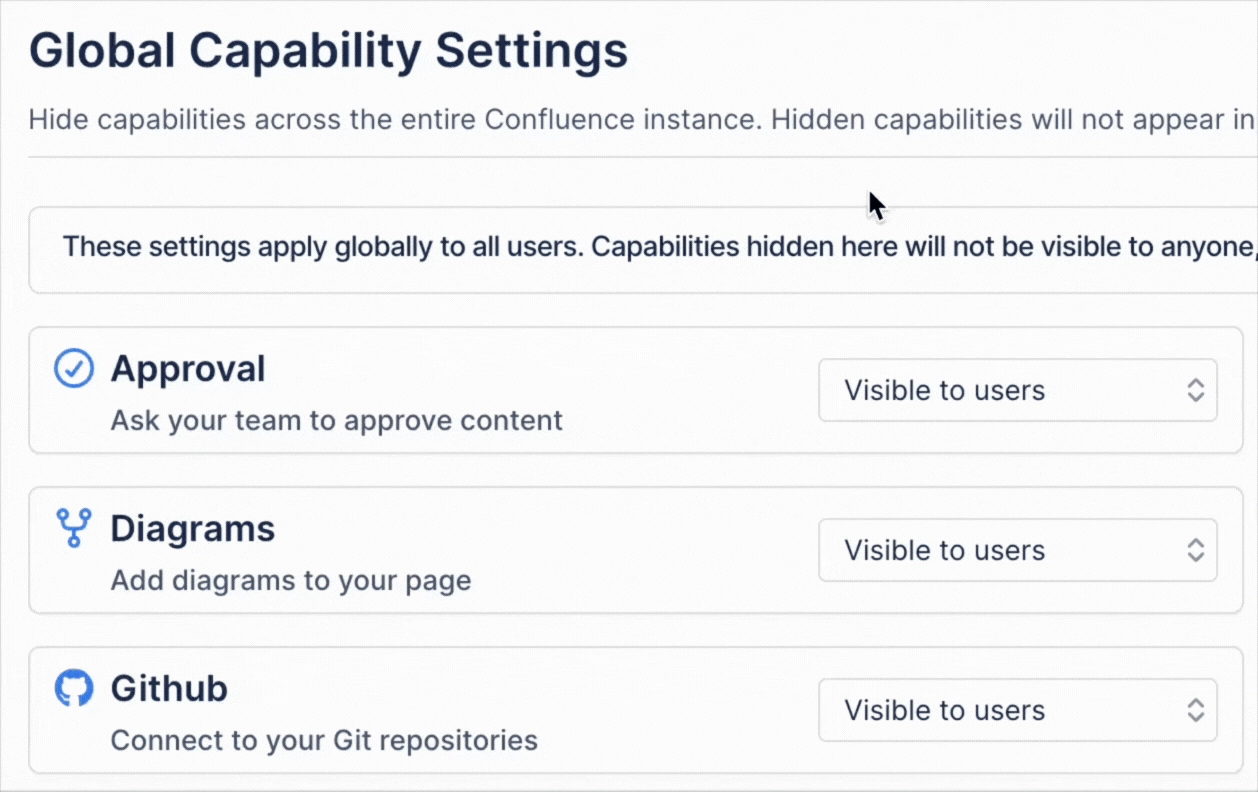
#Hide Capabilities across the whole site
You can hide capabilities across the entire site by using the global settings page.
#Hide Capabilities inside a Space
You can change the visibility of capabilities within pages based on the containing Space provided you are a Space Administrator. This will let you set which Capable items appear at the top of a page - you can hide certain capabilities, or set others to always be shown.
You must be a Space Admin to change Capability visibility.
#1. Open a Space where you are an Admin
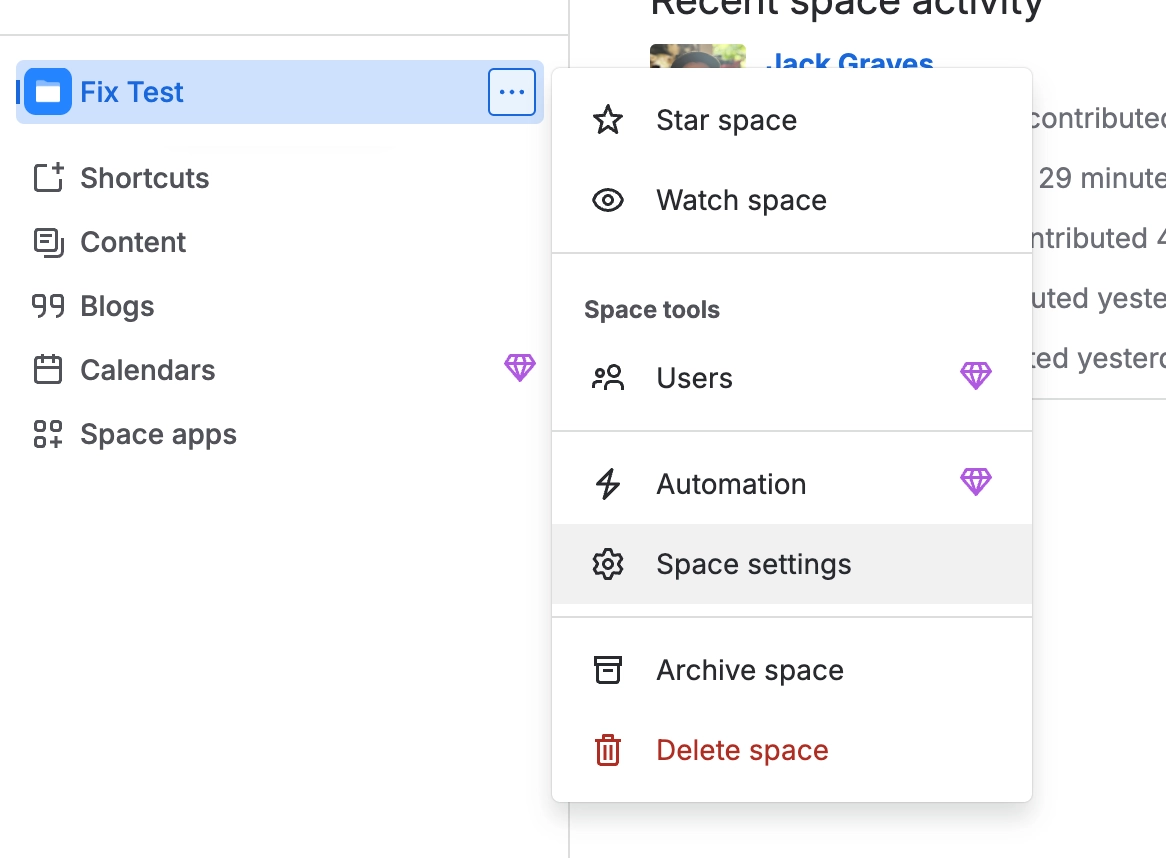
#2. Click on ‘Space settings’ in the sidepanel
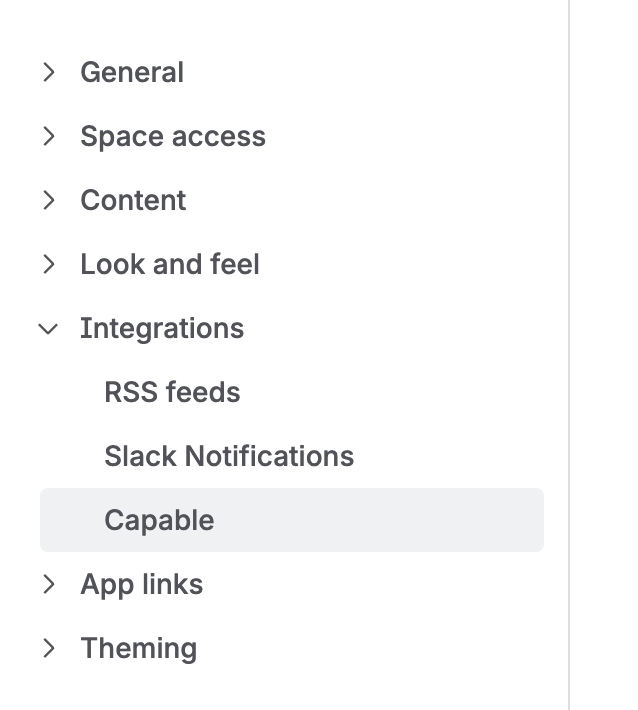
#3. Click on ‘Capable’ in the ‘Integrations' section
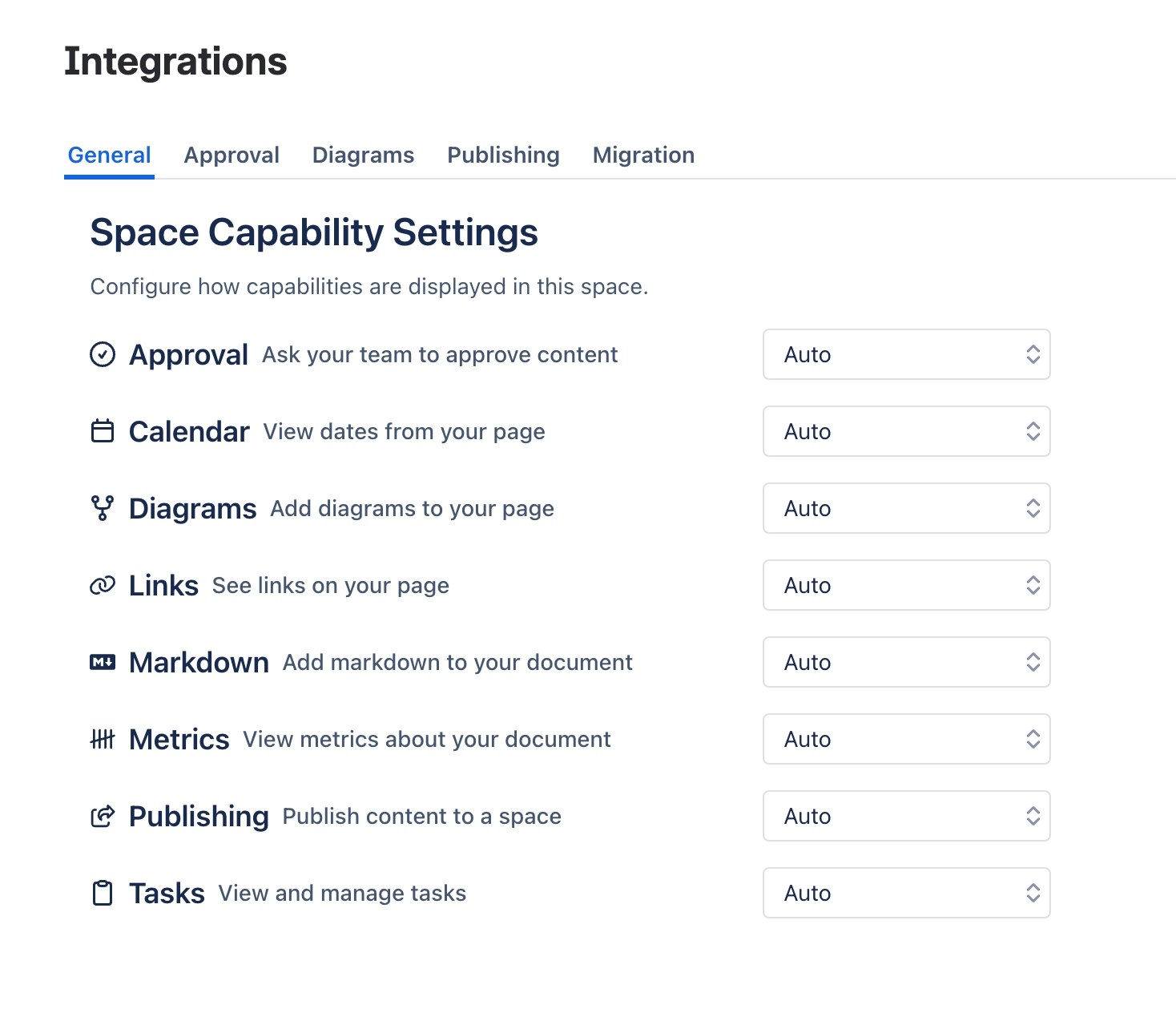
#4. Configure capability visibility
Choose which capabilities:
Always On - are always shown at the top of pages,
Always Off - which should always be hidden
Auto - to only show byline items when there is data for them
#5. See how your changes affect the page byline
The top of the page will now show elements according to your selection - here's an example with dates, markdown and approval pinned.






















