
Miro Board
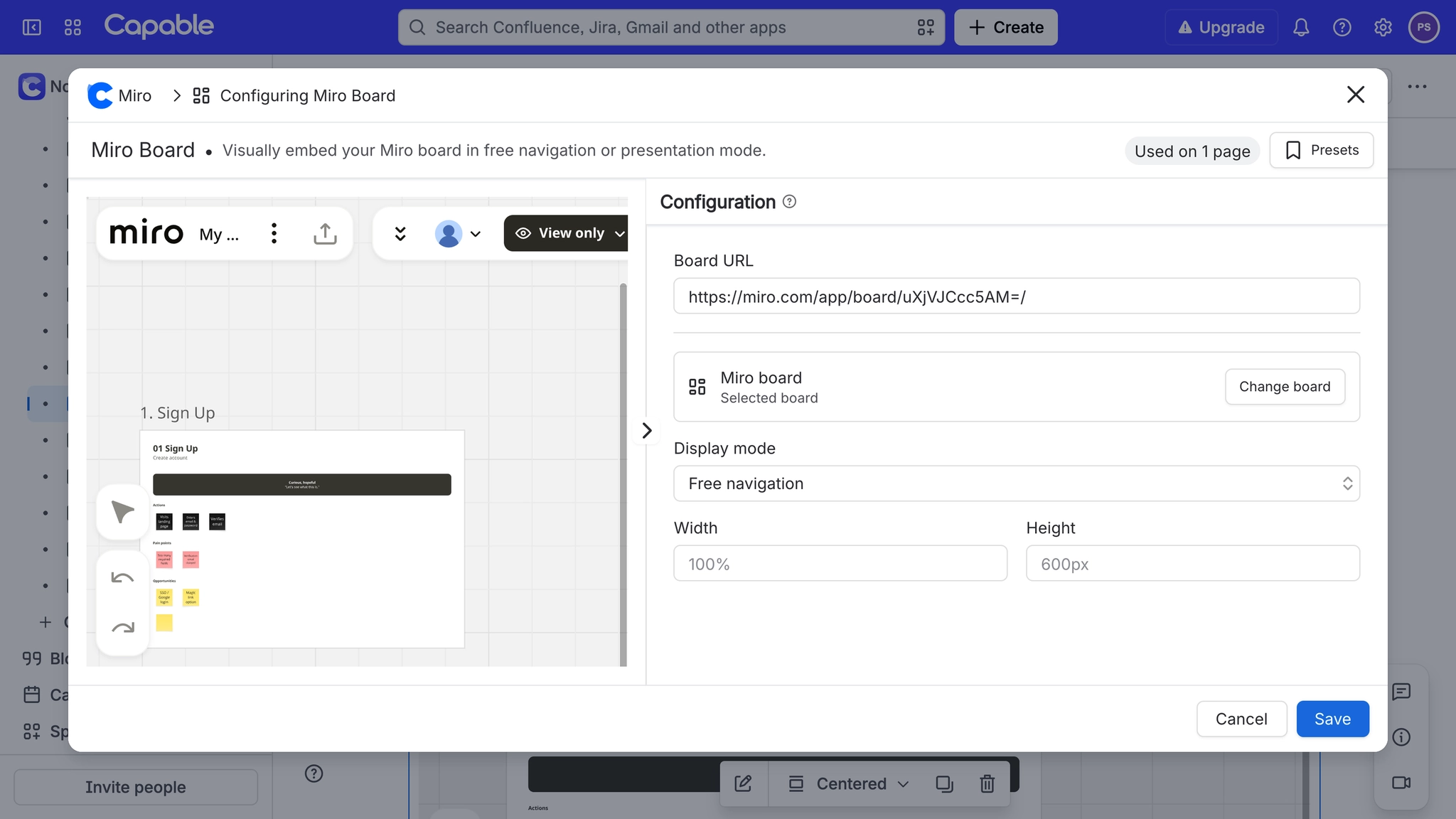
The Miro Board macro shows a live Miro board on the page. Paste a board link on its own line and it is created for you, or type /Miro and choose it. Its settings are in Configure Miro board, with a live preview beside them. Display mode, Width and Height appear once a board is set.
#Settings
Setting | Values | Default | What it changes |
|---|---|---|---|
Board URL | A Miro link: | Empty (placeholder shows | Which board the macro shows. |
Your boards | Boards in your connected Miro team, searchable and sortable by Recently edited, Recently created or Name | Shown when connected | Picking a board fills in the Board URL. Change board reopens the picker. |
Display mode | Free navigation, Presentation, Frame slideshow | Free navigation | Free canvas; fitted to the frame until clicked; or the board's frames as slides. See Show a Miro board as a presentation in Confluence. |
Width | Any CSS length; a bare number is read as pixels. | Empty, which renders at 100% | The frame's width, capped at the page column. |
Height | Any CSS length; a bare number is read as pixels. | Empty, which renders at 600px | The frame's height, at least 200 pixels. |
Selected board id (hidden) | A Miro board id | empty | Set by the picker. Used to show the board's name and sharing. |
Selected board name (hidden) | The board's title | empty | Shown as the Selected board summary in the configuration. |
When you are connected and a board is selected, the configuration also shows Who can open this board and People with access, read-only. See Check who can open an embedded Miro board.
#A few things that catch people out
The first click on the board activates it, so the page can still scroll past it.
Readers see the board only if Miro's sharing lets them. Embedding never grants access.
Editing the Board URL by hand clears the selected board's name until you pick it again.
#Related
One macro, documented properly.






















