
Input macro
#What is the input macro
The Input macro is a useful feature that allows you to add various input elements to your pages, such as form fields and other interactive components. Each instance of the input macro is designed to store a single value, which then appears directly on the page once it has been set by a user.
This functionality makes it straightforward to create pages that adhere to a specific style and format, while also providing a simple and efficient way to collect and organise data within Confluence. It streamlines data entry and ensures consistency across your documentation.
You can easily incorporate this feature into your existing workflow by using the following methods:
Utilise ‘Automation Rules’ to automatically create new pages that include structured forms with input macros embedded in them.
Make use of ‘Page Templates’ along with the ‘Create from template’ button to easily generate structured forms that incorporate input macros, ensuring consistency and efficiency in page creation.
#How do you insert the input macro?
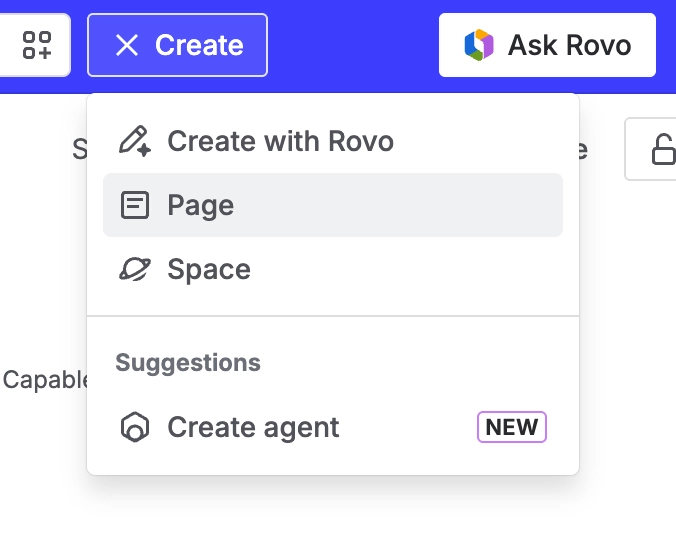
1. Open the Confluence editor, which you can do by either creating a brand new page or by editing an existing one that you want to modify.
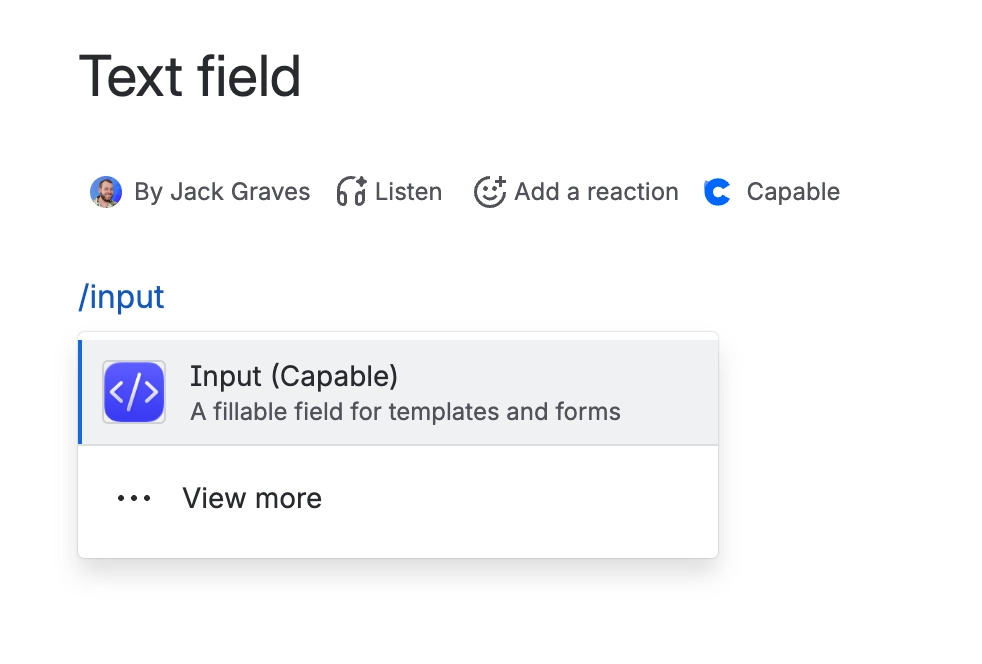
2. Once you are in the editor, you can type /input and then select the option labelled ‘Input (Capable)’ from the dropdown list that appears. This action will insert the macro into your page.
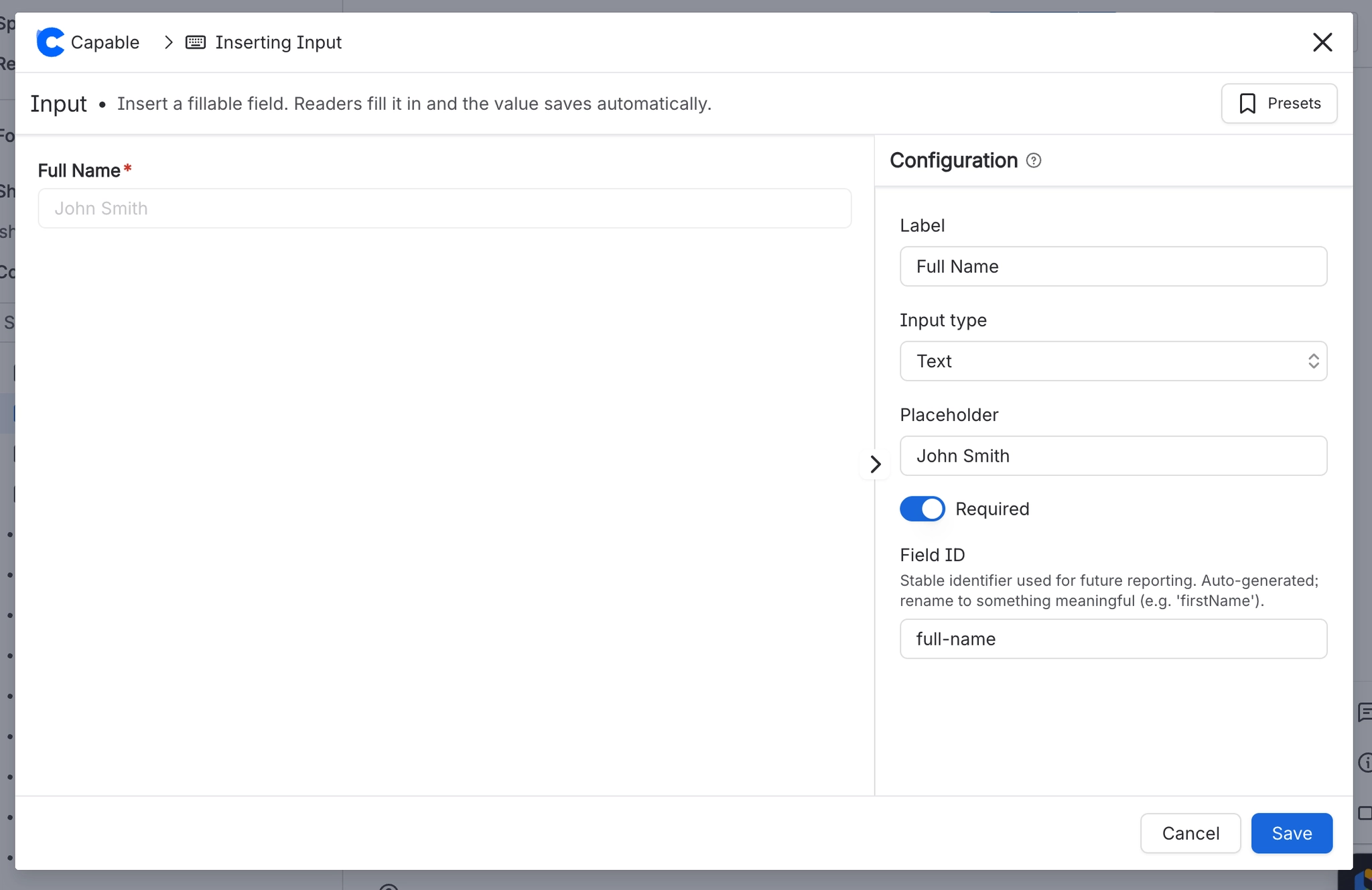
3. After the macro has been inserted, a configuration panel will appear, allowing you to customise and set it up according to your specific needs and preferences.
#What options are available?
Capable Forms supports a lot of options:
Label each field
Choose from 9 field types
Including multi-select for select, space and page fields
Placeholder to guide input
Whether the field is required
A Field ID for matching with other fields





















