
Checkbox field
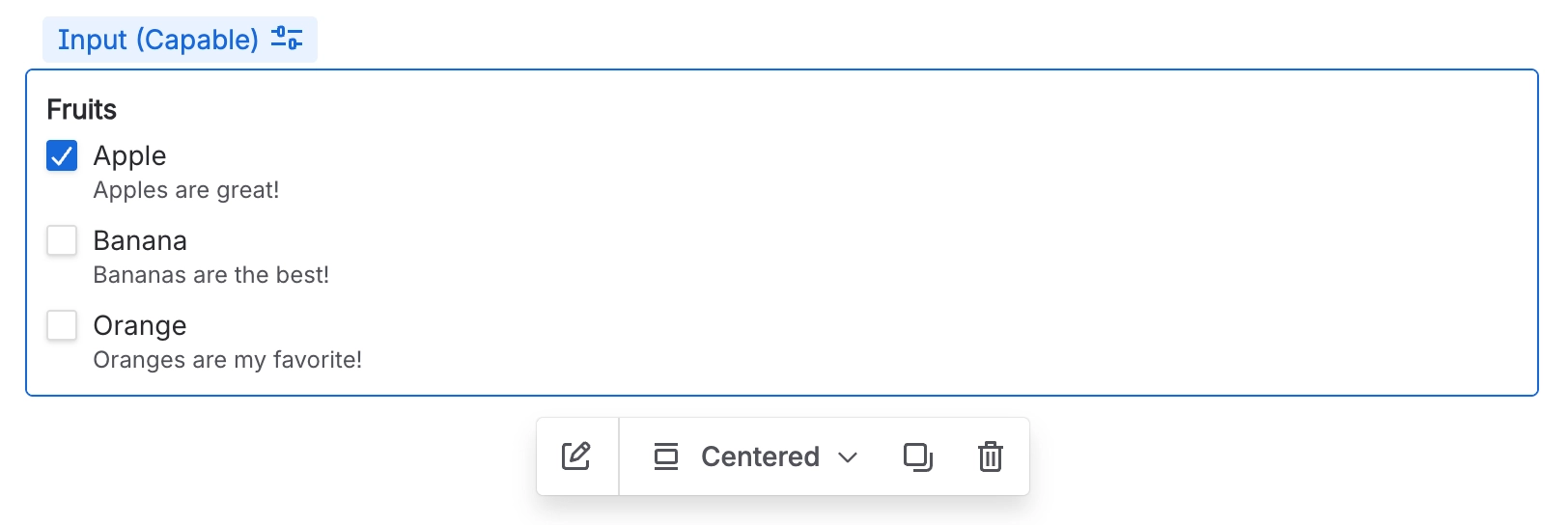
A Checkbox field is specifically designed to collect one or more choices from a predefined list of options.
#Overview
Checkbox fields allow users to tick any combination of options, making them ideal for multi-select questions where more than one answer can apply.
#Use cases
Typical use cases include:
Selecting multiple categories, tags, or labels
Capturing features, services, or items that apply
Listing affected systems, teams, or regions
Confirming completion of multiple checklist items
Multi-select preferences (e.g. preferred contact methods)
#Configuration
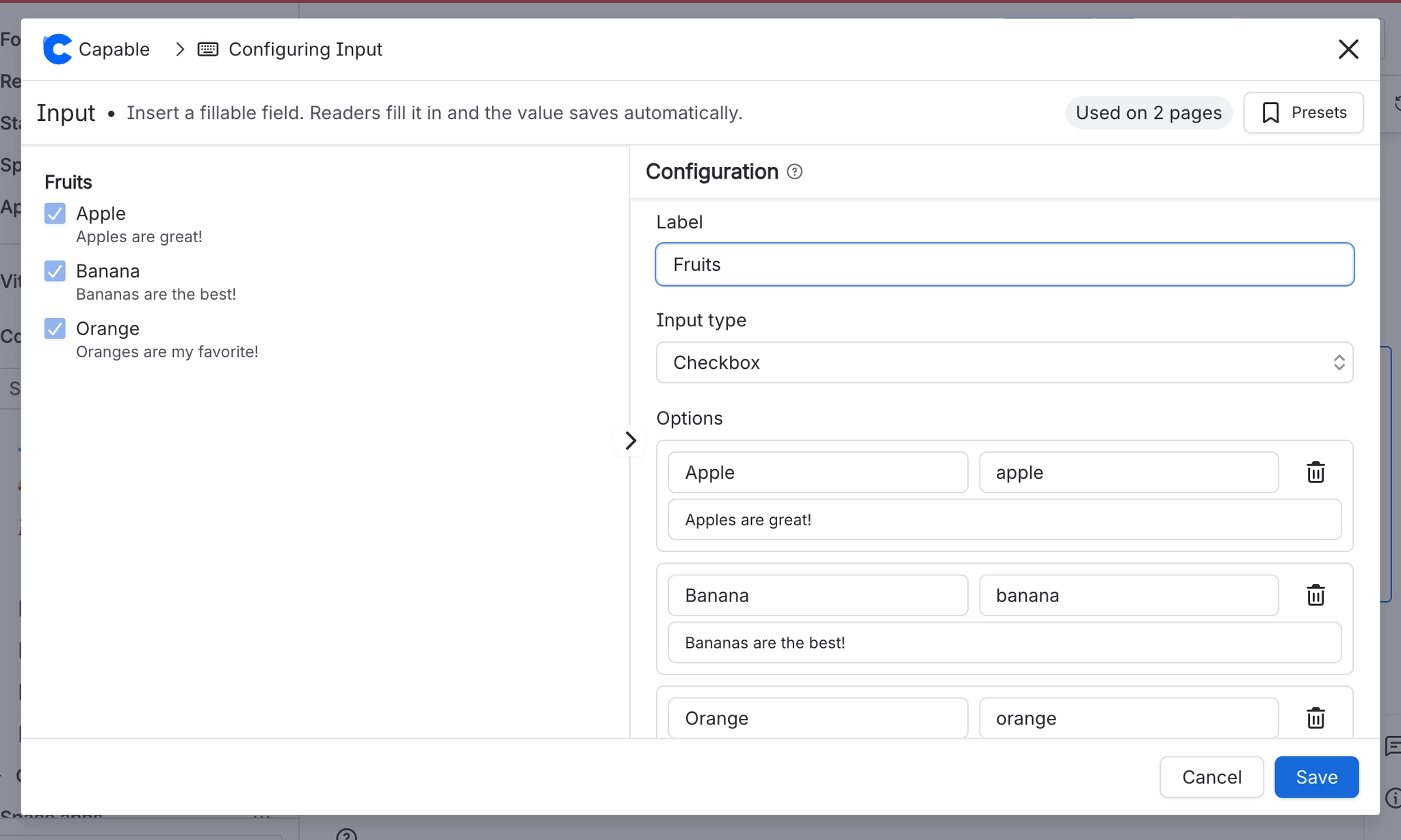
You have the following options available when using the checkbox input macro:
Setting | Recommendation | Notes |
|---|---|---|
ID | Use a stable, meaningful internal identifier. | Avoid renaming once the field is used in filters, reports, or templates. |
Label | Use clear user-facing wording. | For example: Affected teams, Applicable regions, or Tags. |
Required | Enable only when at least one selection is essential. | If enabled, users must tick at least one option before submitting. |
Options | List all valid choices that can be selected together. | Order options logically — alphabetically, by frequency, or by category — to help users scan. |
Placeholder | Add an example or prompt to guide the user. | For example: |





















