Automation
You can use templates from Automation rules in Confluence to streamline your workflows and save time. These templates work by automatically triggering specific actions based on predefined conditions, allowing you to automate repetitive tasks efficiently.
#Automated onboarding forms for new team members
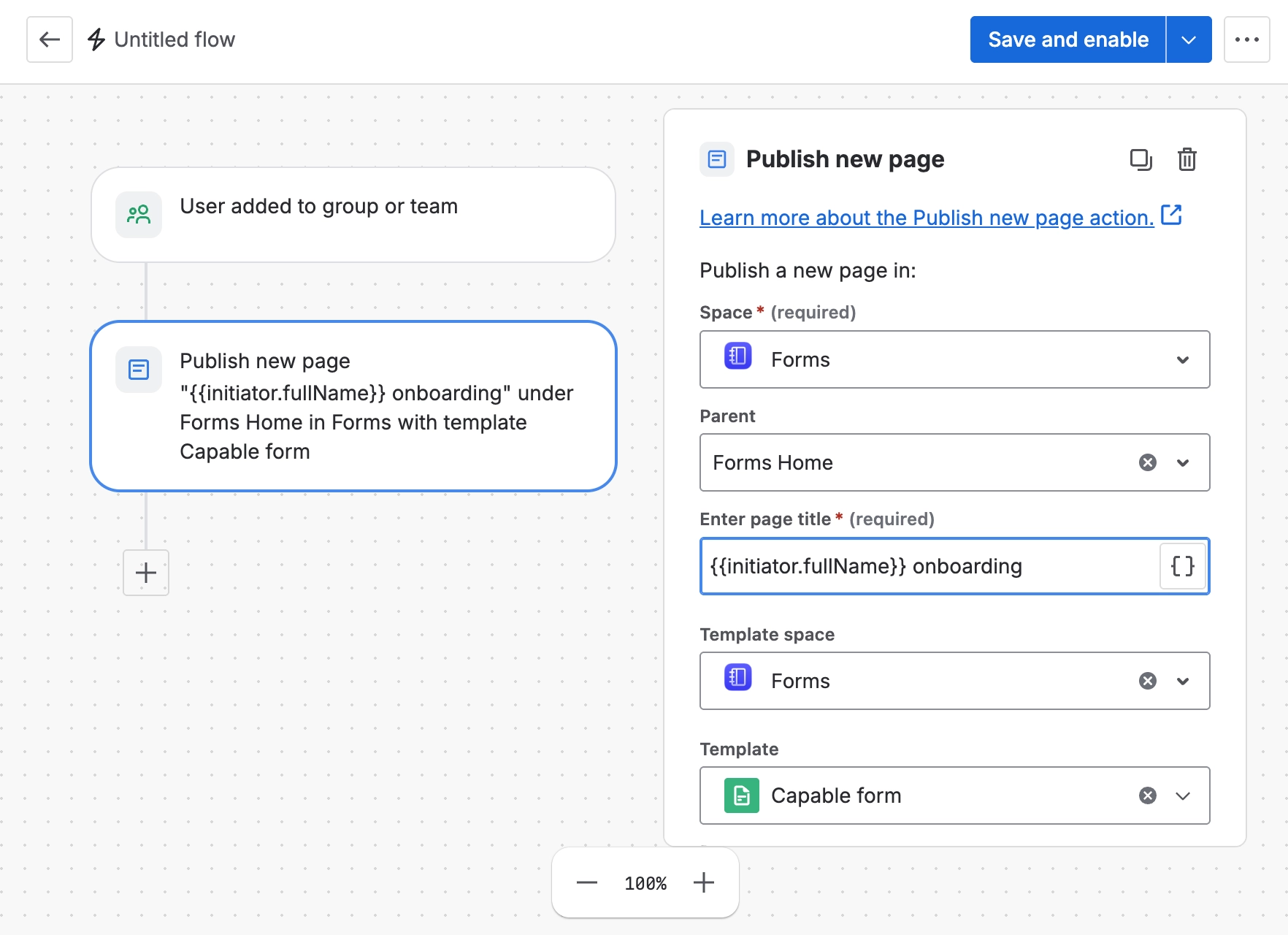
Use Confluence automation to trigger a template-based page or form whenever a new starter is added to the relevant team or space workflow. The rule can create the onboarding form in a designated team space, or in the user’s personal space, so the new team member can provide the required information as soon as they join.
This is useful for collecting role details, equipment requirements, access requests, emergency contacts, and other onboarding information without relying on a manager to create the page manually. Start with Atlassian’s Automation for Confluence documentation, then combine the appropriate automation trigger with a page creation action that uses your onboarding template.
#Incident surveys and questionnaires
Automation can also respond when an incident page is created, for example under a specific parent page, in a specific space, or with a particular label. When that condition is met, the rule can generate a survey, questionnaire, or incident follow-up form from a template.
This gives incident owners a consistent way to capture impact, timeline, root cause, mitigations, and lessons learned. It also makes reporting easier because every incident starts with the same structured information. For setup options, see Atlassian’s guidance on triggers, conditions, and actions.
#Approval routing using labels and team assignment
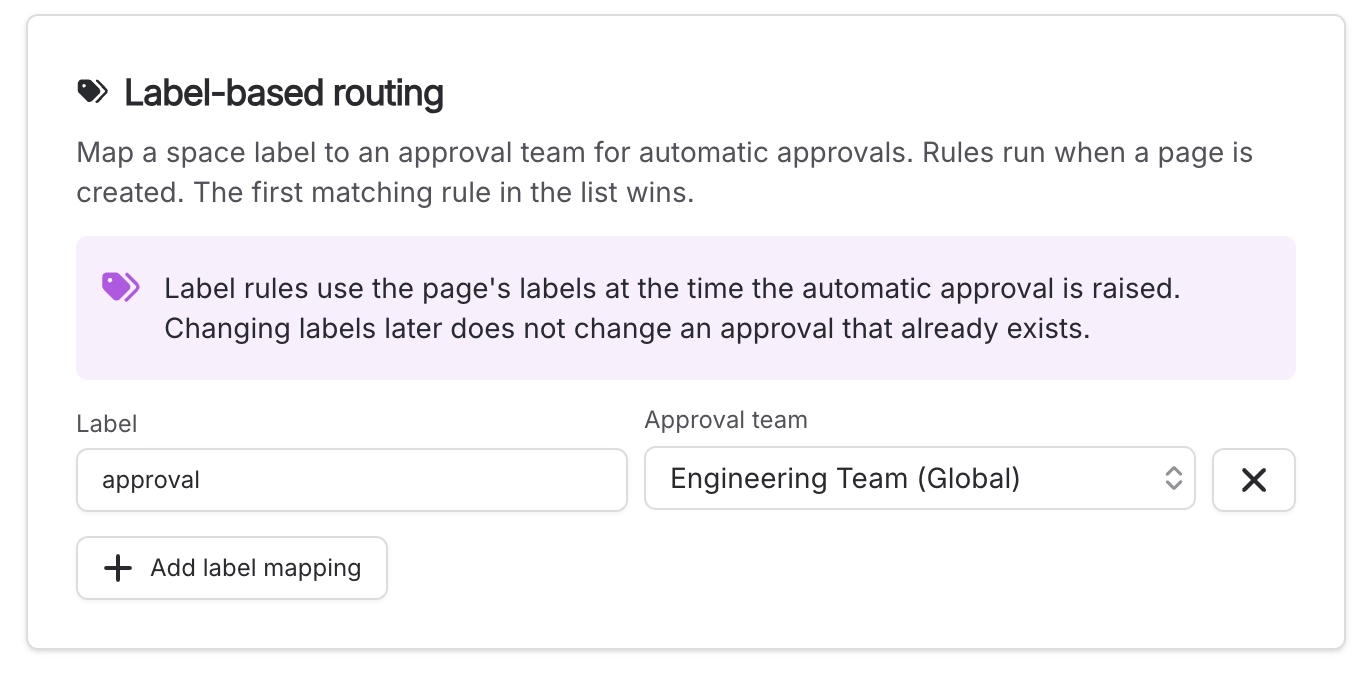
By combining label-based assignment with Capable Approval, you can route generated forms to the people responsible for reviewing them. For example, a form labelled for Security, Legal, People, or Finance can be automatically assigned to the correct approver group.
This keeps approvals moving without manual triage, reduces the risk of sending requests to the wrong team, and creates a clearer audit trail. Use labels or page properties to identify the owning team, then use automation to update, notify, or transition the request as required. Atlassian’s smart values documentation is helpful when you need to reference page metadata, labels, or other rule data in notifications and follow-up actions.
Templates can have labels assigned to automatically apply them to pages and route approval requests to the correct team: