
What Workflow Hub is
monday.com has an easy interface, but it has never had a visual way to move work through a defined process. A Status column tells you where an item is; it does not tell you where it may go next, or stop somebody sending it somewhere it should not.
Workflow Hub adds that. It turns any Status column into a workflow: each status becomes a step, and you define the transitions between them. Boards get a visual builder, and items get a view showing the current step and the actions available from it.
#What you get
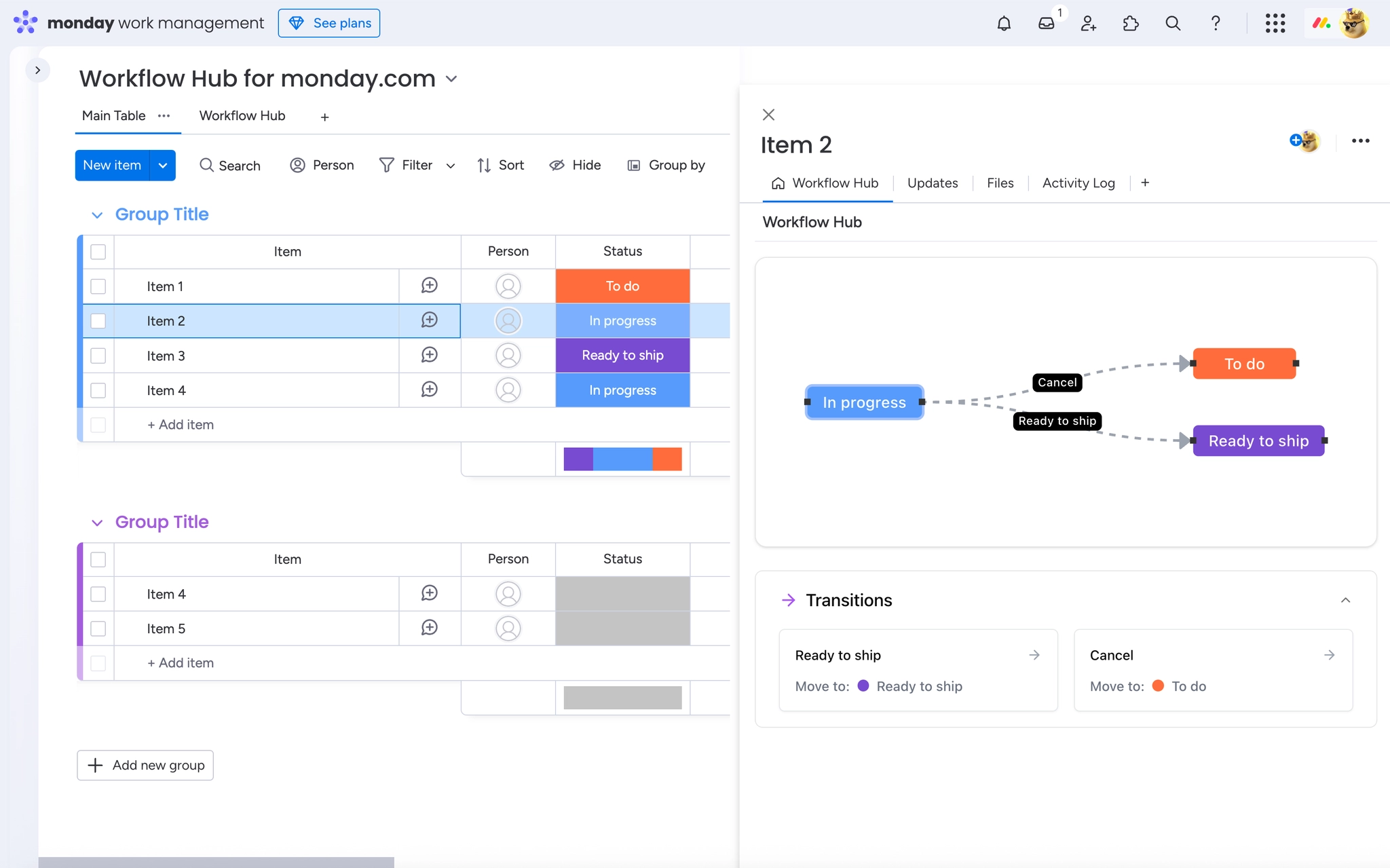
A visual workflow builder on the board, where you lay out the steps and draw the transitions between them.
Controlled transitions so an item can only move where the process allows, rather than anywhere in the dropdown.
An item view showing which step an item is on and what it can do next.
Workflows that stay in sync with the underlying monday.com Status column.
#Where it fits
Workflow Hub is a monday.com app, installed from the monday.com App Marketplace. It is not a Confluence app and it is not part of the Capable Suite: it is bought and installed on its own.
It builds on a column you already have. There is no separate workflow data to maintain. The Status column stays the source of truth, which is why an item's status is correct even for people who never open the app.
#A few things worth knowing
The Status column is the foundation. Without one on the board, there is nothing to build a workflow from.
Sub-items are not supported. They have their own fields and cannot carry a workflow.
It is a monday.com product, so nothing here applies to Confluence or Jira.
#Related
Statuses become steps. Transitions become rules.























