Theme support

Workflow Hub renders inside monday.com, and both of its views follow whichever theme the account is using.

Nothing needs configuring for this.


#Supported themes
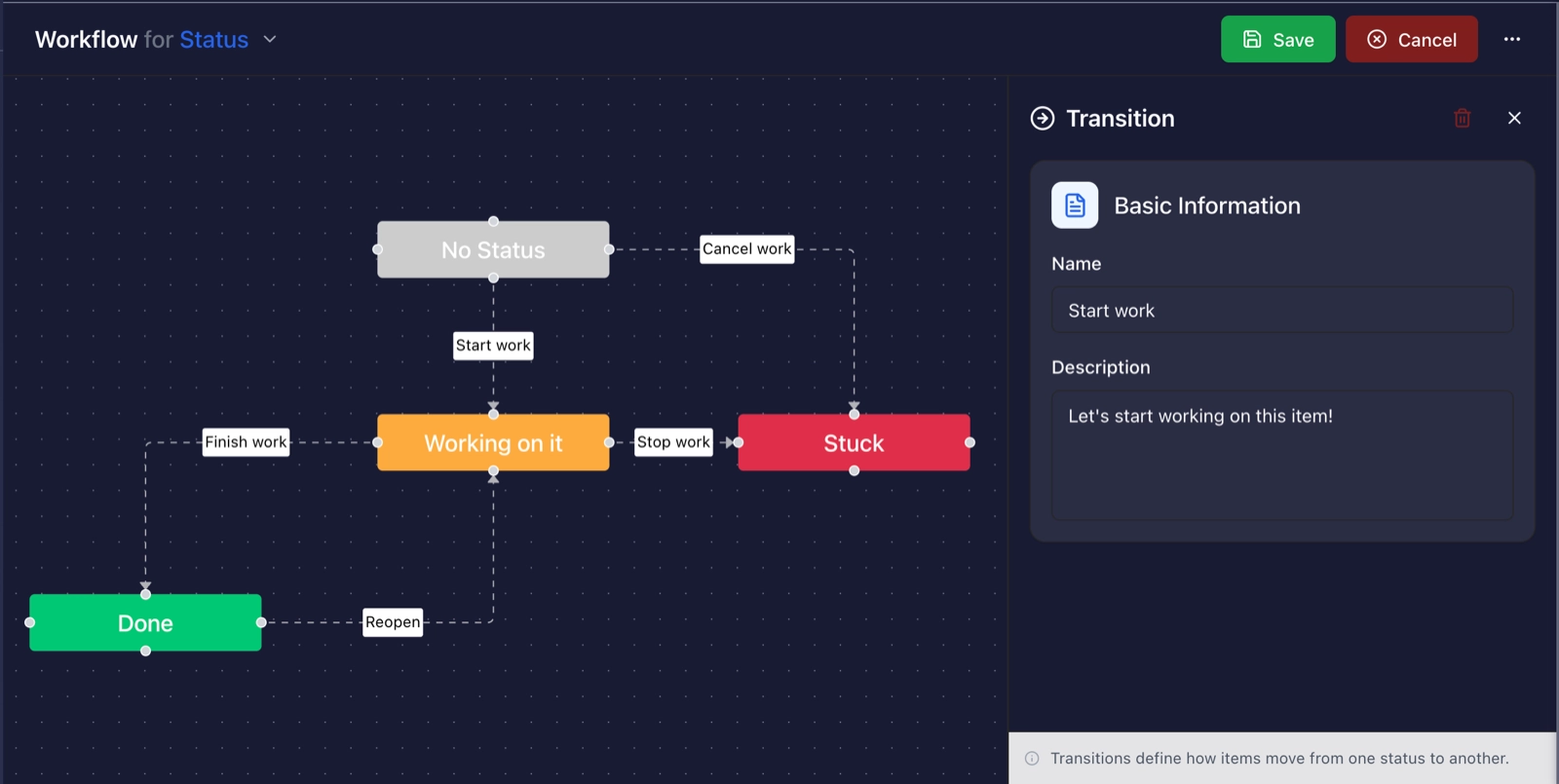
Workflow builder on a dark navy background showing status nodes joined by labelled transitions, with a transition panel on the right.
The same builder in the dark theme, where the chrome inverts but the status colours stay as the board defines them.
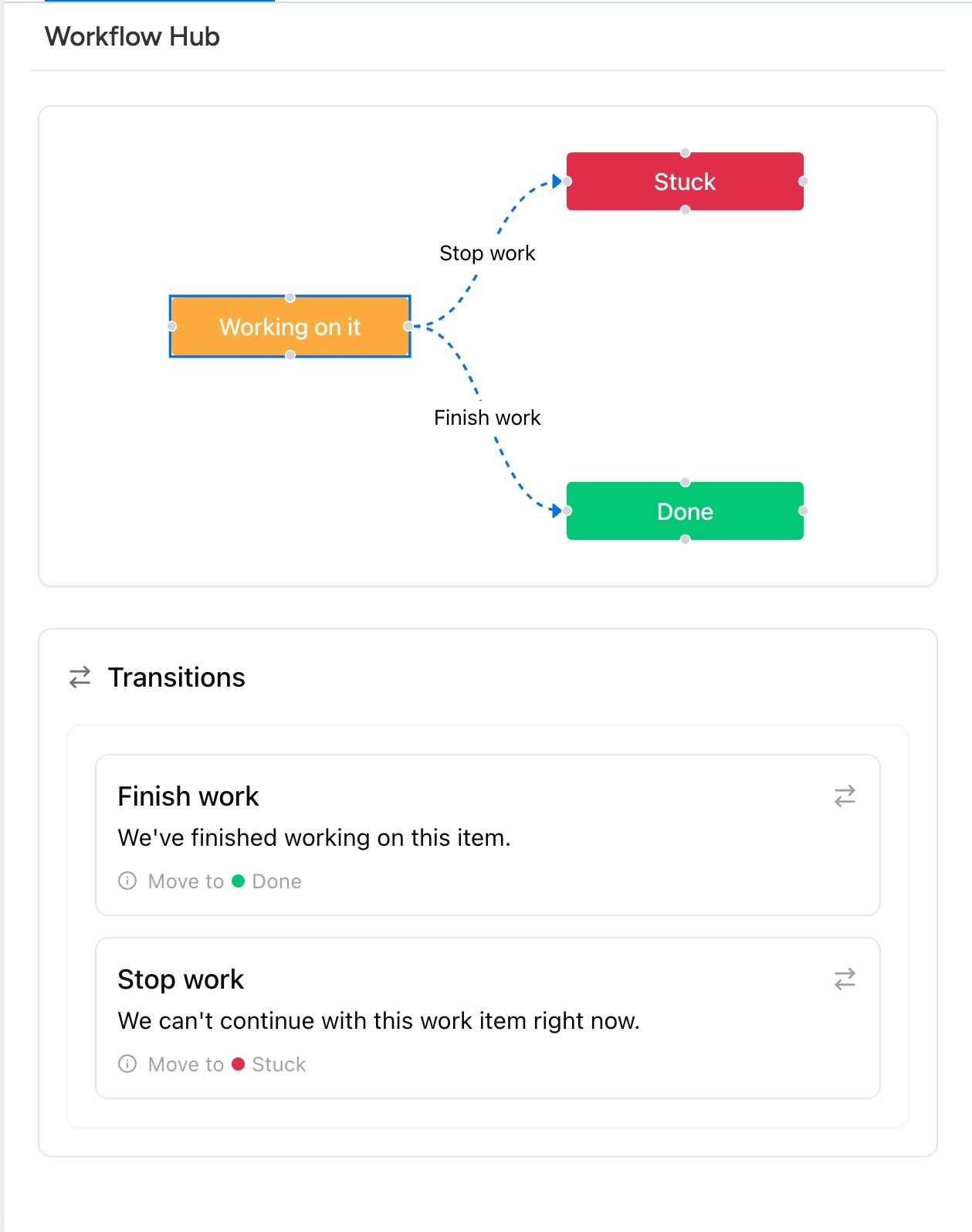
Item panel on a white background showing a Working on it node linked to Stuck and Done, above a Transitions list naming Finish work and Stop work.
The item view in the same light theme, with the workflow map sitting above the list of transitions.
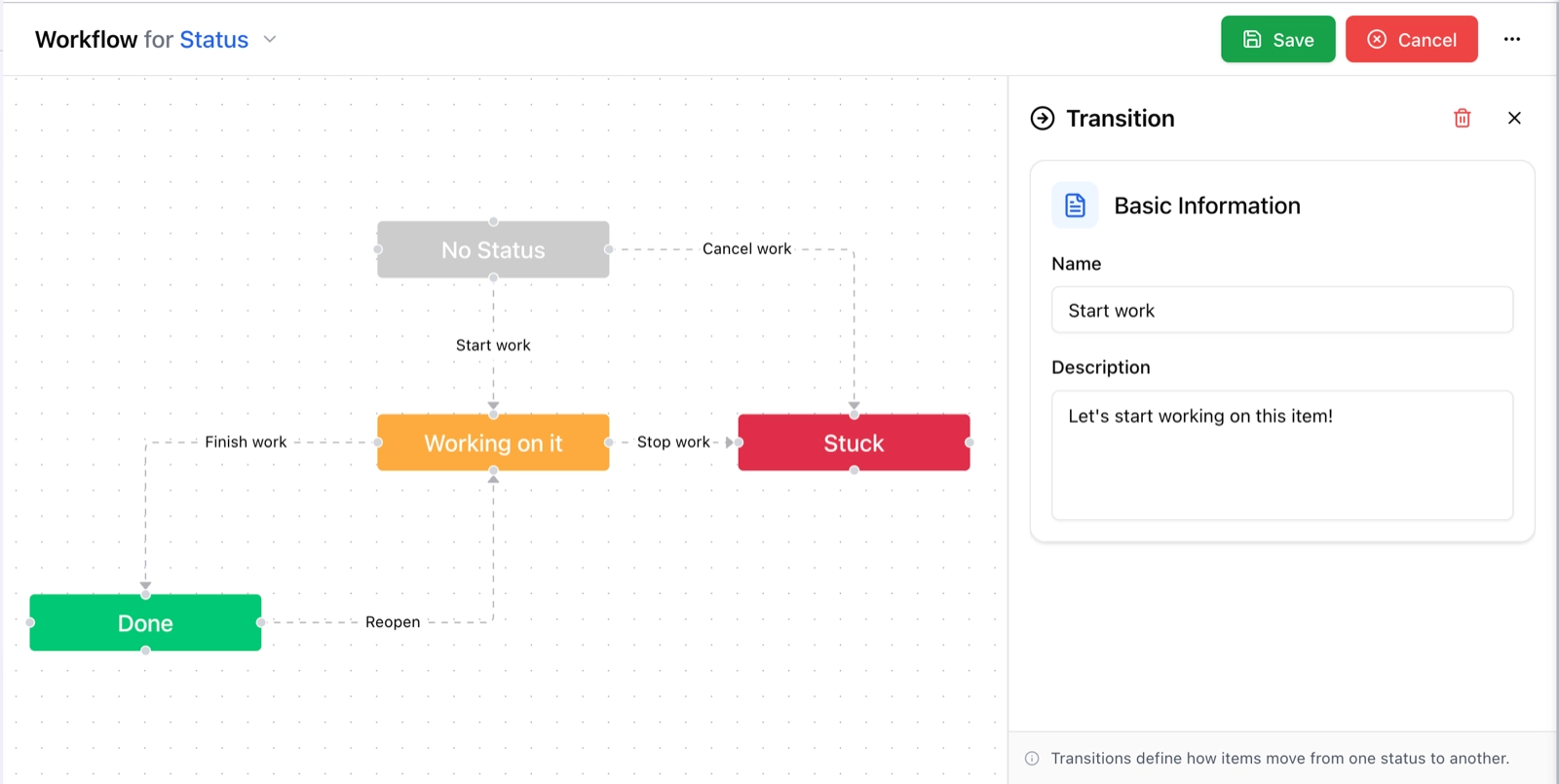
Workflow builder on a white background showing status nodes joined by labelled transitions, with a transition panel on the right.
The builder in the light theme, with the canvas and the side panel taking monday.com's default colours.

Theme

Board view

Item view

Light

Supported

Supported

Dark

Supported

Supported

Hacker

Supported

Supported

Night

Supported

Supported


#A few things worth knowing

  • The theme comes from monday.com, so there is no theme setting in the app itself.

  • Changing theme takes effect immediately in both views.

  • Custom colours on Status labels are respected in every theme.


Follows monday.com. Nothing to set.