
Move items through a workflow
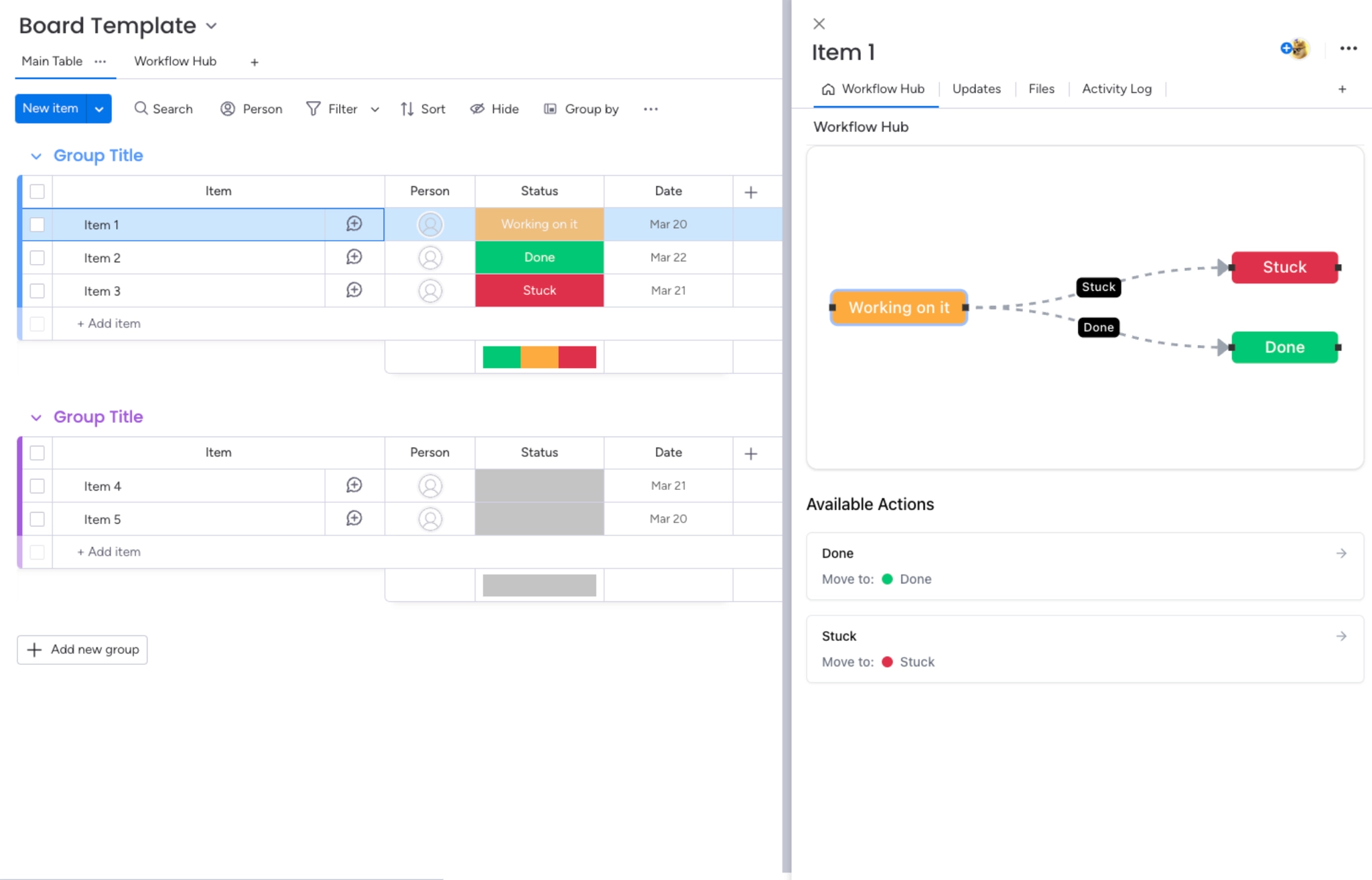
The board view is for designing; the item view is for daily work. It gives each person clarity on where an item is and what they can do next, without needing to know the whole process.
This is where the workflow earns its place.
#Opening it
Step | What you do |
|---|---|
1 | Click into any item on the board. |
2 | Select the Workflow Hub tab in the item view. |
3 | If it is not visible, click + to add it. |
#What you see
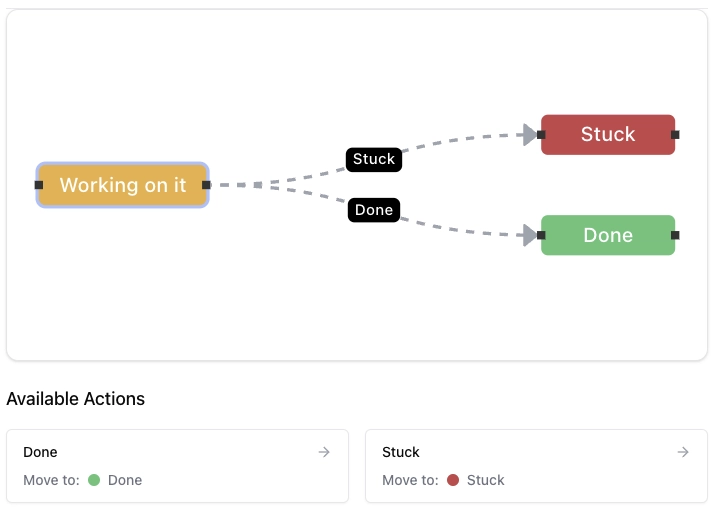
The step the item is currently on.
The transitions available from that step, and nothing else.
A move that is not part of the process simply is not offered.
This is the point of the whole app. A Status dropdown offers every label to everybody. The item view offers only the moves the process allows from where the item actually is.
#A few things worth knowing
Guests can move items but cannot change the workflow itself.
Sub-items are not supported and have no workflow view.
Moving an item updates the Status column, so anybody watching the board sees it immediately.
#Related
Only the moves the process allows.























