
Getting started
Setting up takes three steps, and the second one is the part people miss: Workflow Hub builds on a Status column, so the board needs one before there is anything to configure.
Once it is installed, everything happens on the board itself.
#The three steps
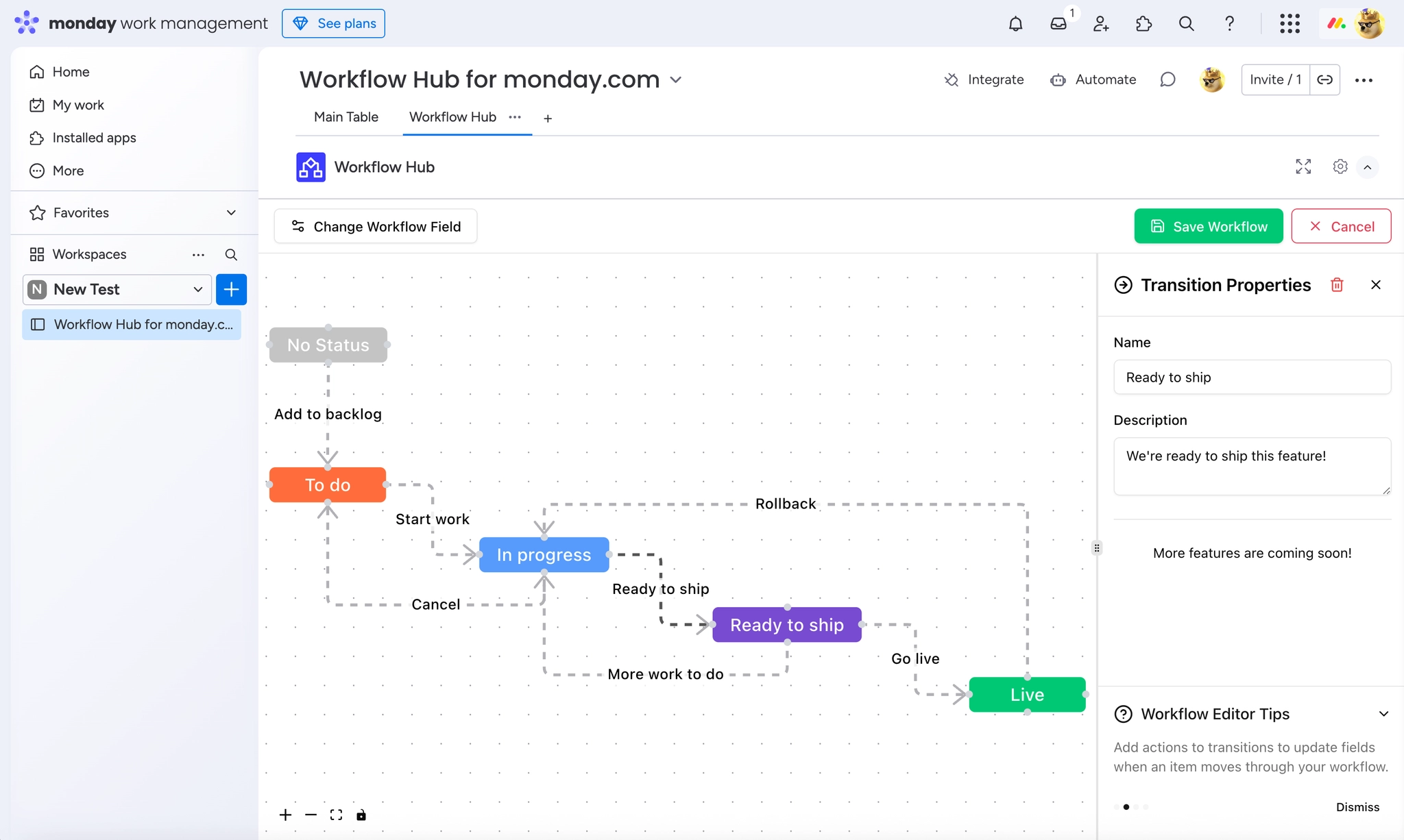
Step | What you do |
|---|---|
1. Install the app | In the monday.com App Marketplace, search for Workflow Hub, click Install, and add it to your account and the boards you want. |
2. Set up a Status column | Choose or create a board with a Status column. That column becomes the foundation of the workflow. |
3. Build the workflow | Open the board view, add the Workflow Hub view, and design the steps and transitions. |
Any Status column will do. You do not need a special column type or a particular set of labels. Existing boards can adopt a workflow without restructuring.
#A few things worth knowing
Install to the specific boards you want, not just the account.
A board with no Status column cannot carry a workflow. Add one first.
Sub-items cannot have workflows, so plan the process at item level.
#Related
Install, add a Status column, build.























