
Slack Channel Notifications for Confluence Spaces
Map a Confluence space to a Slack channel, then choose which approval events should post notifications to that channel.
Keep the right people informed without asking them to monitor Confluence manually. You can now connect Confluence spaces to Slack channels and send approval-related updates directly where your team already works.
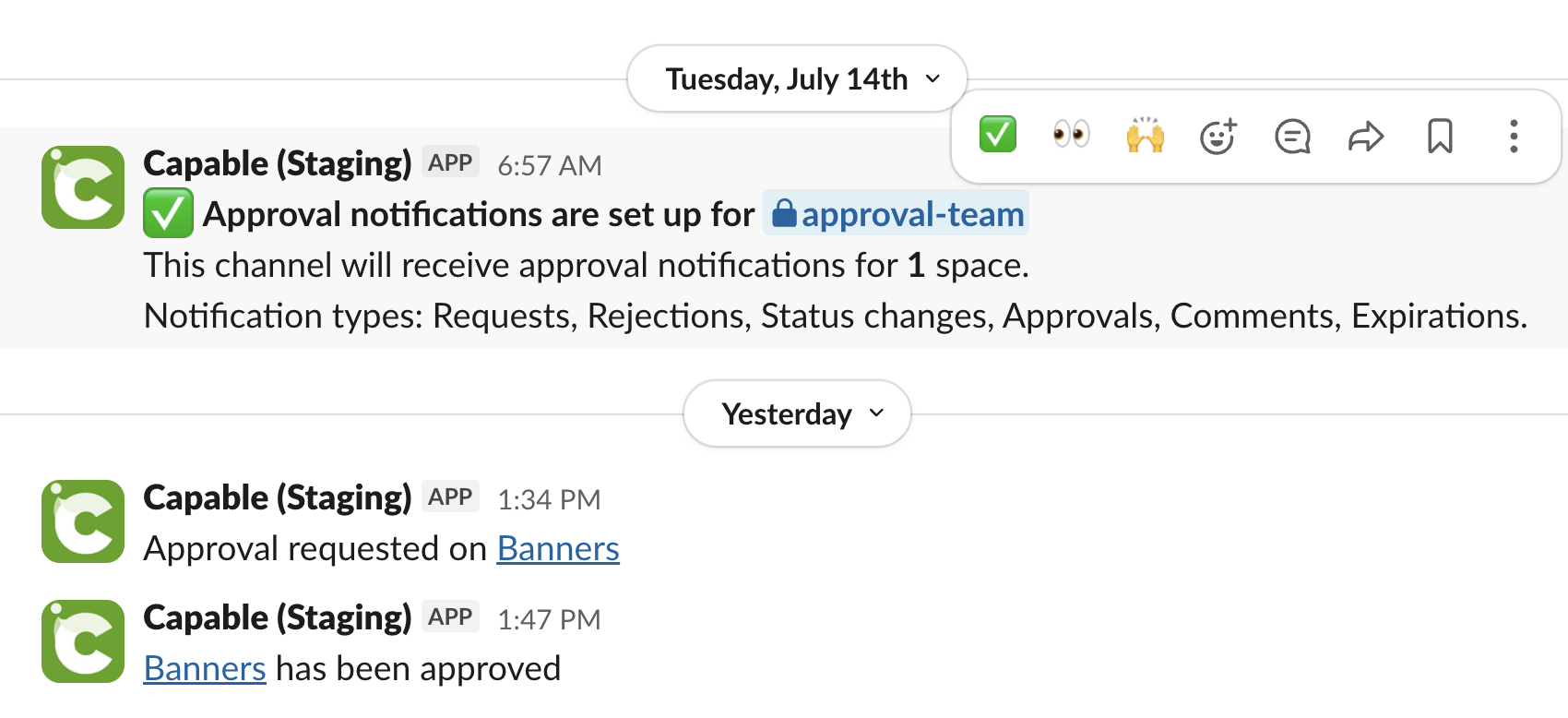
#How it works
Each Confluence space can be linked to a Slack channel. After the connection is set up, you choose which approval events should trigger notifications for that space.
Space-to-channel mapping lets each team route updates to the most relevant Slack channel.
Subscription controls let you decide which approval events create messages.
Channel-based visibility helps reviewers, requesters, and observers stay aligned in real time.
Only Confluence Administrators can set up these subscriptions.
Channels receive information, like page titles, that some Slack users may not have access to. Exercise caution when subscribing to channels and ensure members have permission to view the content.
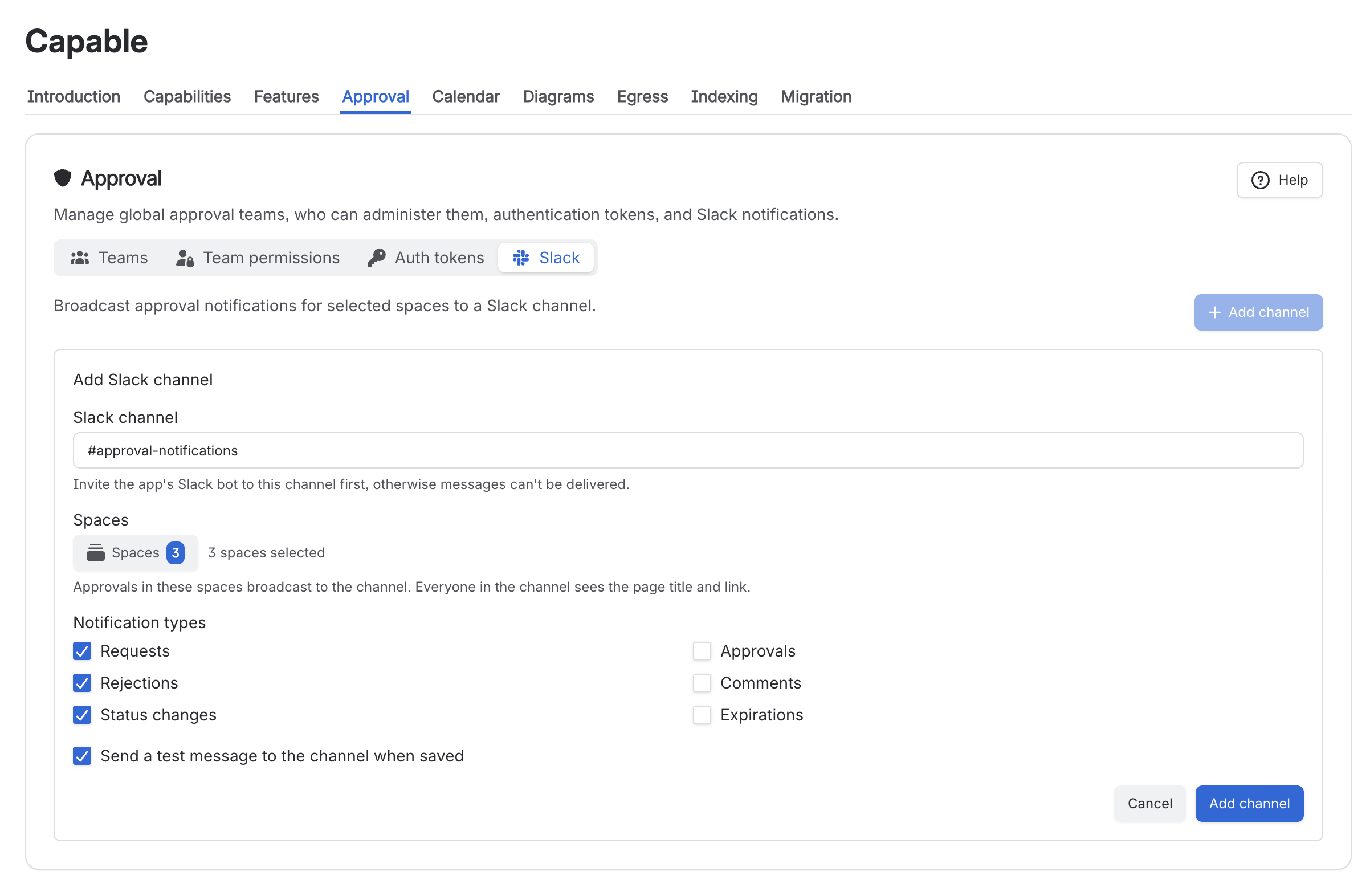
#What you can subscribe to
You can choose the approval events that matter for each mapped space. This makes it easy to avoid noisy channels while still surfacing important workflow changes.
Subscription | Slack notification trigger | Typical audience |
|---|---|---|
Needs approval | Posts when content enters a state that requires approval. | Review teams and channel members responsible for spotting items that are ready for approval. |
Status changes | Posts when an approval is changes status. | Change in status of the page. |
Comments | Posts when someone comments on an approval. | Authors, reviewers, and collaborators following discussion or requested changes. |
Rejections | Posts when an approval request is rejected. | Authors, requesters, and reviewers who need to address feedback or restart the approval process. |
Approvals | Posts when an approval request is approved. | Authors, requesters, reviewers, and stakeholders who need confirmation that content can move forward. |
Expirations | Posts when an approval reaches its expiry date without being completed. | Authors, reviewers, and space owners who need to follow up on overdue decisions. |
#Typical setup flow
Open the Global Capable Settings.
Select the Approval tab and click on 'Slack'
Choose the Slack channel that should receive updates (e.g. #updates)
Select the approval notification types to send, such as requests, approvals, rejections, or new items.
Save the configuration.
Repeat for any additional spaces that need their own routing.
Best practice
Use different Slack channels for different audiences. For example, send review requests to an active working channel, and approval outcomes to a broader stakeholder channel.
#Example routing patterns
Pattern 1: Team-owned space
A product documentation space is mapped to #product-approvals. The team subscribes to requests, approves, and rejects so reviewers can act and authors can track outcomes.
Pattern 2: Executive visibility
A governance space is mapped to #leadership-updates. The team subscribes only to approves and rejects to keep the channel focused on final decisions.
#Configuration guidance
Map spaces intentionally. A space should usually point to the channel where the people responsible for action already collaborate.
Start narrow. If you are unsure which events to enable, begin with requests and rejects, then add more if needed.
Avoid duplicate routing. Sending the same space events to many channels can create noise and reduce response quality.
Align on channel purpose. Decision-oriented channels work best for approvals. Social or general-purpose channels often bury important updates.
#When to use which notification type
Use case | Recommended subscriptions | Reason |
|---|---|---|
Fast reviewer response | Requests, Rejects | Focuses attention on items that need action or rework |
Full workflow visibility | New, Requests, Approves, Rejects | Gives the team end-to-end awareness of approval movement |
Leadership or stakeholder summaries | Approves, Rejects | Highlights outcomes without flooding the channel with in-progress events |
#Expected outcome
Once configured, Slack becomes a lightweight approval inbox for each mapped Confluence space. Reviewers know when action is needed, authors see status changes faster, and stakeholders gain visibility without having to check Confluence continuously.
Recommendation
Document your team’s channel mapping decisions so people know where approval activity will appear for each Confluence space.





















