Jira Markdown
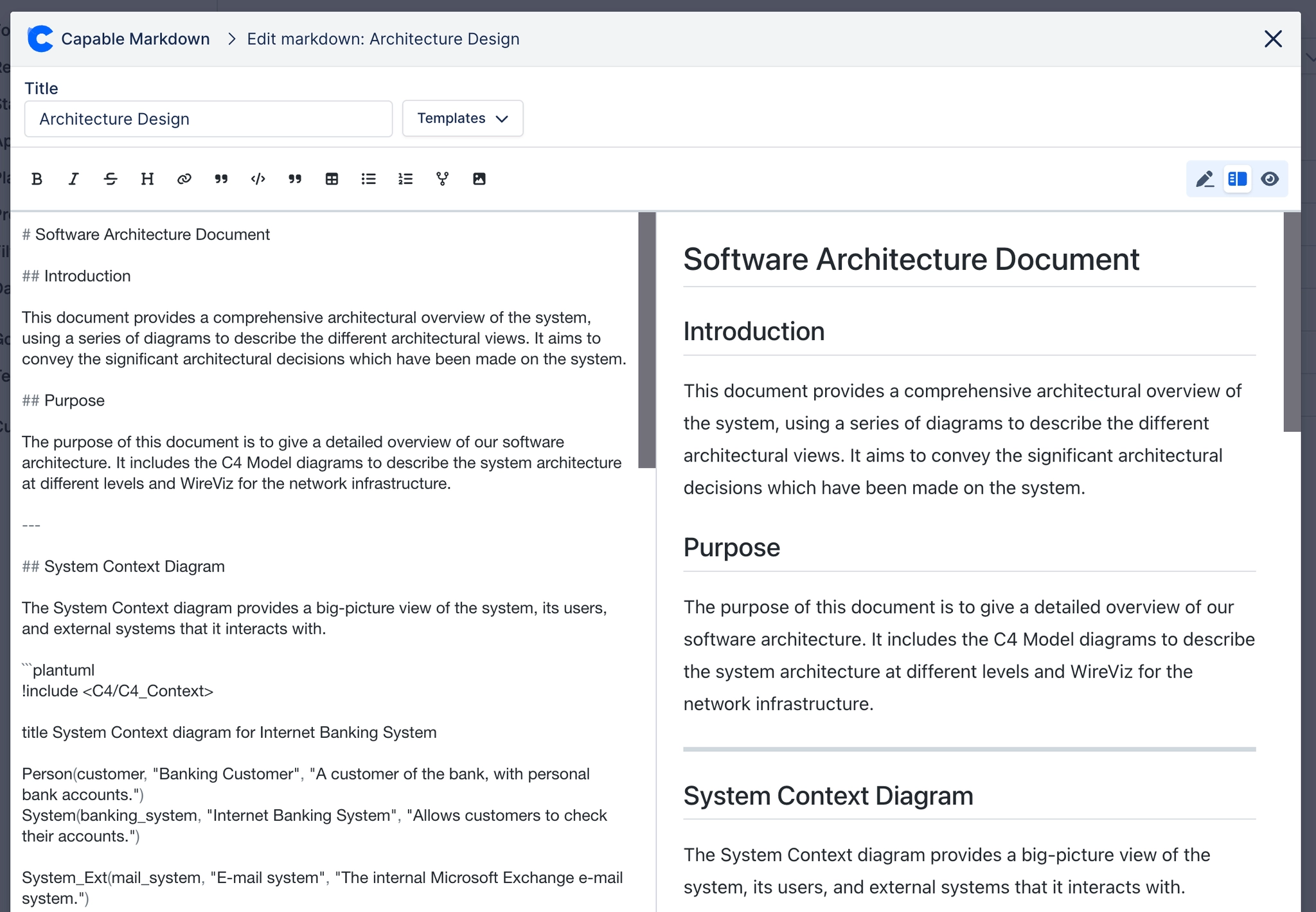
Markdown for Jira brings the flexibility and power of Markdown right into your Jira issues. Instead of wrestling with Jira’s native formatting or pasting text from external tools, you can write using a clean WYSIWYG Markdown editor with a live preview that shows you exactly how your content will appear.
From simple notes to rich technical documentation, Markdown makes it easy to add structure and clarity to your issues. You can include headings, lists, tables, code blocks, and more—all with the simplicity and speed that Markdown is known for.
Every Markdown file you create is stored as an attachment on the issue, so it’s always available alongside the work it documents. This makes sharing effortless: your teammates can view, edit, or reuse Markdown content without leaving Jira.
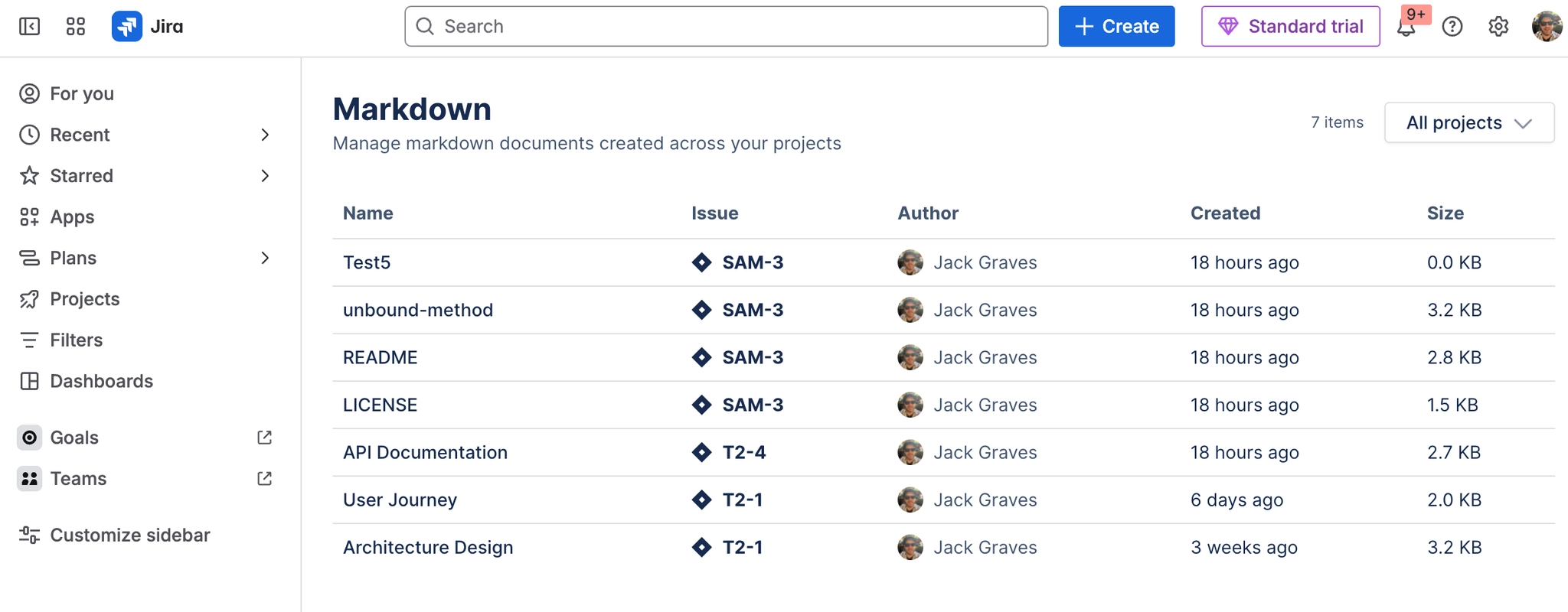
To help you keep track of everything, your Markdown content is also indexed. That means you can browse Markdown notes across projects, search by keyword, and quickly find exactly what you need, whether it’s a design spec, meeting notes, or a technical how-to.
If you’re new to the app, getting started is simple: open an issue, launch the editor, and start writing. For more advanced users, we provide tips on structuring documentation in Markdown, managing attachments, and making the most of Jira’s integration with your content.
With Markdown for Jira, your issues don’t just describe the work - they capture it with clarity, precision, and style.
#Add Markdown to Issues
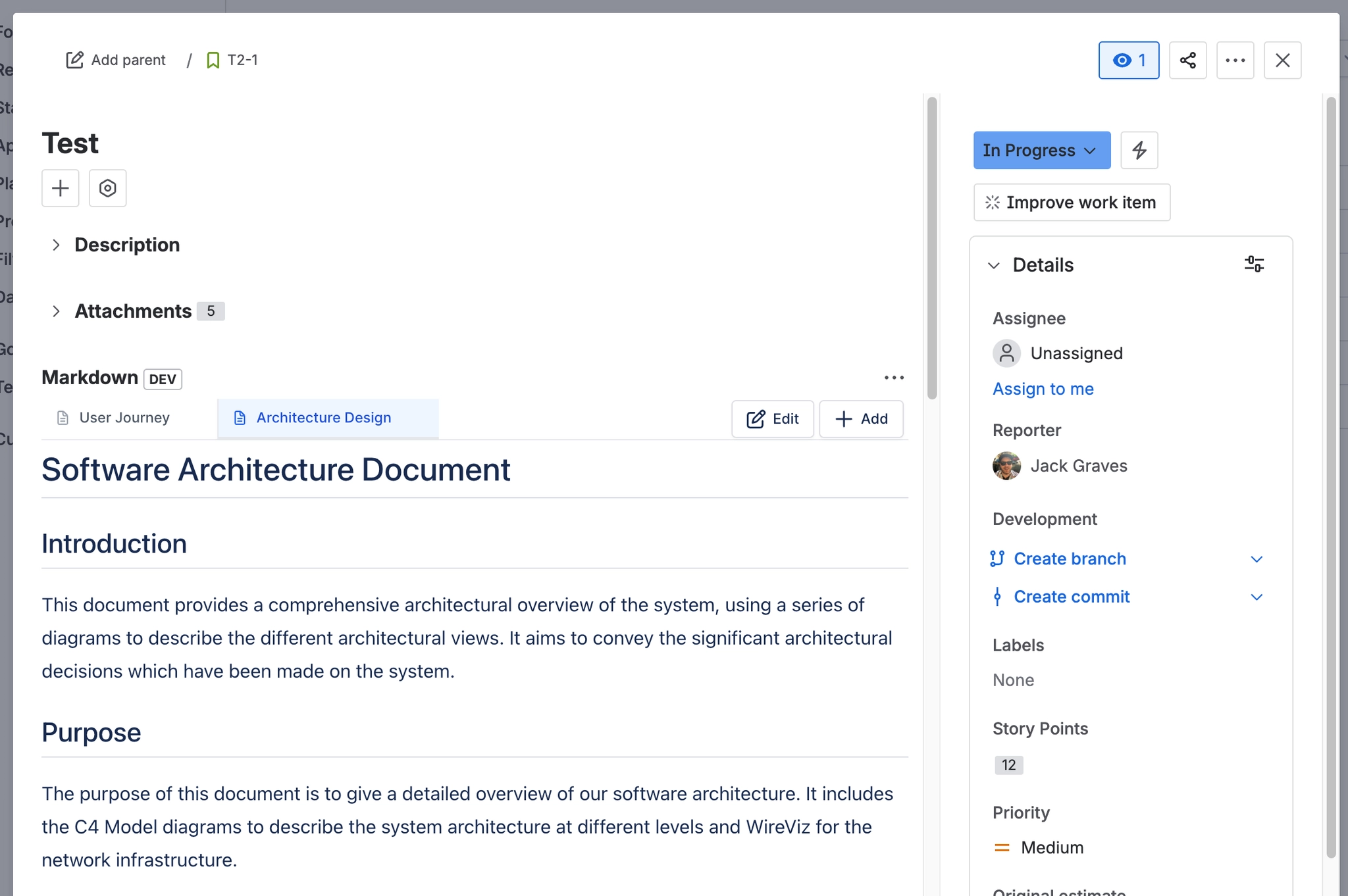
You can embed markdown onto any issue and have them shown on the issue view page as a tabbed interface, making it easy to add multiple markdown explaining work items.
#Use the Editor
You can use the built-in editor to craft your markdown content, or you can simply attach a markdown file to your Jira work item and it will show up in the Markdown panel.
#Search and Browse Markdown
All markdown across Jira are indexed, making it easy to find markdown in your system!