Capable Help Center Capable Help Center
WebsiteTrustStatus
HomeApprovalCalendarsDiagramsFormattingGithubImagesMarkdownPublishingSearchMigrationLabs
  • Confluence Markdown
    • Insert Markdown into a page
    • Insert Markdown from a URL
    • Insert Markdown from scratch
    • Insert Markdown from a template
    • Using the Markdown macro
    • Find Markdown on pages
    • Share Markdown templates
    • Add diagrams to Markdown
    • Add images from the web
    • Upload images
  • Jira Markdown
    • How to install
    • How to insert markdown
    • How to browse markdown
    • How to download markdown
    • Always show markdown panel
    • Embed diagrams in markdown

How to download markdown

View as Markdown
Open in ChatGPT Open in Claude
📝

Find out how to download or backup your Markdown.

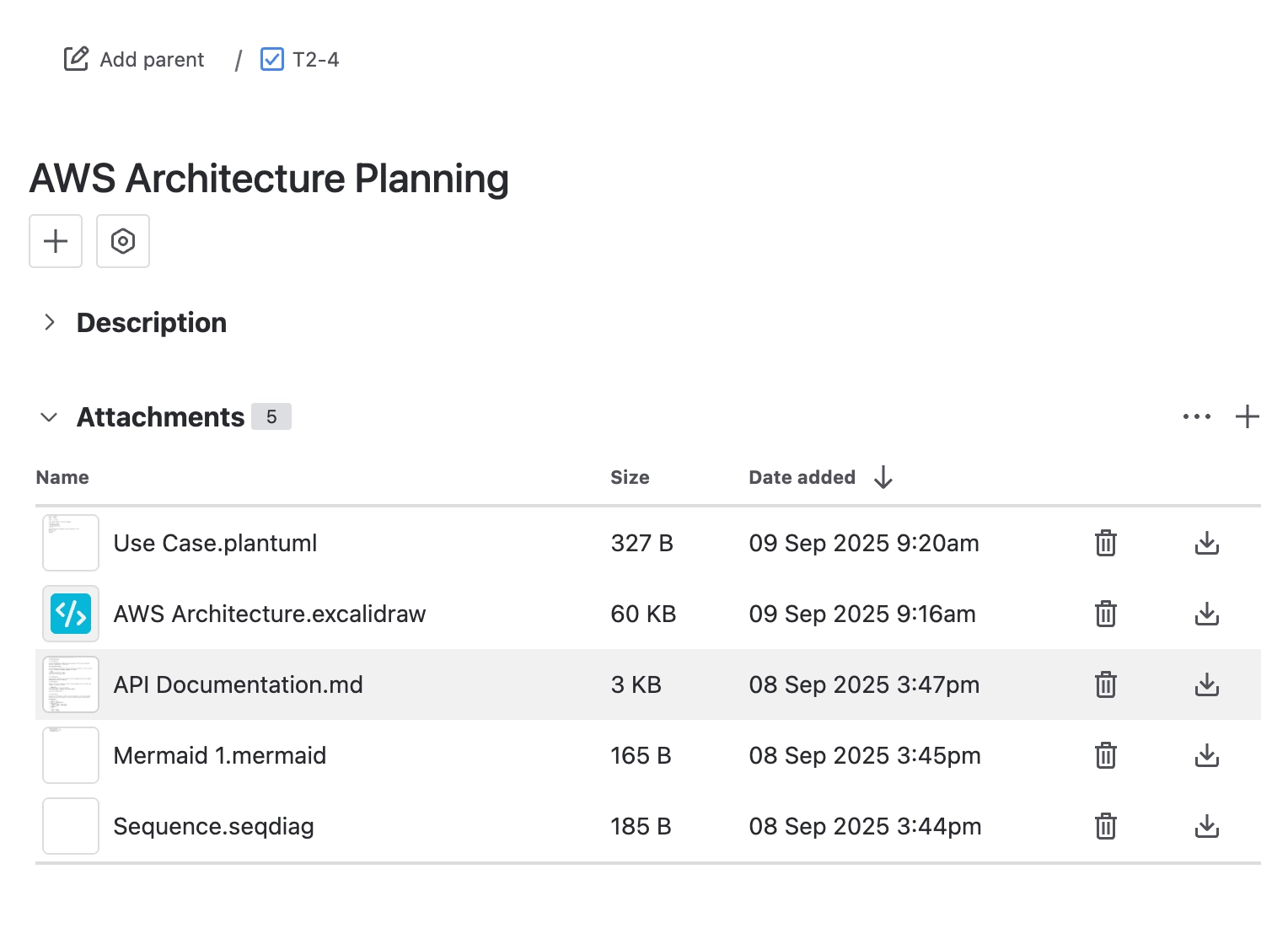
#1. Open a Work item

#2. Expand the attachments section

#3. Click download to export the markdown

How to download Markdown from Jira

← Previous How to browse markdown Next Always show markdown panel →
On this page
1. Open a Work item2. Expand the attachments section3. Click download to export the markdown
Copyright © 2026 Capable Works Limited

Created with Capable Sites + Atlassian Confluence

This site uses cookies for analytics and to improve your experience. You can choose to accept or decline.