
Insert Images from Git
Display images stored in your repositories directly in Confluence or Jira.
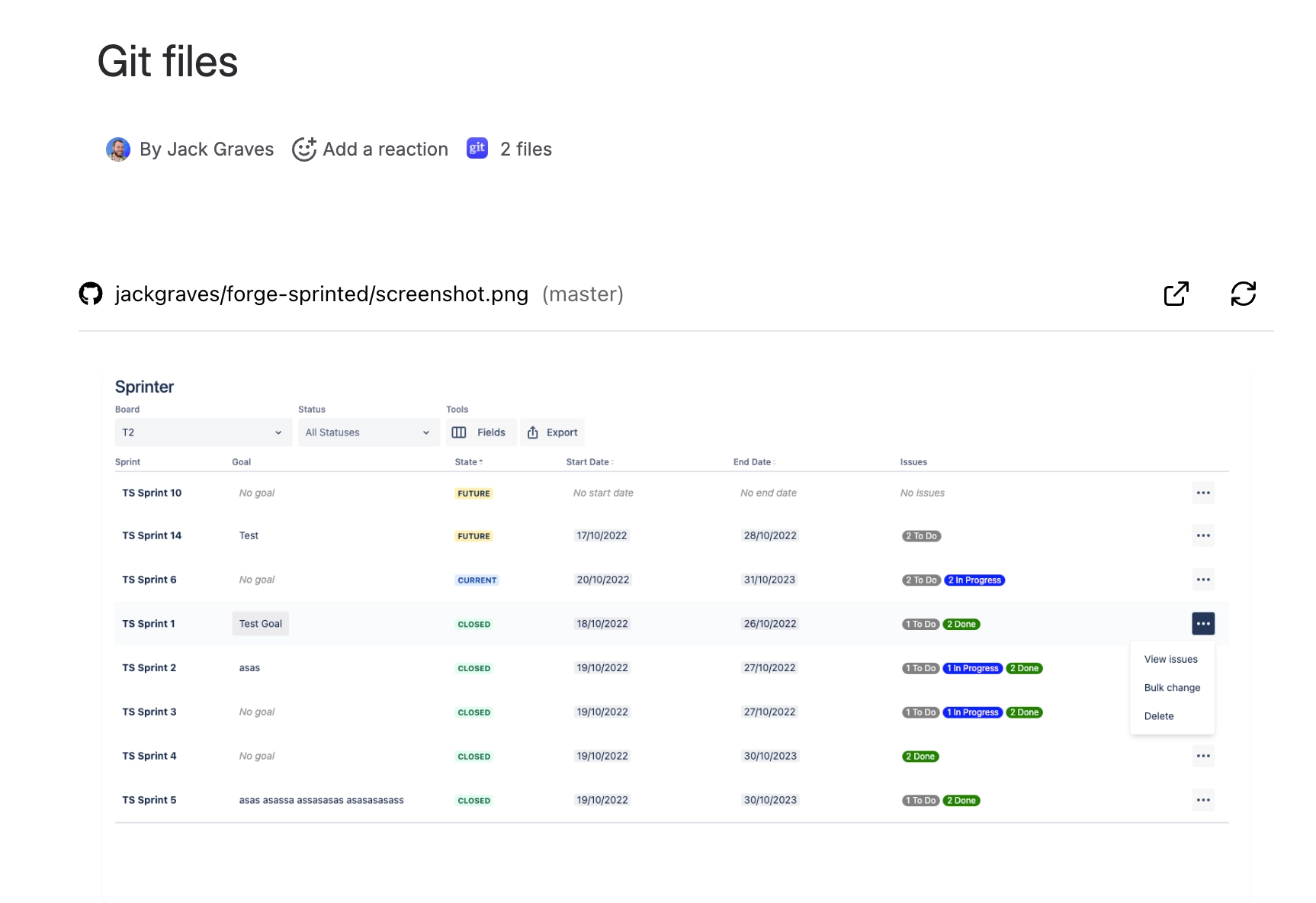
#Before you start
Connect your Git account and confirm access to the repo/branch.
#Supported image formats
.png,.jpg,.jpeg,.gif,.webp,.bmp,.ico,.svg
#Insert steps
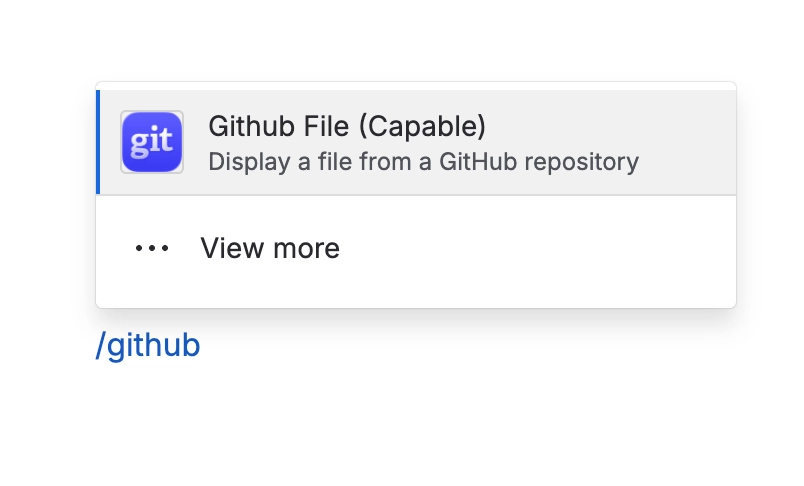
Insert the Github File macro
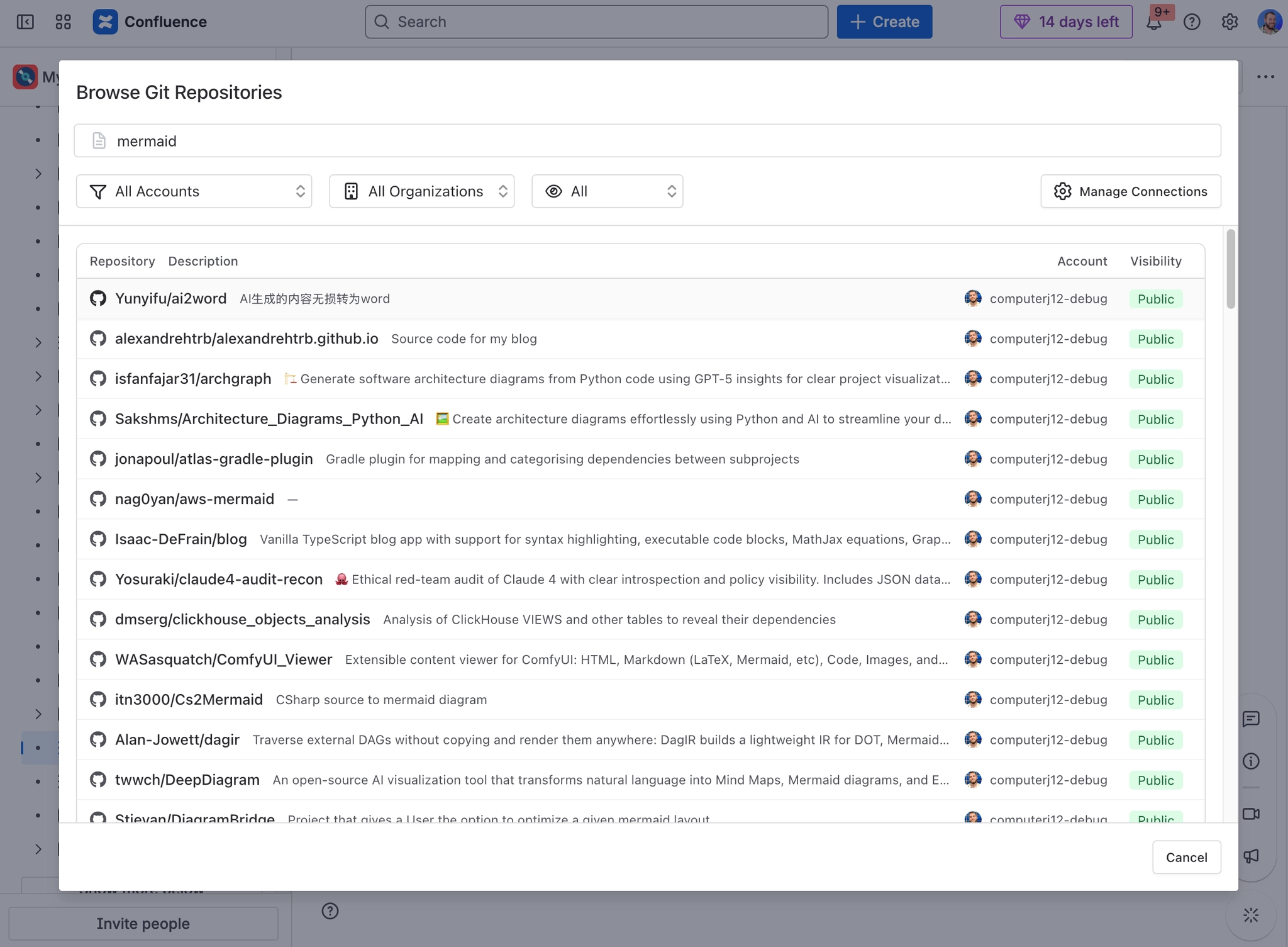
Connect/select your account and choose a repository and branch.
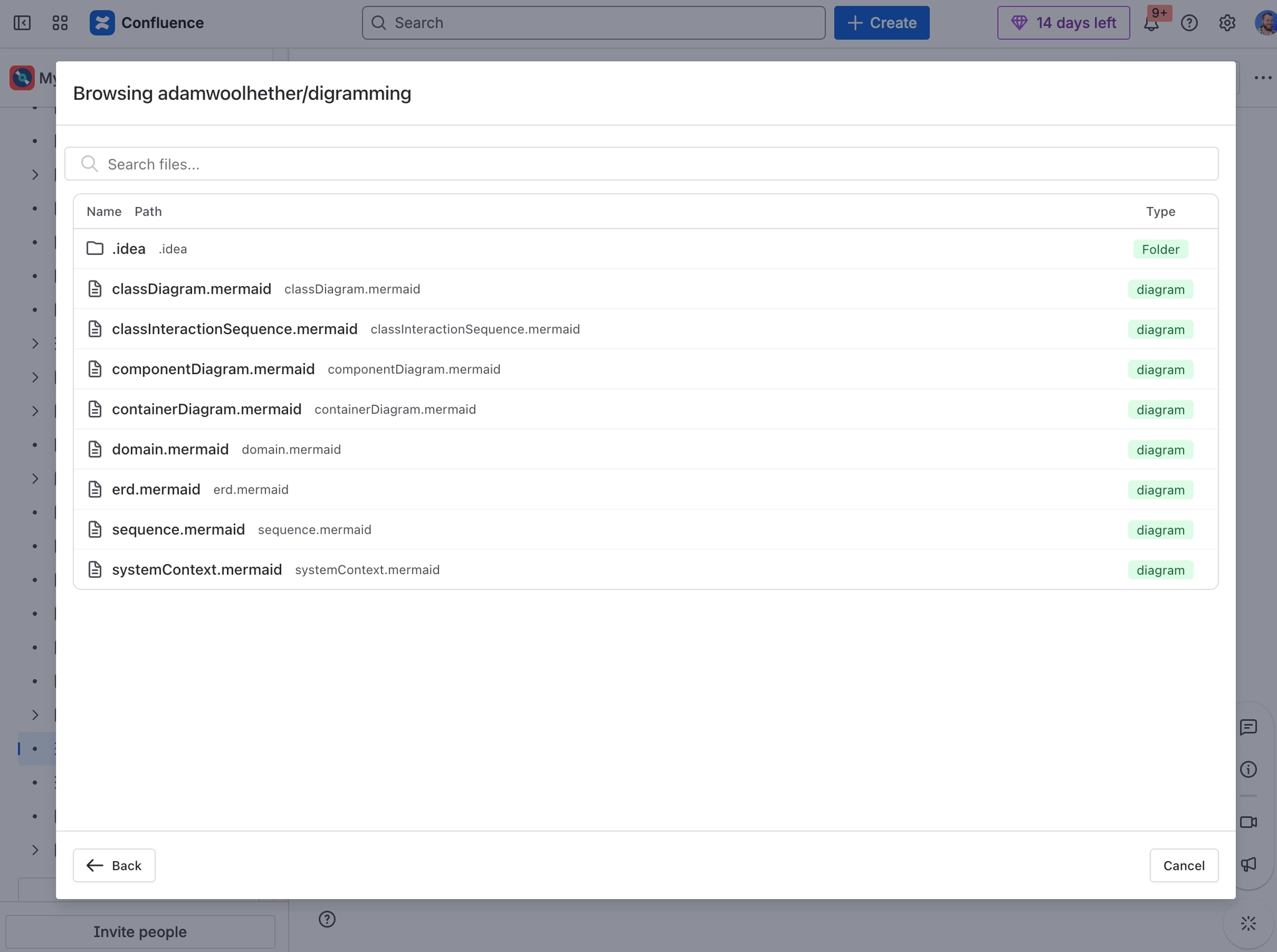
Navigate to the image file and select it.
(Optional) Set a title; the image will preview inline.
Insert to add the image to the page/work item.
#Tips
Very large images will be fit to the container while preserving aspect ratio.
SVGs are displayed inline; ensure they don’t reference external assets that require additional permissions.
#Permissions
Viewers must have access to the repository. Without access, they’ll be prompted to connect or see an access error.
#Troubleshooting
Image won’t load: Confirm the path and branch; ensure the file is one of the supported formats.
Looks blurry: Upload higher-resolution images or use SVG for scalable graphics.





















