
User guide
PDF Embed for Confluence lets you display navigable PDF files directly on your Confluence Cloud pages, so readers can view documents without leaving the page.
#Rendering methods
You can embed PDF files in three ways:
Public URL - Paste the URL of a publicly available PDF. The URL must start with
https://.Existing page attachment - Select a PDF that has already been attached to the Confluence page.
New file upload - Upload a PDF from your computer. The file is added to the page as an attachment and rendered by the app.
#Feature review
The configuration panel controls how the PDF is displayed and what actions are available to visitors.
#Edit popup
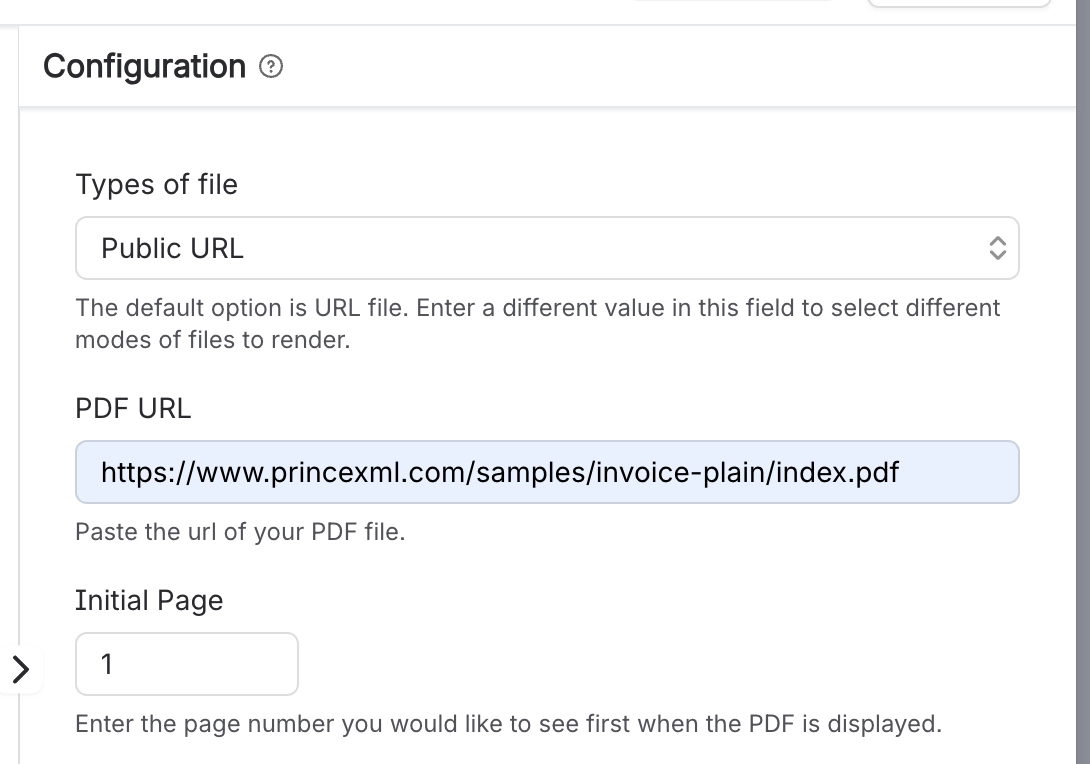
#File source options
Use Types of File to choose where the PDF comes from:
URL - Embed a PDF from a public URL.
Attached - Embed a PDF that has already been attached to the current Confluence page.
New File - Upload a PDF from your computer and attach it to the page.
#Display settings
Initial page - Sets the page shown first when using Slider mode.
Height - By default, the app adjusts the height responsively. In Scroller mode, you can set a manual height to control how many pages are visible.
Page navigation - Choose how readers move through the PDF:
Slider - The default slideshow-style view. Readers can use arrows or enter a page number in the toolbar.
Scroller - A traditional vertical scrolling view.
Download toggle - Allows visitors to download the PDF.
Popup toggle - Allows visitors to open the PDF in a popup.
Fullscreen toggle - Allows visitors to view the PDF in fullscreen mode.
#Toolbar
The toolbar gives readers quick access to navigation, zoom and viewing controls.

Control | Description |
|---|---|
Zoom out | Reduces the zoom level applied to the PDF. |
Zoom in | Increases the zoom level applied to the PDF. |
Previous page | Moves back one page. |
Current page field | Jumps to a specific page number. |
Next page | Moves forward one page. |
Download | Downloads the PDF, when downloads are enabled. |
Popup | Opens the PDF in a popup, when popup view is enabled. |
Fullscreen | Opens the PDF in fullscreen mode, when fullscreen view is enabled. |





















