
Installation
You must be a Confluence Cloud administrator to follow these instructions.
#Step 1. Click the ‘Settings’ cog in the top menu
This will open the Confluence Global Settings page.

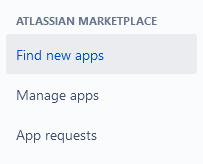
#2. Click 'Find new apps' and search
Search for the ‘PDF Embed’ app in the search box
#3. Start your free trial
Select the app, then click the Try it free button
In the modal window, confirm your installation clicking on ‘Start Free Trial’ now
This will activate a 30-day trial.





















