
Configure the Measurement API Secret
If you are using a Google Analytics 4 property, you will need to create a Measurement Protocol API Secret to track the events page created / updated and comment created / updated.
Before the measurement protocol secret may be created, the User Data Collection Acknowledgement must be attested on the property.
Follow this guide:
#Step 1: Log in
Go to analytics.google.com and log in.
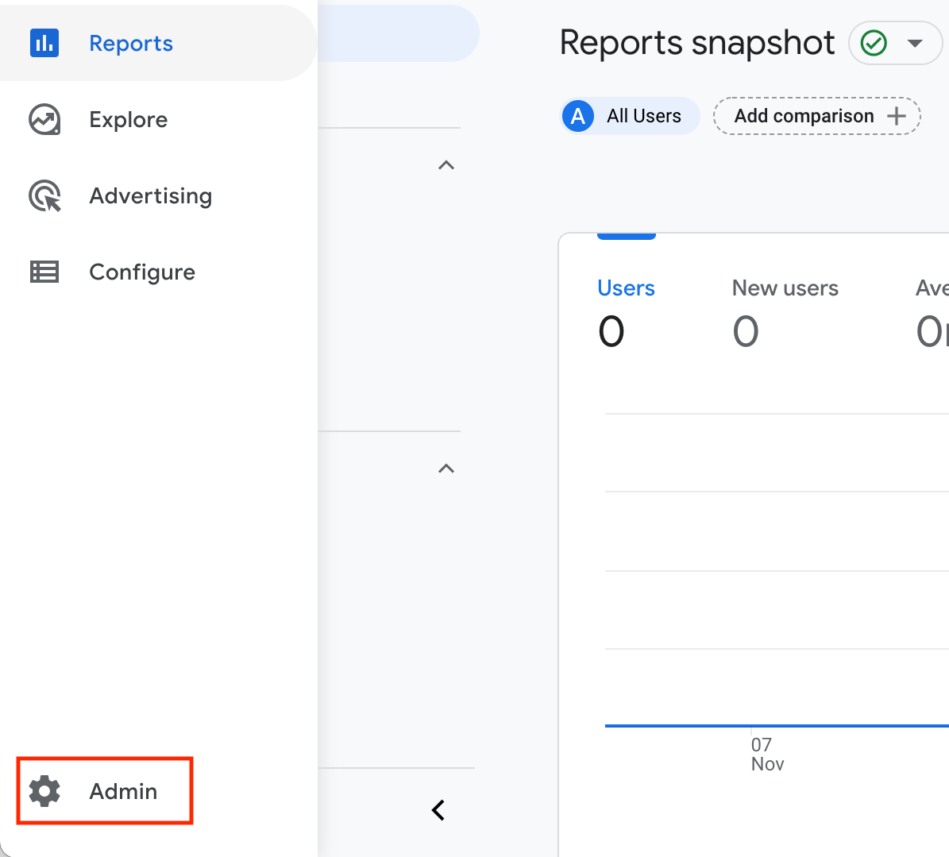
Click Admin
#Step 2: Select the data stream
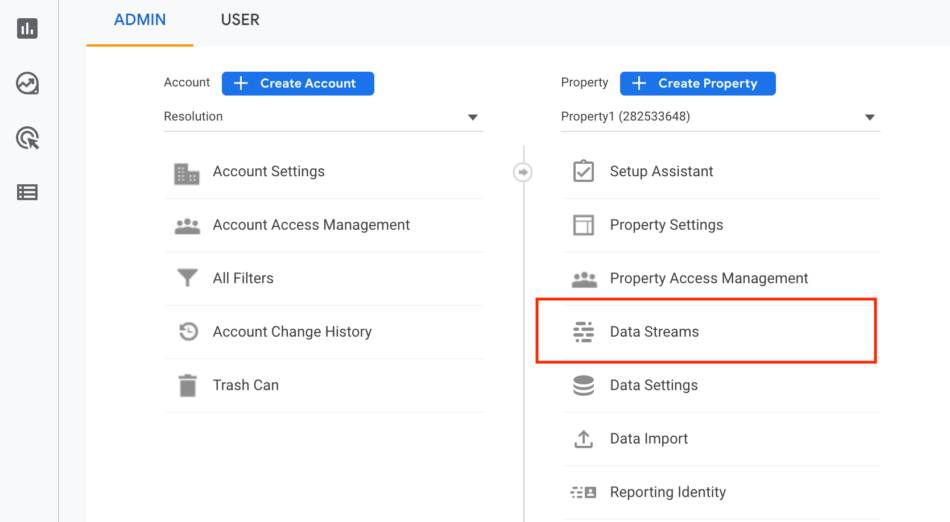
Under the Property column, click into Data Streams
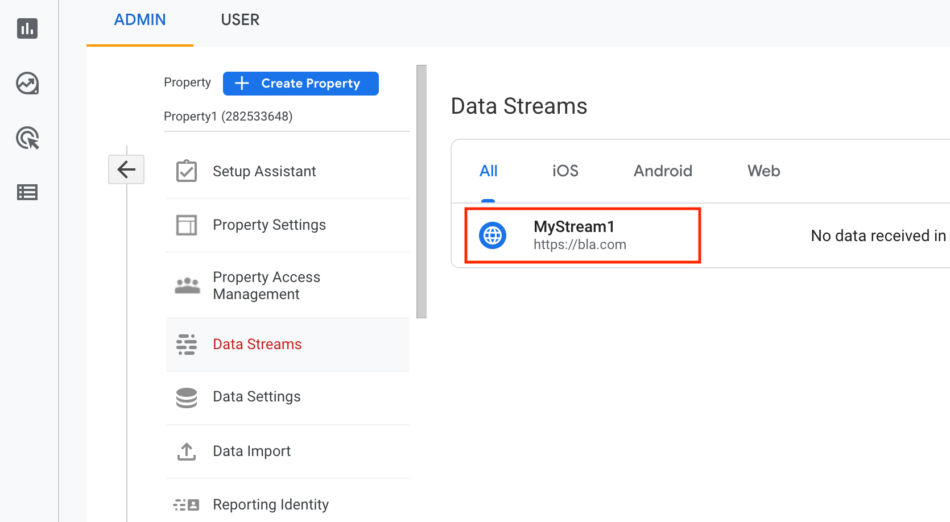
Select the data stream
#Step 3: Find Measurement Protocol API secrets
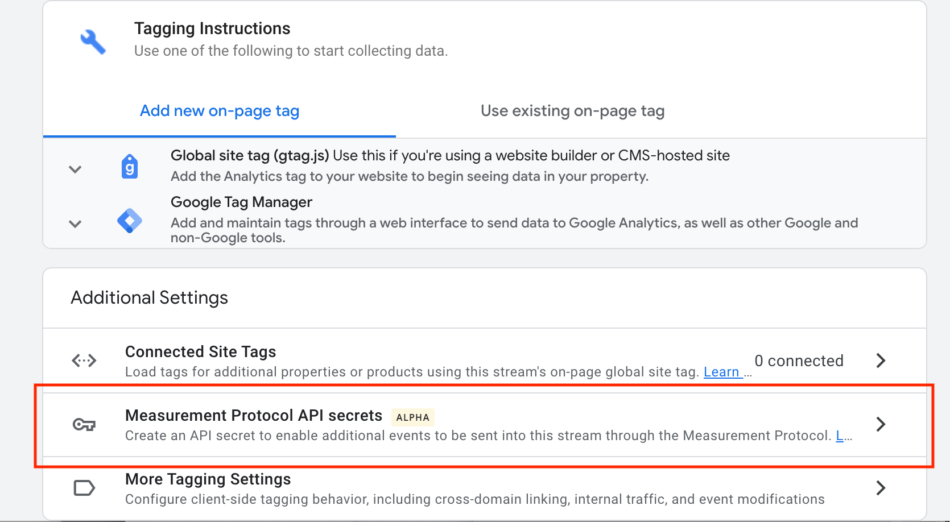
Scroll down to find Measurement Protocol API secrets. Click into it.
#Step 4: Review terms
Click on Review terms
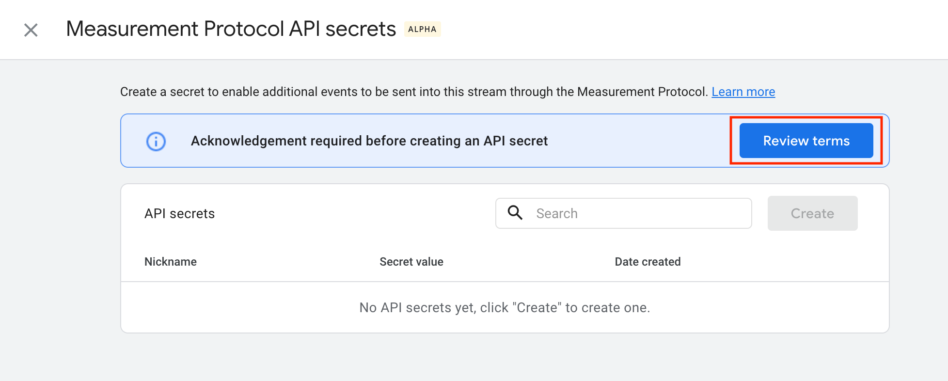
Review them and click I acknowledge
#Step 5: Create the Measurement protocol Api Secret
Back on the configuration page in Confluence, click on create






















