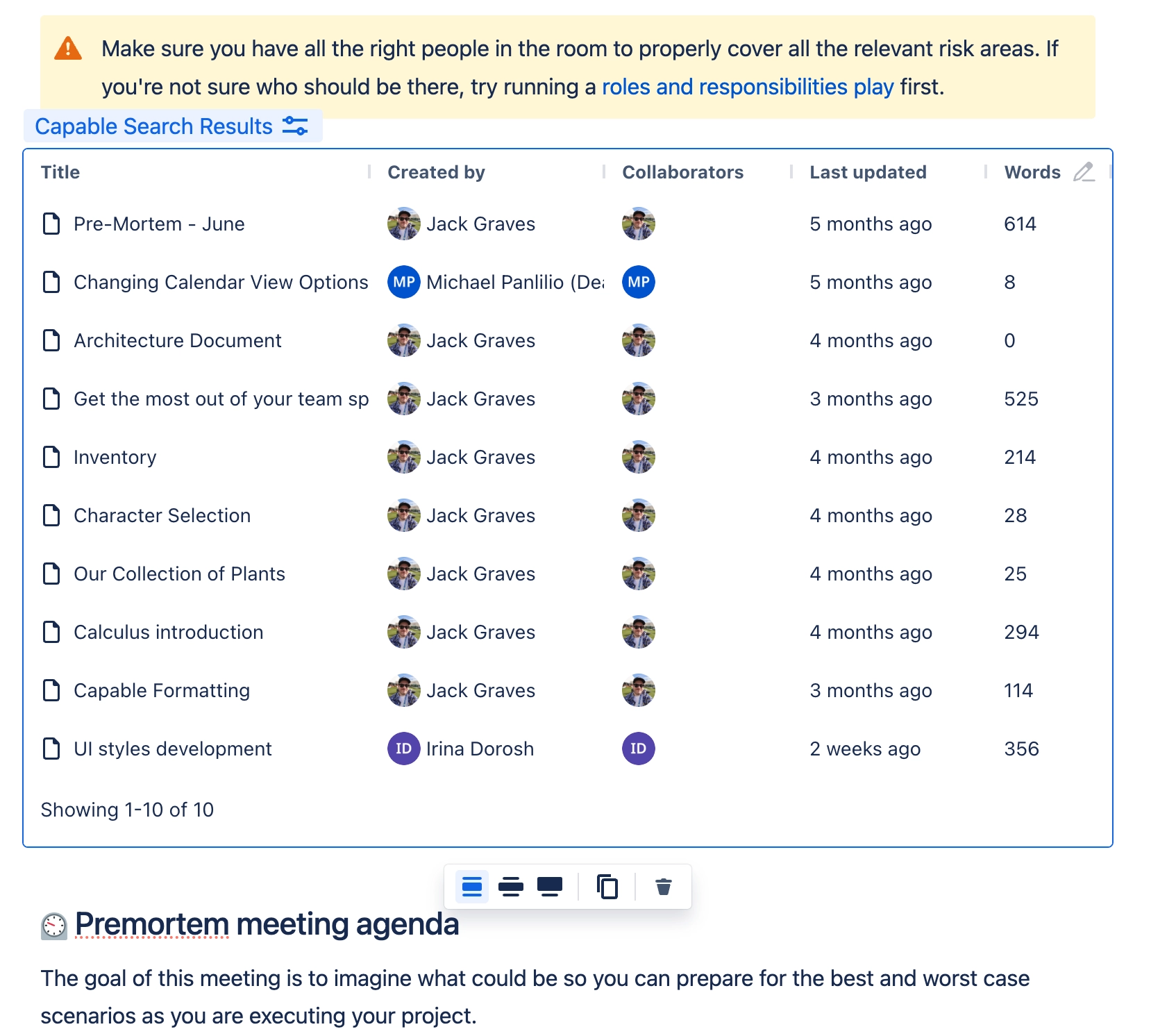
Using the Search Results macro
Integrate dynamic, filtered, and sorted search results into your pages.
The search results macro enables you to display search results from Confluence directly within your pages, providing easy access to relevant information with the ability to filter and sort the results.
Whether you’re looking to streamline information retrieval, highlight key content, or enhance your team's productivity by bringing relevant search results into your workspace, the Search Results Macro makes it seamless and efficient.
#1. Open the editor and type /search results and press Enter

#2. Choose the query to use
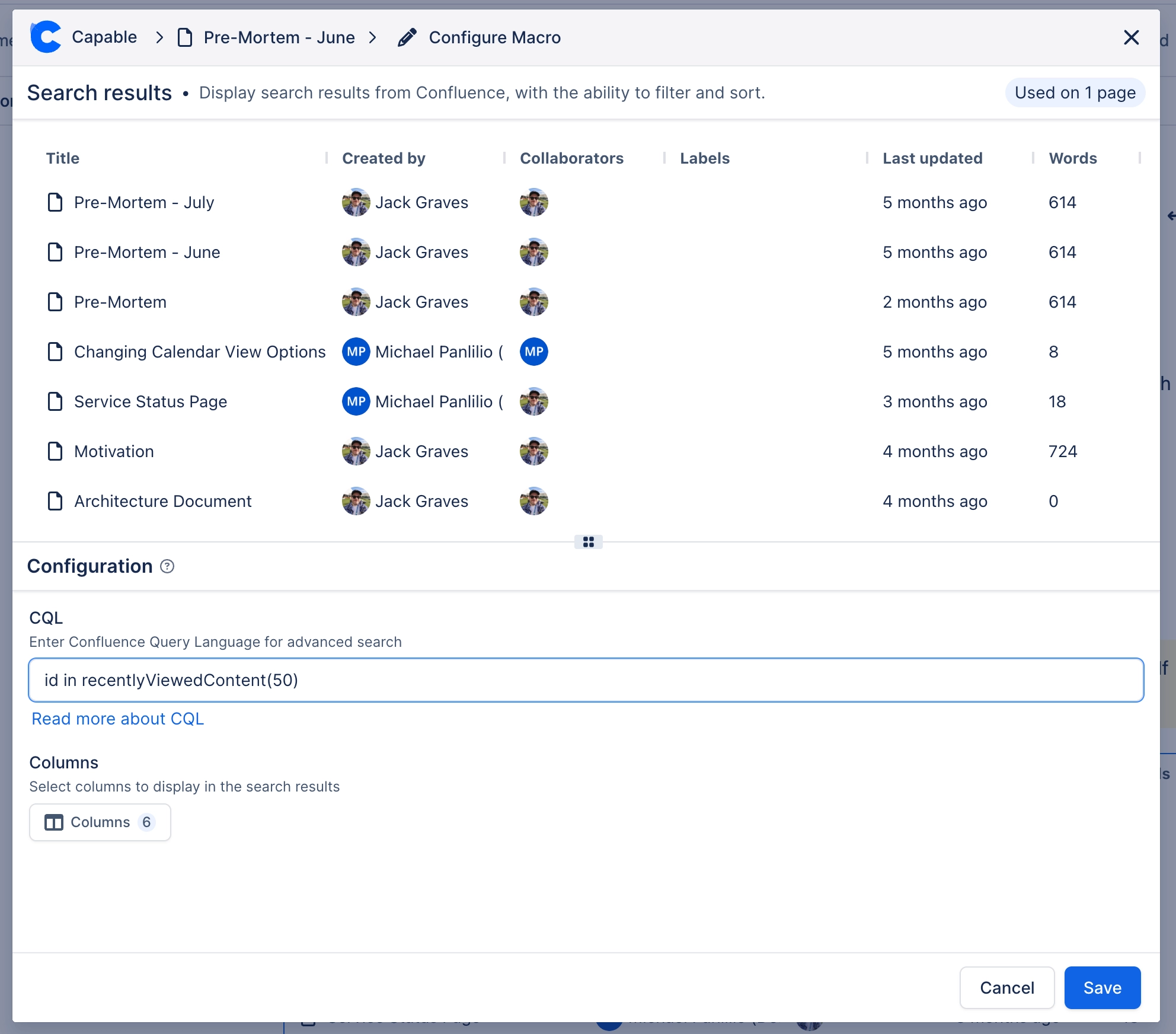
#3. Choose which columns to show

#4. Click Save and you’re done!