# Theming diagrams
Capable Diagrams supports the styling of diagrams in a flexible and user-friendly manner. This styling can be easily applied through the visual editors, including Capable, Excalidraw, and BPMN, by using their dedicated formatting panels. In addition to these visual tools, certain text-based diagrams also allow for styling to be applied effectively.
---
## [#](#using-ai)Using AI
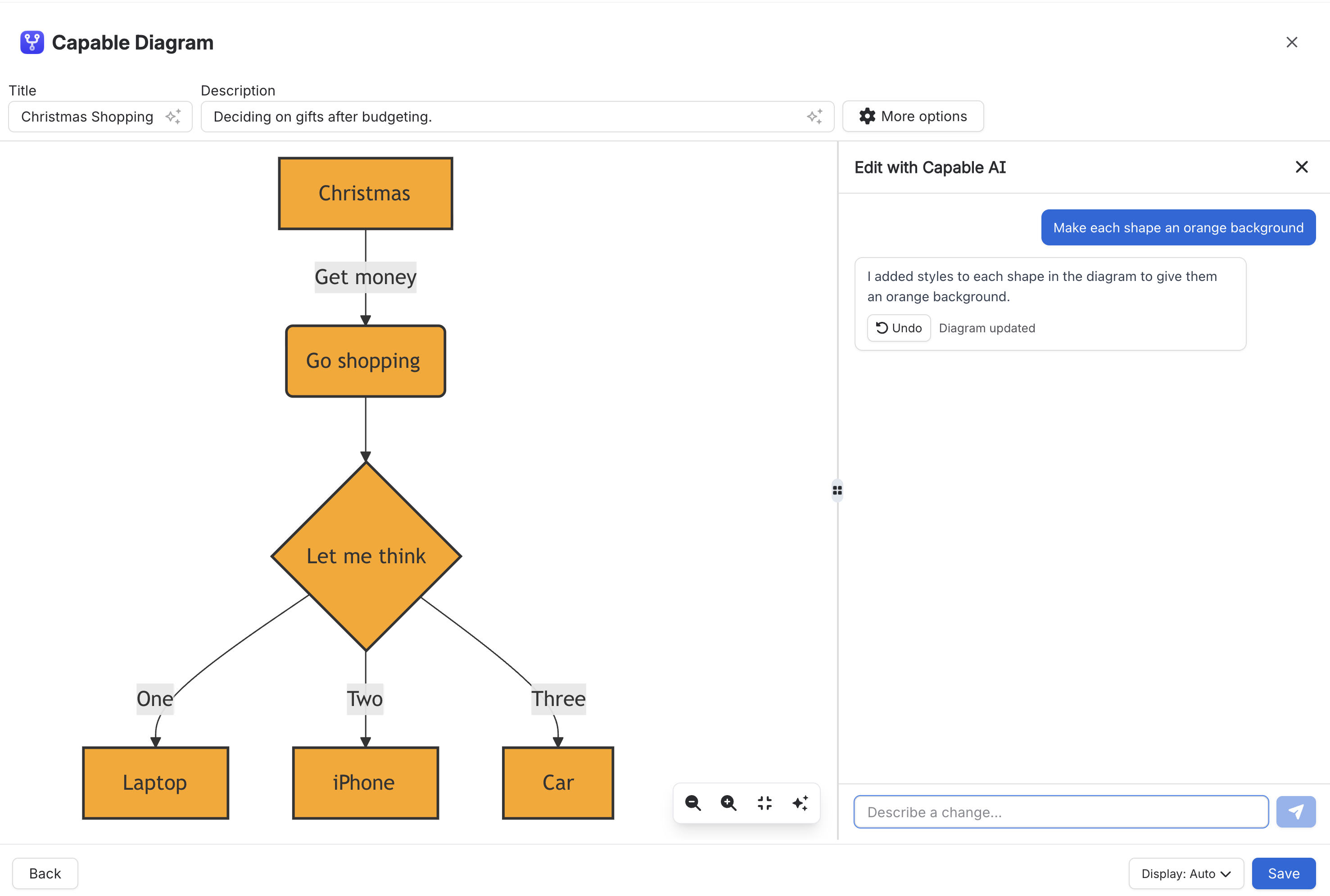
If you have AI features enabled within your application, you can easily request Capable AI to apply a colour theme to your diagram. This intelligent system will automatically analyse the diagram and determine the appropriate syntax needed to implement the new theme effectively.
Once you make the request, Capable AI takes care of all the necessary steps behind the scenes, ensuring that the colour theme is applied accurately and seamlessly without requiring any manual input from you.
---
## [#](#manually)Manually
### [#](#mermaid)Mermaid
Mermaid supports styling through `style`, `classDef`, and `class` statements. Use these to set properties such as a shape’s background colour, border colour, stroke width, and text colour.
```mermaid
flowchart LR
A[Start] --> B[Process] --> C[Done]
%% Style a single node
style A fill:#E3F2FD,stroke:#1565C0,stroke-width:2px,color:#0D47A1
%% Define a reusable class and apply it to nodes
classDef success fill:#E8F5E9,stroke:#2E7D32,stroke-width:2px,color:#1B5E20
class B,C success
```
In Mermaid, `fill` changes the shape background, `stroke` changes the outline, `stroke-width` changes the outline thickness, and `color` changes the text colour.

### [#](#plantuml)PlantUML
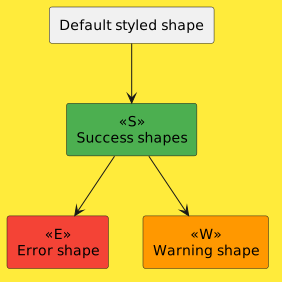
PlantUML supports styling through inline skin parameters and the modern `
rectangle "Default styled shape" as A
rectangle "Success shape" as B <>
A --> B
@enduml>
```
In PlantUML, `BackgroundColor` changes the shape background, `BorderColor` changes the outline, `FontColor` changes the text colour, and `LineThickness` changes the outline thickness.