.png)
Approval Automation Rules

With Capable Approval, you can integrate with the Confluence ‘Automation’ feature to streamline your approval processes. This guide will walk you through how to utilize this feature effectively.
Capable Approval allows you to create automation rules that enhance your workflow in Confluence. By setting specific conditions, you can automate the approval process for pages based on their labels and status changes.
Key Features
Automatic Approval Requests: When a new page is created with designated labels, preselected users can be automatically asked for approval.
Advanced Workflow Creation: You can create templates that have approvals assigned automatically, ensuring that your processes are efficient and consistent.
Dynamic Approval Assignment: Adding a label to a page can trigger an approval request, and changes in page status can also lead to automatic approval assignments.
Guide
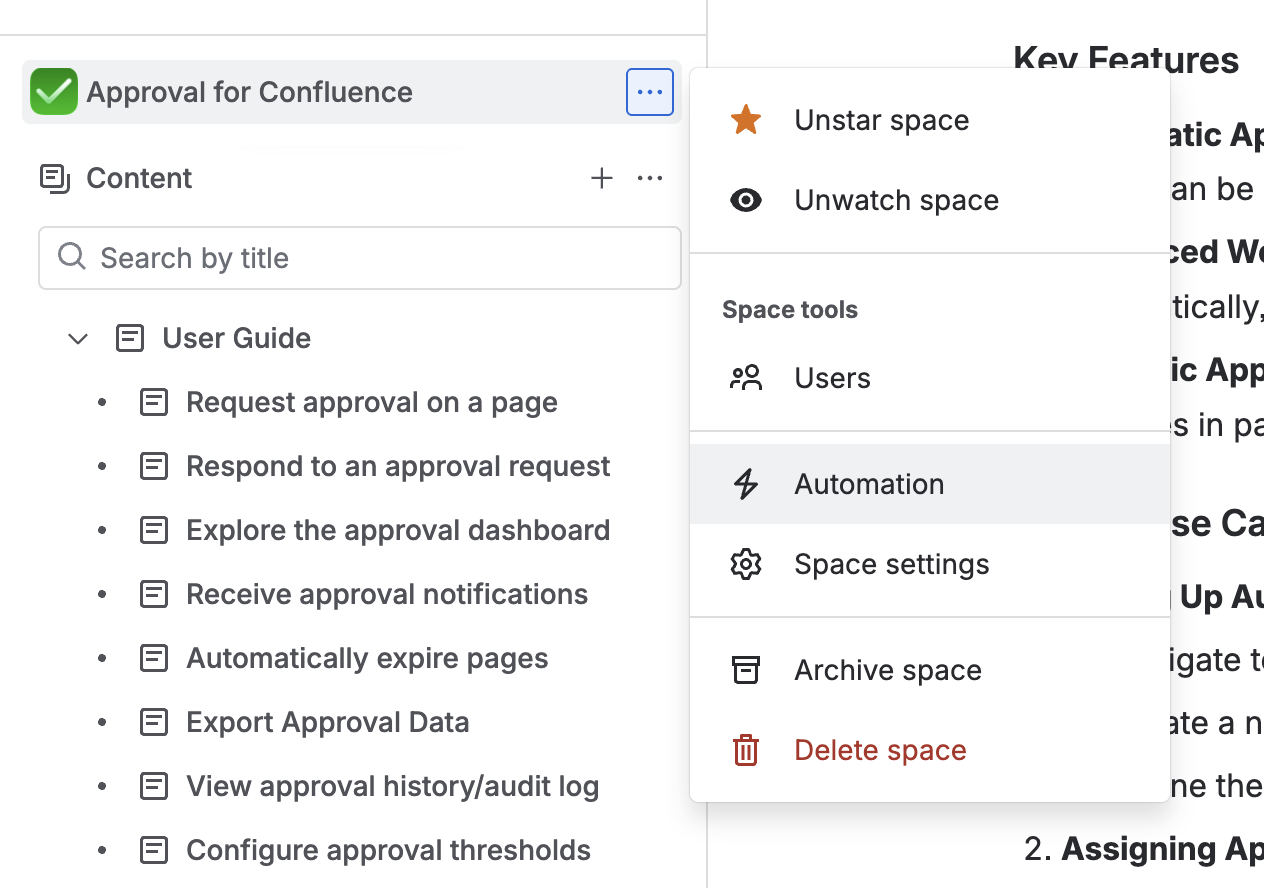
1. Navigate to the Automation feature in Confluence.
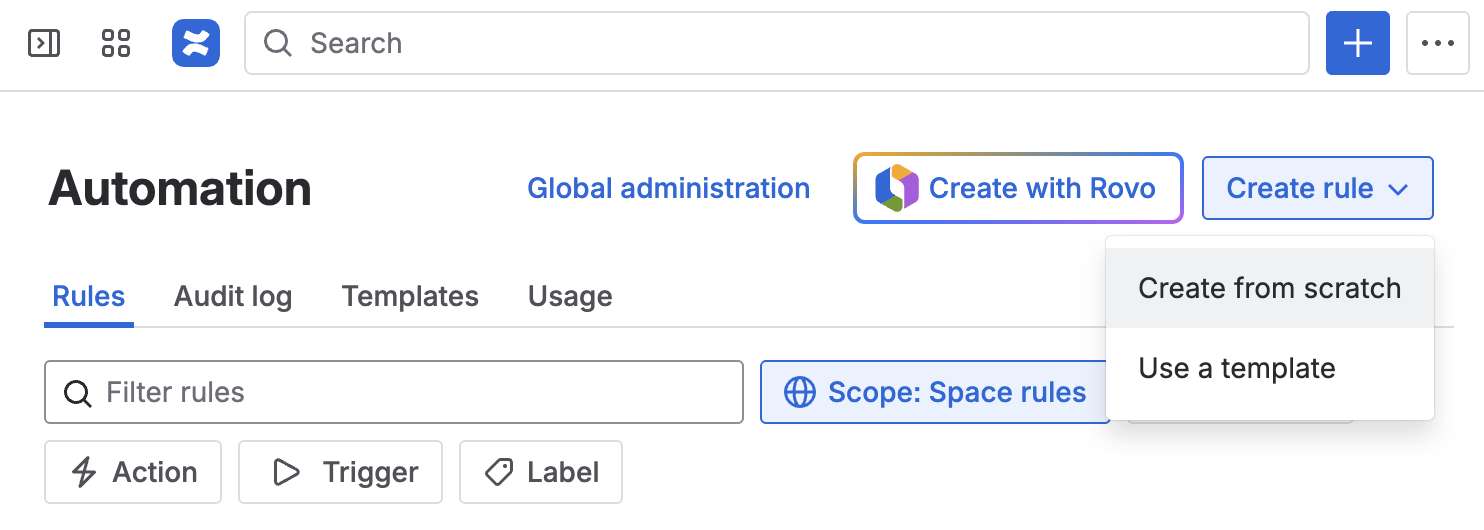
2. Create a new Confluence automation rule
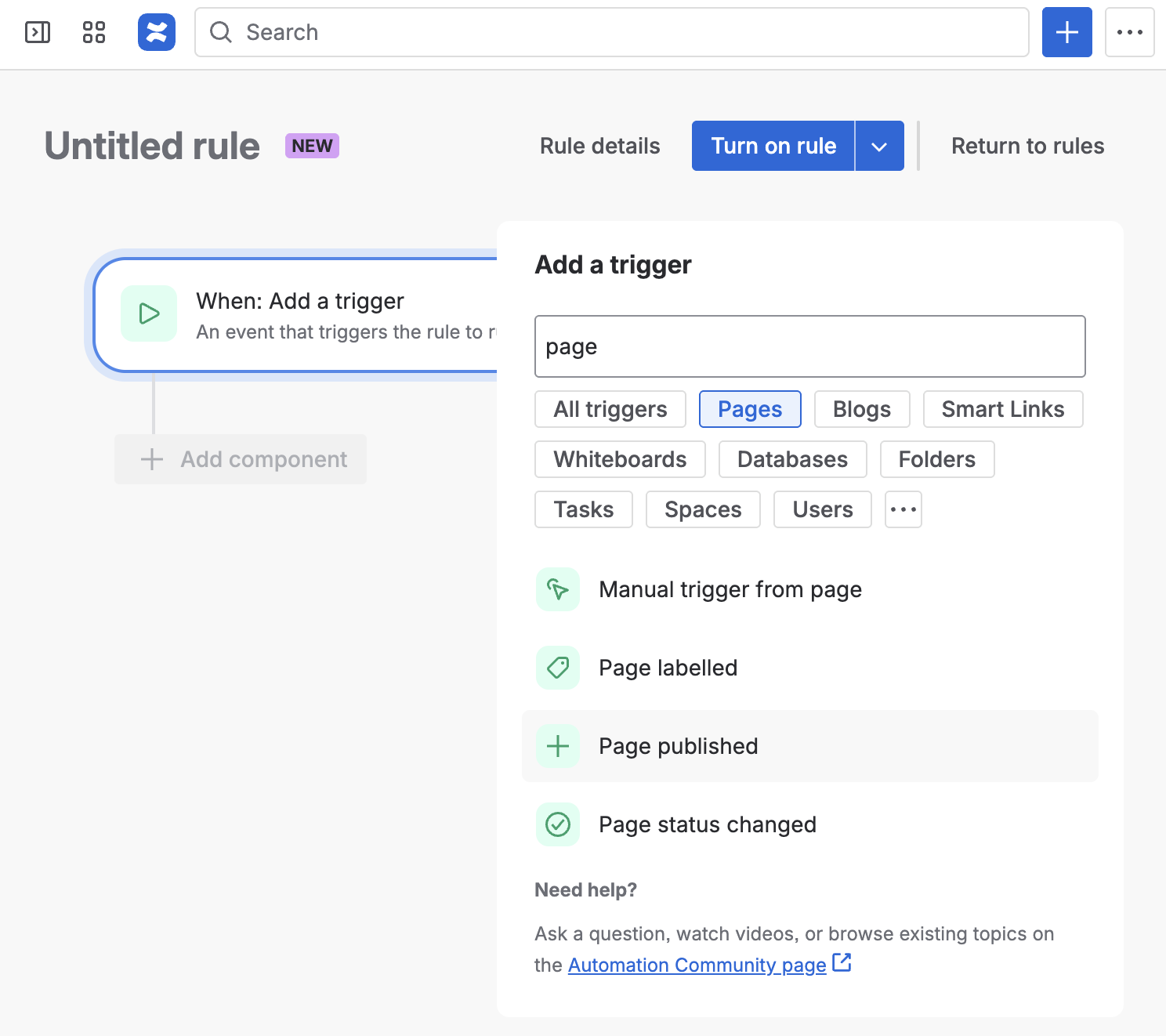
3. Choose the trigger that will cause the approval to be applied.
The following are tested:
Page published (can also include conditions like labels)
Page labelled (this only applies after publishing)
Manual trigger from page
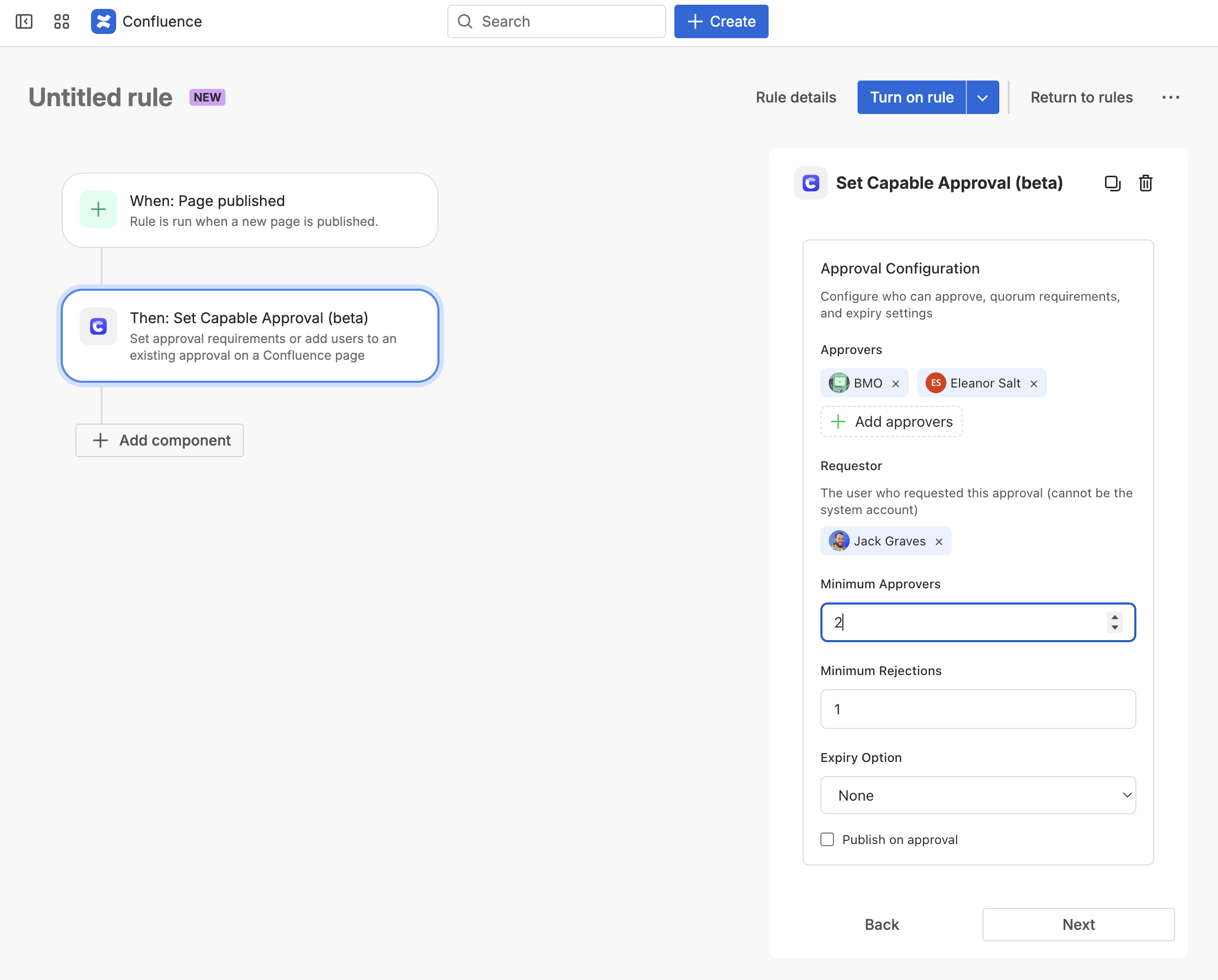
4. Add the ‘Set Capable Approval’ action
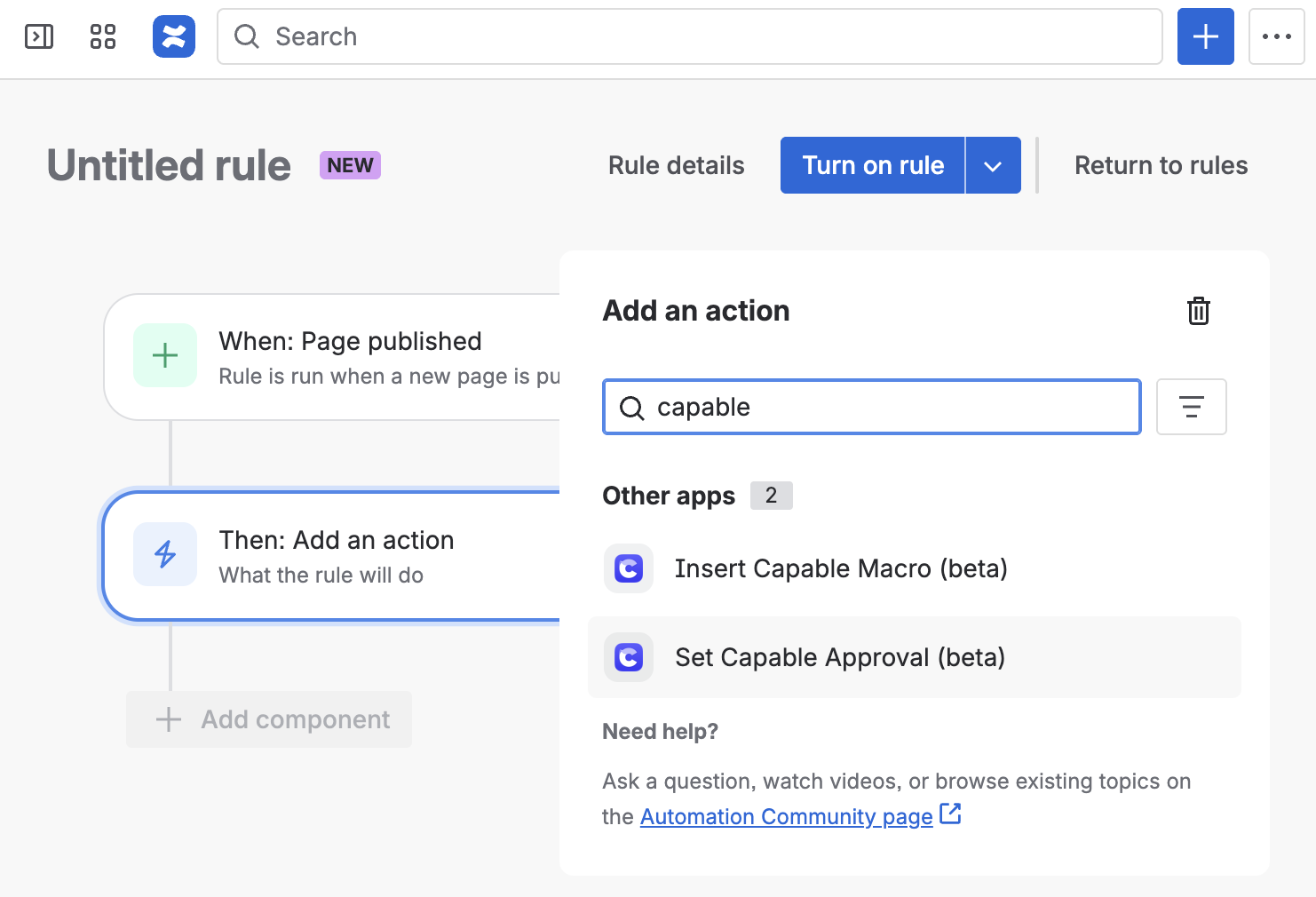
Select who should be added to the approval and other options.
Conclusion
By leveraging the Capable Approval integration with Confluence’s Automation feature, you can significantly enhance your workflow efficiency. This guide provides a foundation for setting up automated approval processes that can adapt to your specific needs. Explore the possibilities and create a tailored approval system that works for your team.